<?xml version="1.0" encoding="utf-8"?><feed xmlns="http://www.w3.org/2005/Atom" ><generator uri="https://jekyllrb.com/" version="3.10.0">Jekyll</generator><link href="https://matthewdavis111.com/feed.xml" rel="self" type="application/atom+xml" /><link href="https://matthewdavis111.com/" rel="alternate" type="text/html" /><updated>2025-08-27T21:37:31+00:00</updated><id>https://matthewdavis111.com/feed.xml</id><title type="html">matthewdavis111</title><subtitle>My site on tech things, Identity, PowerShell, Linux, Azure, AWS, Cloud Identity Providers, DevOps and automation.</subtitle><author><name>Matthew Davis</name></author><entry><title type="html">How to call a Python script from PowerShell</title><link href="https://matthewdavis111.com/powershell/call-python-script-from-powershell/" rel="alternate" type="text/html" title="How to call a Python script from PowerShell" /><published>2023-03-04T00:00:00+00:00</published><updated>2023-03-04T00:00:00+00:00</updated><id>https://matthewdavis111.com/powershell/call-python-script-from-powershell</id><content type="html" xml:base="https://matthewdavis111.com/powershell/call-python-script-from-powershell/"><![CDATA[<p>March 2023</p>

<h1 id="overview">Overview</h1>

<p>A quick post to remind me how to call a Python script via PowerShell, passing in an argument and saving the output of the script to a variable in PowerShell using a couple of demo scripts that do nothing more than pass a string to the Python script and return it with text added.</p>

<p>Test machine specs:</p>

<div class="language-bash highlighter-rouge"><div class="highlight"><pre class="highlight"><code>Ubuntu 20.04.5 LTS
PSVersion 7.3.2
Python 3.10.5 
</code></pre></div></div>

<p>This should work as is with Python 3.6+ (uses <a href="https://realpython.com/python-f-strings/">f-string</a> formatting).</p>

<p>I have a virtual environment created with the required Python packages installed.
The Python script simply outputs the text I need via the print function and exits.</p>

<p>Here is the Python script that takes an argument and prints it out.</p>

<script src="https://gist.github.com/MatthewJDavis/07ff817b79348d3ff7a19745a82f7983.js"></script>

<p>The output can be saved to a variable in PowerShell by calling the script like so.</p>

<script src="https://gist.github.com/MatthewJDavis/ba97157071ed2bc8cdfaa0432b3448f7.js"></script>

<p>The PythonProgramPath can either point to the main install of Python (or just Python if it is added to the Path environment variable) or a virtual environment if extra packages are required / installed for the script to run.</p>

<p>I was using this method to work with JWTs. I was struggling to so with PowerShell and already had the Python scripts written so I only had to grab the output of the script to use the JWT values in my PowerShell script.</p>]]></content><author><name>Matthew Davis</name></author><category term="powershell" /><category term="python" /><summary type="html"><![CDATA[Call a Python script passing an argument and saving return value in variable example.]]></summary></entry><entry><title type="html">How to create JSON Web Key Sets (JWKS) with Python</title><link href="https://matthewdavis111.com/jwks/creating-jwks-with-python/" rel="alternate" type="text/html" title="How to create JSON Web Key Sets (JWKS) with Python" /><published>2023-02-19T00:00:00+00:00</published><updated>2023-02-19T00:00:00+00:00</updated><id>https://matthewdavis111.com/jwks/creating-jwks-with-python</id><content type="html" xml:base="https://matthewdavis111.com/jwks/creating-jwks-with-python/"><![CDATA[<p>Feb 2023</p>

<h1 id="overview">Overview</h1>

<p>Something that I’ve had to do more of recently is create <a href="https://auth0.com/docs/secure/tokens/json-web-tokens/json-web-key-sets">JSON Web Key Sets</a> commonly known as JWKS -private and public keys in JSON format for <a href="https://registry.terraform.io/providers/okta/okta/latest/docs">Terraform to authenticate to Okta</a> via <a href="https://developer.okta.com/docs/guides/implement-oauth-for-okta-serviceapp/main/">OAuth service applications</a>. There are plenty of online options out there but when running in production, you’ll want to create them locally and not rely on a third party solution. This works for Okta service accounts but the JWKS can be used for other applications and the script updated to create keys with other algorithms and settings.</p>

<p>The script below shows how to achieve this with Python and OpenSSL running on Ubuntu and can be used as a starting point for other operating systems to generate keys locally.</p>

<p>Because the keys are being used in automation (with Terraform to provision Okta resources) they are not protected with a password. These keys should be moved to secure storage such as a password manager / key vault for automation ASAP.</p>

<p>Tested with:</p>

<ul>
  <li>Python 3.8.10</li>
  <li>Ubuntu 20.04.5 LTS</li>
</ul>

<p>In a virtual environment - install the jwcrypto module if not already installed.</p>

<div class="language-bash highlighter-rouge"><div class="highlight"><pre class="highlight"><code>pip <span class="nb">install </span>jwcrypto
</code></pre></div></div>

<p>Copy the contents of main.py to a local main.py file.</p>

<script src="https://gist.github.com/MatthewJDavis/bca7426df03eb74695b206a7201869f1.js"></script>

<div class="language-bash highlighter-rouge"><div class="highlight"><pre class="highlight"><code>python main.py
</code></pre></div></div>

<p>4 keys will be created in the ‘keys’ directory.</p>

<p>The keys are now ready to be used and can be setup to authenticate Terraform with Okta. Terraform requires the private key in RSA format so use the key <code class="language-plaintext highlighter-rouge">service_app_keys_rsa.pem</code> for any Terraform scripts.</p>]]></content><author><name>Matthew Davis</name></author><category term="jwks" /><category term="python" /><category term="jwks" /><category term="okta" /><summary type="html"><![CDATA[Creating a JSON Web Key Sets (JWKS) with Python for use with an Okta service application to authenticate with Terraform.]]></summary></entry><entry><title type="html">Airthings consumer API with Python</title><link href="https://matthewdavis111.com/python/airthings-api-python/" rel="alternate" type="text/html" title="Airthings consumer API with Python" /><published>2022-07-03T00:00:00+00:00</published><updated>2022-07-03T00:00:00+00:00</updated><id>https://matthewdavis111.com/python/airthings-api-python</id><content type="html" xml:base="https://matthewdavis111.com/python/airthings-api-python/"><![CDATA[<p>July 2022</p>

<h1 id="overview">Overview</h1>

<p>Quick guide on how to authenticate and query the <a href="https://developer.airthings.com/consumer-api-docs">Airthings consumer API</a> to pull data from the air quality monitoring devices registered with the account.</p>

<h2 id="code">Code</h2>

<p>Here’s the code to authenticate and pull sensor data to get going.</p>

<script src="https://gist.github.com/MatthewJDavis/e26f388b68d27dfede3ba8bbb1d213fa.js"></script>

<h2 id="script-details">Script details</h2>

<p>Requires Python 3.6 and above due to use of <a href="https://realpython.com/python-f-strings/">f-strings</a>.</p>

<p>The requests package is a requirement and should be installed in a virtual environment or container with <code class="language-plaintext highlighter-rouge">pip install requests</code>.
The script calls the authentication server to request a bearer token to authenticate the calls to the API, using the client credentials <a href="https://www.rfc-editor.org/rfc/rfc6749#section-4.4.2">Oauth2 flow</a>.</p>

<p>You’ll need the API token and client id which can be created: <a href="https://dashboard.airthings.com/integrations/api-integration">https://dashboard.airthings.com/integrations/api-integration</a> with the scopes ‘'’read:device:current_values’’’ checked.</p>

<p>Before running the script, the secret should be exported to an environment variable. That can be done by:</p>

<div class="language-bash highlighter-rouge"><div class="highlight"><pre class="highlight"><code><span class="c"># Linux and Mac</span>
 <span class="nb">export </span><span class="nv">secret</span><span class="o">=</span><span class="s2">"secret-key"</span>
<span class="c"># Windows</span>
 <span class="nv">$Env</span>:secret <span class="o">=</span> <span class="s1">'secret-key'</span>
</code></pre></div></div>

<p>Update the <em>client_id</em> and <em>device_id</em> variable values - these can be viewed in the Airthings website.</p>

<div class="language-bash highlighter-rouge"><div class="highlight"><pre class="highlight"><code>python main.py
</code></pre></div></div>

<p>That should then pull the latest data from the API for that particular device. Individual values can be accessed via the dictionary returned from the API as demonstrated in the script with the co2 value.</p>]]></content><author><name>Matthew Davis</name></author><category term="python" /><category term="airthings" /><category term="python" /><category term="api" /><summary type="html"><![CDATA[How to authenticate and query the Airthings API with Python]]></summary></entry><entry><title type="html">Query Workday API using Python and the Zeep package</title><link href="https://matthewdavis111.com/python/query-workday-api-python/" rel="alternate" type="text/html" title="Query Workday API using Python and the Zeep package" /><published>2021-08-05T00:00:00+00:00</published><updated>2021-08-05T00:00:00+00:00</updated><id>https://matthewdavis111.com/python/query-workday-api-python</id><content type="html" xml:base="https://matthewdavis111.com/python/query-workday-api-python/"><![CDATA[<p>August 2021</p>

<h1 id="overview">Overview</h1>

<p>I have spent the last 2 days attempting and finally succeeding in querying the Workday API for a user by their ID using Python and Zeep and couldn’t find a solid example so have recorded here the solution and the process of getting to it. I am by no means a Python expert and definitely not a Workday expert having only used it as an employee in the past, this is what I came up with and worked.</p>

<h2 id="script">Script</h2>

<p>If you came here just to see how to get going, check out the below script. Details are further down if you’re interested.</p>

<p>Requires the <a href="https://pypi.org/project/zeep/">Zeep package</a> to be installed.</p>

<div class="language-bash highlighter-rouge"><div class="highlight"><pre class="highlight"><code>pip <span class="nb">install </span>zeep
</code></pre></div></div>

<script src="https://gist.github.com/MatthewJDavis/5823fa942fe753d320417eab2bc36a03.js"></script>

<h2 id="process">Process</h2>

<p>Having not had the ‘joy’ of using a SOAP based API in a long long time, I set off Googling ways to do this with Python. I found the Zeep package so started there then I came across the <a href="https://pypi.org/project/workday/">Workday package</a> but found that it caused an error for me and the project is now archived in GitHub. Going back to Zeep I read <a href="https://medium.com/@ayushi21095/working-with-soap-based-web-service-using-python-8f532195bc6c">this tutorial</a> that got me on my way. I was able to return a list of workers however was still stuck on how to actually specify a particular user.</p>

<p>Reading those posts, and this question on <a href="https://stackoverflow.com/questions/53440759/workday-get-worker-from-user-id-or-email-filter">Stack Overflow</a> that shows the required xml and going back to the documentation a lot, I finally managed to figure out what was required to send the request to the SOAP endpoint and get back the correct worker data.</p>

<h3 id="dumping-the-wdsl">Dumping the wdsl</h3>

<p>First thing to do was dump the wdsl using Zeep</p>

<div class="language-bash highlighter-rouge"><div class="highlight"><pre class="highlight"><code>workday_url <span class="o">=</span> <span class="s1">'https://&lt;hostname&gt;.workday.com/ccx/service/&lt;tenant&gt;/Human_Resources/v36.2?wsdl'</span> 
python <span class="nt">-m</span> zeep  <span class="nv">$workday_url</span> <span class="o">&gt;&gt;</span> hr.txt
</code></pre></div></div>

<p>Then referencing the Workday API docs and the hr.txt I found that <a href="https://community.workday.com/sites/default/files/file-hosting/productionapi/Human_Resources/v36.2/Get_Workers.html#Worker_Request_ReferencesType">Worker_Request_References</a> is used <em>“to retrieve a specific instance(s) of Worker and its associated data.”</em> The parameter name is Worker_Reference and takes the <a href="https://community.workday.com/sites/default/files/file-hosting/productionapi/Human_Resources/v36.2/Get_Workers.html#WorkerObjectIDType">type WorkerObjectID</a>.</p>

<p>Following along with the Zeep docs on <a href="https://docs.python-zeep.org/en/master/datastructures.html">datastructures</a> I found we can use the get_type method of the client to create a query. <em>“Most of the times you need to pass nested data to the soap client. These Complex types can be retrieved using the client.get_type() method.”</em></p>

<p>Referencing the hr.txt wdsl dump I searched for ‘Worker_Request’ and found ‘ns0:Worker_Request_ReferencesType’. Inspecting the object looked like I was on the right track so I added the ID I was looking for as per the docs and tried that but got an exception.</p>

<div class="language-python highlighter-rouge"><div class="highlight"><pre class="highlight"><code><span class="n">ref_type</span> <span class="o">=</span> <span class="n">client</span><span class="p">.</span><span class="n">get_type</span><span class="p">(</span><span class="s">'ns0:Worker_Request_ReferencesType'</span><span class="p">)</span>
<span class="n">request</span> <span class="o">=</span> <span class="n">ref_type</span><span class="p">(</span><span class="n">Worker_Reference</span><span class="o">=</span><span class="s">'1234'</span><span class="p">)</span>
<span class="n">client</span><span class="p">.</span><span class="n">service</span><span class="p">.</span><span class="n">Get_Workers</span><span class="p">(</span><span class="n">request</span><span class="p">)</span>

<span class="n">zeep</span><span class="p">.</span><span class="n">exceptions</span><span class="p">.</span><span class="n">Fault</span><span class="p">:</span> <span class="n">Validation</span> <span class="n">error</span> <span class="n">occurred</span><span class="p">.</span> <span class="n">Invalid</span> <span class="n">ID</span> <span class="s">'type'</span>  <span class="n">attribute</span><span class="p">:</span> <span class="n">NotSet</span><span class="p">.</span>  <span class="n">Valid</span> <span class="n">Types</span><span class="p">:</span> <span class="n">WID</span> 
</code></pre></div></div>

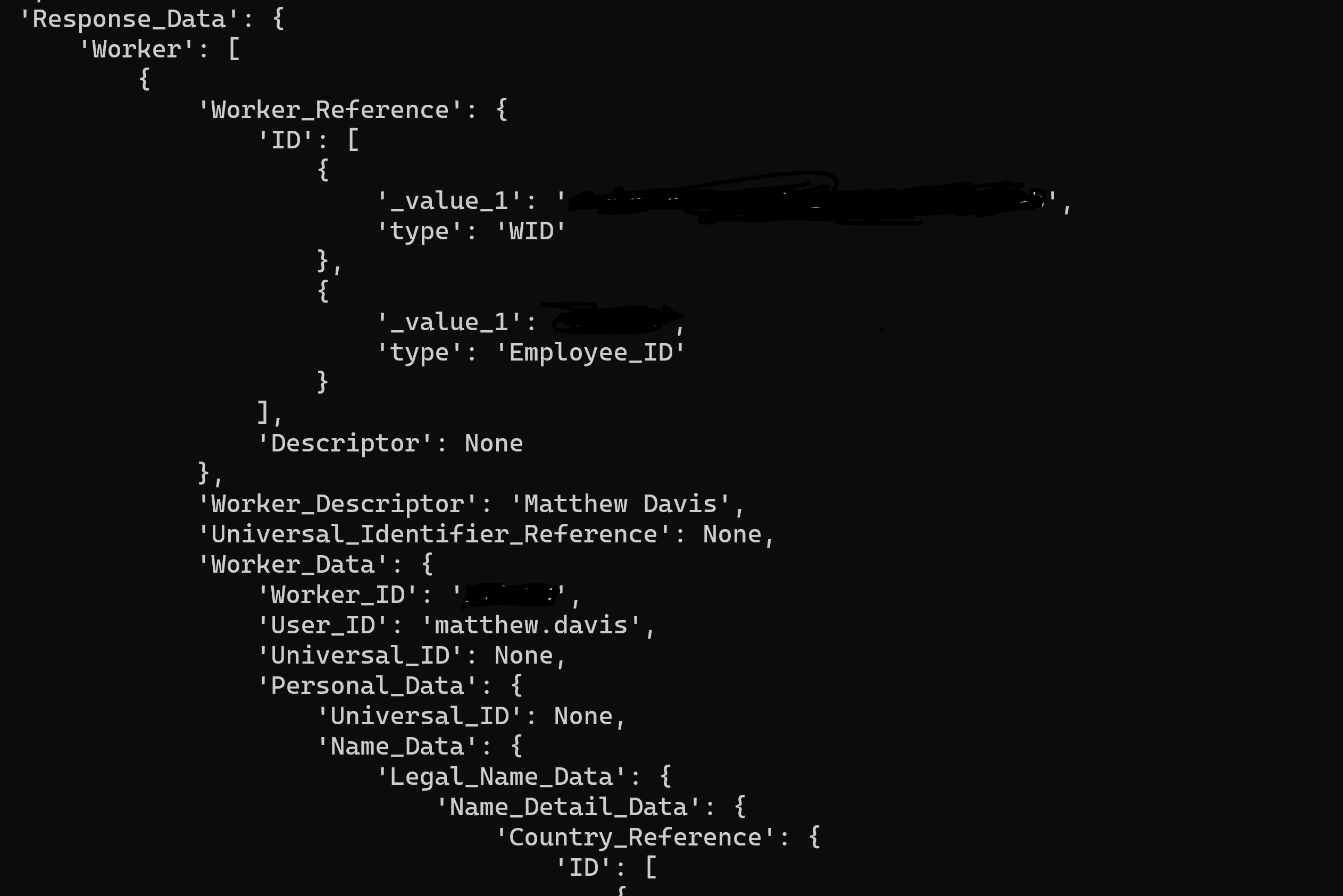
<p>Inspecting the request object I could see that it was kind of right but also missing the type as mentioned in the docs and also in the xml example on the Stack Overflow post and what I had be shown in Workday Studio.</p>

<p><img src="/images/python-workday/ref-object.png" alt="Output of the object in Python" /></p>

<p><a href="https://docs.python-zeep.org/en/master/datastructures.html#xsd-choice">Further down</a> in the Zeep <a href="https://docs.python-zeep.org/en/master/datastructures.html">datastructures</a> docs and mentioned in one of the blog posts it shows how to set a nest value so after using the request object as a starting point and some trial and error creating the dictionary that finally worked.</p>

<div class="language-python highlighter-rouge"><div class="highlight"><pre class="highlight"><code><span class="n">request_dict</span> <span class="o">=</span> <span class="p">{</span> 
    <span class="s">'Worker_Reference'</span><span class="p">:</span> <span class="p">{</span> 
        <span class="s">'ID'</span><span class="p">:</span> <span class="p">{</span> 
            <span class="s">'type'</span><span class="p">:</span> <span class="s">'Employee_ID'</span><span class="p">,</span> 
            <span class="s">'_value_1'</span><span class="p">:</span> <span class="n">employee_id</span> 
        <span class="p">},</span> 
        <span class="s">'Descriptor'</span><span class="p">:</span> <span class="bp">None</span> 
    <span class="p">},</span> 
    <span class="s">'Skip_Non_Existing_Instances'</span><span class="p">:</span> <span class="bp">None</span><span class="p">,</span> 
    <span class="s">'Ignore_Invalid_References'</span><span class="p">:</span> <span class="bp">None</span> 
<span class="p">}</span>

<span class="n">client</span><span class="p">.</span><span class="n">service</span><span class="p">.</span><span class="n">Get_Workers</span><span class="p">(</span><span class="n">request_dict</span><span class="p">)</span> 
</code></pre></div></div>

<p>This returned the data for my user in the test instance.</p>

<p><img src="/images/python-workday/returned-data.png" alt="data returned from Workday" /></p>

<h2 id="summary">Summary</h2>

<p>Hopefully this will help someone who is struggling querying the Workday API like I was.</p>]]></content><author><name>Matthew Davis</name></author><category term="python" /><category term="zeep" /><category term="python" /><category term="api" /><summary type="html"><![CDATA[How to authenticate with the Workday SOAP API and query for a worker by worker ID using Python and Zeep.]]></summary></entry><entry><title type="html">Microsoft Graph App and Scope permissions.</title><link href="https://matthewdavis111.com/msgraph/azure-ad-permission-details/" rel="alternate" type="text/html" title="Microsoft Graph App and Scope permissions." /><published>2021-08-02T00:00:00+00:00</published><updated>2021-08-02T00:00:00+00:00</updated><id>https://matthewdavis111.com/msgraph/azure-ad-permission-details</id><content type="html" xml:base="https://matthewdavis111.com/msgraph/azure-ad-permission-details/"><![CDATA[<p>August 2021 (Updated April 2024)</p>

<h1 id="overview">Overview</h1>

<p>Below are the details of Microsoft Graph permissions including IDs which are required when using Terraform, PowerShell or Azure CLI.</p>

<h2 id="update-april-2024">Update April 2024</h2>

<p>Thanks to this <a href="https://github.com/MatthewJDavis/matthewjdavis.github.io/issues/2">GitHub issue</a> raised by <a href="https://github.com/jan-swiecki">jan-swiecki</a>, I have updated this article with an example of how to find the ID of the MS Graph permissions using Terraform with the <a href="https://registry.terraform.io/providers/hashicorp/azuread/latest/docs/data-sources/service_principal">azuread_service_principal resource</a>. This functionality was <a href="https://www.hashicorp.com/blog/announcing-terraform-azuread-provider-2-0">introduced</a> just after I had written the original article. The below Terraform file demonstrates outputing the IDs via variables and also how to use the permission IDs to create an application.</p>

<script src="https://gist.github.com/MatthewJDavis/a6e91b79538f5e2e7c566449f2d3d957.js"></script>

<p>Thanks again to <a href="https://github.com/jan-swiecki">jan-swiecki</a> for taking the time to share this knowledge.</p>

<h2 id="original-article-continues">Original article continues</h2>

<p>In my previous article on using <a href="https://matthewdavis111.com/terraform/terraform-azure-ad-app/">Terraform to deploy to Azure AD</a>, I used the <code class="language-plaintext highlighter-rouge">required_resource_access</code> argument in the Terraform <a href="https://registry.terraform.io/providers/hashicorp/azuread/latest/docs/resources/application#argument-reference">azuread_application</a> resource to set the <a href="https://docs.microsoft.com/en-us/graph/permissions-reference">Microsoft Graph API permissions</a> for the app being created. One thing that stumped me for a bit was how to get the ID of the permission. This wasn’t available on the <a href="https://docs.microsoft.com/en-us/graph/permissions-reference">Microsoft Graph API permissions</a> documentation at the time of writing.</p>

<p>Searching showed that you can see the current API grants of an application by the Azure CLI by running:</p>

<div class="language-bash highlighter-rouge"><div class="highlight"><pre class="highlight"><code> az ad app show <span class="nt">--id</span> 
</code></pre></div></div>

<p>This outputs the following section:</p>

<div class="language-json highlighter-rouge"><div class="highlight"><pre class="highlight"><code><span class="w">  </span><span class="nl">"requiredResourceAccess"</span><span class="p">:</span><span class="w"> </span><span class="p">[</span><span class="w">
    </span><span class="p">{</span><span class="w">
      </span><span class="nl">"additionalProperties"</span><span class="p">:</span><span class="w"> </span><span class="kc">null</span><span class="p">,</span><span class="w">
      </span><span class="nl">"resourceAccess"</span><span class="p">:</span><span class="w"> </span><span class="p">[</span><span class="w">
        </span><span class="p">{</span><span class="w">
          </span><span class="nl">"additionalProperties"</span><span class="p">:</span><span class="w"> </span><span class="kc">null</span><span class="p">,</span><span class="w">
          </span><span class="nl">"id"</span><span class="p">:</span><span class="w"> </span><span class="s2">"7ab1d382-f21e-4acd-a863-ba3e13f7da61"</span><span class="p">,</span><span class="w">
          </span><span class="nl">"type"</span><span class="p">:</span><span class="w"> </span><span class="s2">"Role"</span><span class="w">
        </span><span class="p">}</span><span class="w">
      </span><span class="p">],</span><span class="w">
      </span><span class="nl">"resourceAppId"</span><span class="p">:</span><span class="w"> </span><span class="s2">"00000003-0000-0000-c000-000000000000"</span><span class="w">
    </span><span class="p">}</span><span class="w">
  </span><span class="p">]</span><span class="err">,</span><span class="w">
</span></code></pre></div></div>

<p>The <code class="language-plaintext highlighter-rouge">resourceAppId</code> in the above snippet is for the Microsoft Graph. <a href="https://www.shawntabrizi.com/aad/common-microsoft-resources-azure-active-directory/">This post</a> has details of the other application IDs for Microsoft resources. The <code class="language-plaintext highlighter-rouge">resourceAccess</code> ID is for the role <strong>Directory.Read.All</strong> and this is what is displayed in the Azure portal. This was a start but I wanted to know other IDs and this method only showed what was already granted to that app. I couldn’t find a way to do this via the Azure CLI or PowerShell.</p>

<p>I ended up finding <a href="https://github.com/microsoftgraph/microsoft-graph-docs/issues/3646#issuecomment-859772348">this comment</a> on a GitHub issue that showed how to retrieve the information from the MS Graph by the following query: <code class="language-plaintext highlighter-rouge">https://graph.microsoft.com/v1.0/servicePrincipals?$filter=appId eq '00000003-0000-0000-c000-000000000000'&amp;$select=appRoles, oauth2PermissionScopes</code>.</p>

<p>I created a basic <a href="https://github.com/MatthewJDavis/python/tree/master/ms_graph_permissions">python cli script</a> to get this information, format it and output it in a markdown table which is what is below to be used for future reference.</p>

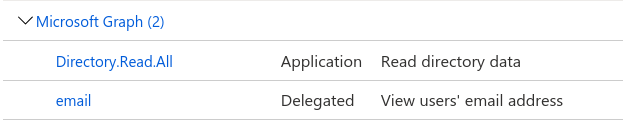
<p>Note: Role permissions display as <code class="language-plaintext highlighter-rouge">Application</code> and scope permissions display as <code class="language-plaintext highlighter-rouge">Delegated</code> in the Azure portal.</p>

<p><img src="/images/azuread-app-graph-permissions/roles-scopes.png" alt="permissions displayed in the portal" /></p>

<h2 id="role-permissions">Role permissions</h2>

<table>
  <thead>
    <tr>
      <th>Role Name</th>
      <th>ID</th>
      <th>Display Name</th>
      <th>Description</th>
    </tr>
  </thead>
  <tbody>
    <tr>
      <td>APIConnectors.Read.All</td>
      <td>b86848a7-d5b1-41eb-a9b4-54a4e6306e97</td>
      <td>Read API connectors for authentication flows</td>
      <td>Allows the app to read the API connectors used in user authentication flows, without a signed-in user.</td>
    </tr>
    <tr>
      <td>APIConnectors.ReadWrite.All</td>
      <td>1dfe531a-24a6-4f1b-80f4-7a0dc5a0a171</td>
      <td>Read and write API connectors for authentication flows</td>
      <td>Allows the app to read, create and manage the API connectors used in user authentication flows, without a signed-in user.</td>
    </tr>
    <tr>
      <td>AccessReview.Read.All</td>
      <td>d07a8cc0-3d51-4b77-b3b0-32704d1f69fa</td>
      <td>Read all access reviews</td>
      <td>Allows the app to read access reviews, reviewers, decisions and settings in the organization, without a signed-in user.</td>
    </tr>
    <tr>
      <td>AccessReview.ReadWrite.All</td>
      <td>ef5f7d5c-338f-44b0-86c3-351f46c8bb5f</td>
      <td>Manage all access reviews</td>
      <td>Allows the app to read, update, delete and perform actions on access reviews, reviewers, decisions and settings in the organization, without a signed-in user.</td>
    </tr>
    <tr>
      <td>AccessReview.ReadWrite.Membership</td>
      <td>18228521-a591-40f1-b215-5fad4488c117</td>
      <td>Manage access reviews for group and app memberships</td>
      <td>Allows the app to read, update, delete and perform actions on access reviews, reviewers, decisions and settings in the organization for group and app memberships, without a signed-in user.</td>
    </tr>
    <tr>
      <td>AdministrativeUnit.Read.All</td>
      <td>134fd756-38ce-4afd-ba33-e9623dbe66c2</td>
      <td>Read all administrative units</td>
      <td>Allows the app to read administrative units and administrative unit membership without a signed-in user.</td>
    </tr>
    <tr>
      <td>AdministrativeUnit.ReadWrite.All</td>
      <td>5eb59dd3-1da2-4329-8733-9dabdc435916</td>
      <td>Read and write all administrative units</td>
      <td>Allows the app to create, read, update, and delete administrative units and manage administrative unit membership without a signed-in user.</td>
    </tr>
    <tr>
      <td>Agreement.Read.All</td>
      <td>2f3e6f8c-093b-4c57-a58b-ba5ce494a169</td>
      <td>Read all terms of use agreements</td>
      <td>Allows the app to read terms of use agreements, without a signed in user.</td>
    </tr>
    <tr>
      <td>Agreement.ReadWrite.All</td>
      <td>c9090d00-6101-42f0-a729-c41074260d47</td>
      <td>Read and write all terms of use agreements</td>
      <td>Allows the app to read and write terms of use agreements, without a signed in user.</td>
    </tr>
    <tr>
      <td>AgreementAcceptance.Read.All</td>
      <td>d8e4ec18-f6c0-4620-8122-c8b1f2bf400e</td>
      <td>Read all terms of use acceptance statuses</td>
      <td>Allows the app to read terms of use acceptance statuses, without a signed in user.</td>
    </tr>
    <tr>
      <td>AppRoleAssignment.ReadWrite.All</td>
      <td>06b708a9-e830-4db3-a914-8e69da51d44f</td>
      <td>Manage app permission grants and app role assignments</td>
      <td>Allows the app to manage permission grants for application permissions to any API (including Microsoft Graph) and application assignments for any app, without a signed-in user.</td>
    </tr>
    <tr>
      <td>Application.Read.All</td>
      <td>9a5d68dd-52b0-4cc2-bd40-abcf44ac3a30</td>
      <td>Read all applications</td>
      <td>Allows the app to read all applications and service principals without a signed-in user.</td>
    </tr>
    <tr>
      <td>Application.ReadWrite.All</td>
      <td>1bfefb4e-e0b5-418b-a88f-73c46d2cc8e9</td>
      <td>Read and write all applications</td>
      <td>Allows the app to create, read, update and delete applications and service principals without a signed-in user.  Does not allow management of consent grants.</td>
    </tr>
    <tr>
      <td>Application.ReadWrite.OwnedBy</td>
      <td>18a4783c-866b-4cc7-a460-3d5e5662c884</td>
      <td>Manage apps that this app creates or owns</td>
      <td>Allows the app to create other applications, and fully manage those applications (read, update, update application secrets and delete), without a signed-in user.  It cannot update any apps that it is not an owner of.</td>
    </tr>
    <tr>
      <td>ApprovalRequest.Read.AdminConsentRequest</td>
      <td>0d9d2e88-e2eb-4ac7-9b1d-9b68ed9f9f4f</td>
      <td>Read all admin consent approval requests</td>
      <td>Allows the app to read admin consent requests, business flows, and governance policy templates without a signed-in user.</td>
    </tr>
    <tr>
      <td>ApprovalRequest.Read.CustomerLockbox</td>
      <td>080ce695-a830-4d5c-a45a-375e3ab11b11</td>
      <td>Read all customer lockbox approval requests</td>
      <td>Allows the app to read customer lockbox requests, business flows, and governance policy templates without a signed-in user.</td>
    </tr>
    <tr>
      <td>ApprovalRequest.Read.EntitlementManagement</td>
      <td>b2a3adf0-5774-4846-986c-a91c705b0141</td>
      <td>Read all entitlement management approval requests</td>
      <td>Allows the app to read entitlement management requests, business flows, and governance policy templates without a signed-in user.</td>
    </tr>
    <tr>
      <td>ApprovalRequest.Read.PriviligedAccess</td>
      <td>3f410ed8-2d83-4435-b2c4-c776f44e4ae1</td>
      <td>Read all privileged access approval requests</td>
      <td>Allows the app to read privileged access requests, business flows, and governance policy templates without a signed-in user.</td>
    </tr>
    <tr>
      <td>ApprovalRequest.ReadWrite.AdminConsentRequest</td>
      <td>afe5c674-a576-4b80-818c-e3d7f6afd299</td>
      <td>Read and write all admin consent approval requests</td>
      <td>Allows the app to read and write admin consent requests, business flows, and governance policy templates without a signed-in user.</td>
    </tr>
    <tr>
      <td>ApprovalRequest.ReadWrite.CustomerLockbox</td>
      <td>5f411d27-abad-4dc3-83c6-b84a46ffa434</td>
      <td>Read and write all customer lockbox approval requests</td>
      <td>Allows the app to read and write customer lockbox requests, business flows, and governance policy templates without a signed-in user.</td>
    </tr>
    <tr>
      <td>ApprovalRequest.ReadWrite.EntitlementManagement</td>
      <td>fbfdecc9-4b78-4882-bb98-7decbddcbddf</td>
      <td>Read and write all entitlement management approval requests</td>
      <td>Allows the app to read and write entitlement management requests, business flows, and governance policy templates without a signed-in user.</td>
    </tr>
    <tr>
      <td>ApprovalRequest.ReadWrite.PriviligedAccess</td>
      <td>60182ac6-4565-4baa-8b04-9350fe8dbfca</td>
      <td>Read and write all privileged access approval requests</td>
      <td>Allows the app to read and write privileged access requests, business flows, and governance policy templates without a signed-in user.</td>
    </tr>
    <tr>
      <td>AuditLog.Read.All</td>
      <td>b0afded3-3588-46d8-8b3d-9842eff778da</td>
      <td>Read all audit log data</td>
      <td>Allows the app to read and query your audit log activities, without a signed-in user.</td>
    </tr>
    <tr>
      <td>BitlockerKey.Read.All</td>
      <td>57f1cf28-c0c4-4ec3-9a30-19a2eaaf2f6e</td>
      <td>Read all BitLocker keys</td>
      <td>Allows an app to read BitLocker keys for all devices, without a signed-in user. Allows read of the recovery key.</td>
    </tr>
    <tr>
      <td>BitlockerKey.ReadBasic.All</td>
      <td>f690d423-6b29-4d04-98c6-694c42282419</td>
      <td>Read all BitLocker keys basic information</td>
      <td>Allows an app to read basic BitLocker key properties for all devices, without a signed-in user. Does not allow read of the recovery key.</td>
    </tr>
    <tr>
      <td>Calendars.Read</td>
      <td>798ee544-9d2d-430c-a058-570e29e34338</td>
      <td>Read calendars in all mailboxes</td>
      <td>Allows the app to read events of all calendars without a signed-in user.</td>
    </tr>
    <tr>
      <td>Calendars.ReadWrite</td>
      <td>ef54d2bf-783f-4e0f-bca1-3210c0444d99</td>
      <td>Read and write calendars in all mailboxes</td>
      <td>Allows the app to create, read, update, and delete events of all calendars without a signed-in user.</td>
    </tr>
    <tr>
      <td>CallRecord-PstnCalls.Read.All</td>
      <td>a2611786-80b3-417e-adaa-707d4261a5f0</td>
      <td>Read PSTN and direct routing call log data</td>
      <td>Allows the app to read all PSTN and direct routing call log data without a signed-in user.</td>
    </tr>
    <tr>
      <td>CallRecords.Read.All</td>
      <td>45bbb07e-7321-4fd7-a8f6-3ff27e6a81c8</td>
      <td>Read all call records</td>
      <td>Allows the app to read call records for all calls and online meetings without a signed-in user.</td>
    </tr>
    <tr>
      <td>Calls.AccessMedia.All</td>
      <td>a7a681dc-756e-4909-b988-f160edc6655f</td>
      <td>Access media streams in a call as an app</td>
      <td>Allows the app to get direct access to media streams in a call, without a signed-in user.</td>
    </tr>
    <tr>
      <td>Calls.Initiate.All</td>
      <td>284383ee-7f6e-4e40-a2a8-e85dcb029101</td>
      <td>Initiate outgoing 1 to 1 calls from the app</td>
      <td>Allows the app to place outbound calls to a single user and transfer calls to users in your organization’s directory, without a signed-in user.</td>
    </tr>
    <tr>
      <td>Calls.InitiateGroupCall.All</td>
      <td>4c277553-8a09-487b-8023-29ee378d8324</td>
      <td>Initiate outgoing group calls from the app</td>
      <td>Allows the app to place outbound calls to multiple users and add participants to meetings in your organization, without a signed-in user.</td>
    </tr>
    <tr>
      <td>Calls.JoinGroupCall.All</td>
      <td>f6b49018-60ab-4f81-83bd-22caeabfed2d</td>
      <td>Join group calls and meetings as an app</td>
      <td>Allows the app to join group calls and scheduled meetings in your organization, without a signed-in user.  The app will be joined with the privileges of a directory user to meetings in your organization.</td>
    </tr>
    <tr>
      <td>Calls.JoinGroupCallAsGuest.All</td>
      <td>fd7ccf6b-3d28-418b-9701-cd10f5cd2fd4</td>
      <td>Join group calls and meetings as a guest</td>
      <td>Allows the app to anonymously join group calls and scheduled meetings in your organization, without a signed-in user.  The app will be joined as a guest to meetings in your organization.</td>
    </tr>
    <tr>
      <td>Channel.Create</td>
      <td>f3a65bd4-b703-46df-8f7e-0174fea562aa</td>
      <td>Create channels</td>
      <td>Create channels in any team, without a signed-in user.</td>
    </tr>
    <tr>
      <td>Channel.Delete.All</td>
      <td>6a118a39-1227-45d4-af0c-ea7b40d210bc</td>
      <td>Delete channels</td>
      <td>Delete channels in any team, without a signed-in user.</td>
    </tr>
    <tr>
      <td>Channel.ReadBasic.All</td>
      <td>59a6b24b-4225-4393-8165-ebaec5f55d7a</td>
      <td>Read the names and descriptions  of all channels</td>
      <td>Read all channel names and channel descriptions, without a signed-in user.</td>
    </tr>
    <tr>
      <td>ChannelMember.Read.All</td>
      <td>3b55498e-47ec-484f-8136-9013221c06a9</td>
      <td>Read the members of all channels</td>
      <td>Read the members of all channels, without a signed-in user.</td>
    </tr>
    <tr>
      <td>ChannelMember.ReadWrite.All</td>
      <td>35930dcf-aceb-4bd1-b99a-8ffed403c974</td>
      <td>Add and remove members from all channels</td>
      <td>Add and remove members from all channels, without a signed-in user. Also allows changing a member’s role, for example from owner to non-owner.</td>
    </tr>
    <tr>
      <td>ChannelMessage.Read.All</td>
      <td>7b2449af-6ccd-4f4d-9f78-e550c193f0d1</td>
      <td>Read all channel messages</td>
      <td>Allows the app to read all channel messages in Microsoft Teams</td>
    </tr>
    <tr>
      <td>ChannelMessage.UpdatePolicyViolation.All</td>
      <td>4d02b0cc-d90b-441f-8d82-4fb55c34d6bb</td>
      <td>Flag channel messages for violating policy</td>
      <td>Allows the app to update Microsoft Teams channel messages by patching a set of Data Loss Prevention (DLP) policy violation properties to handle the output of DLP processing.</td>
    </tr>
    <tr>
      <td>ChannelSettings.Read.All</td>
      <td>c97b873f-f59f-49aa-8a0e-52b32d762124</td>
      <td>Read the names, descriptions, and settings of all channels</td>
      <td>Read all channel names, channel descriptions, and channel settings, without a signed-in user.</td>
    </tr>
    <tr>
      <td>ChannelSettings.ReadWrite.All</td>
      <td>243cded2-bd16-4fd6-a953-ff8177894c3d</td>
      <td>Read and write the names, descriptions, and settings of all channels</td>
      <td>Read and write the names, descriptions, and settings of all channels, without a signed-in user.</td>
    </tr>
    <tr>
      <td>Chat.Create</td>
      <td>d9c48af6-9ad9-47ad-82c3-63757137b9af</td>
      <td>Create chats</td>
      <td>Allows the app to create chats without a signed-in user. </td>
    </tr>
    <tr>
      <td>Chat.Read.All</td>
      <td>6b7d71aa-70aa-4810-a8d9-5d9fb2830017</td>
      <td>Read all chat messages</td>
      <td>Allows the app to read all 1-to-1 or group chat messages in Microsoft Teams.</td>
    </tr>
    <tr>
      <td>Chat.ReadBasic.All</td>
      <td>b2e060da-3baf-4687-9611-f4ebc0f0cbde</td>
      <td>Read names and members of all chat threads</td>
      <td>Read names and members of all one-to-one and group chats in Microsoft Teams, without a signed-in user.</td>
    </tr>
    <tr>
      <td>Chat.ReadWrite.All</td>
      <td>294ce7c9-31ba-490a-ad7d-97a7d075e4ed</td>
      <td>Read and write all chat messages</td>
      <td>Allows an app to read and write all chat messages in Microsoft Teams, without a signed-in user.</td>
    </tr>
    <tr>
      <td>Chat.UpdatePolicyViolation.All</td>
      <td>7e847308-e030-4183-9899-5235d7270f58</td>
      <td>Flag chat messages for violating policy</td>
      <td>Allows the app to update Microsoft Teams 1-to-1 or group chat messages by patching a set of Data Loss Prevention (DLP) policy violation properties to handle the output of DLP processing.</td>
    </tr>
    <tr>
      <td>ChatMember.Read.All</td>
      <td>a3410be2-8e48-4f32-8454-c29a7465209d</td>
      <td>Read the members of all chats</td>
      <td>Read the members of all chats, without a signed-in user.</td>
    </tr>
    <tr>
      <td>ChatMember.ReadWrite.All</td>
      <td>57257249-34ce-4810-a8a2-a03adf0c5693</td>
      <td>Add and remove members from all chats</td>
      <td>Add and remove members from all chats, without a signed-in user.</td>
    </tr>
    <tr>
      <td>ChatMessage.Read.All</td>
      <td>b9bb2381-47a4-46cd-aafb-00cb12f68504</td>
      <td>Read all chat messages</td>
      <td>Allows the app to read all one-to-one and group chats messages in Microsoft Teams, without a signed-in user.</td>
    </tr>
    <tr>
      <td>CloudPC.Read.All</td>
      <td>a9e09520-8ed4-4cde-838e-4fdea192c227</td>
      <td>Read Cloud PCs</td>
      <td>Allows the app to read the properties of Cloud PCs, without a signed-in user.</td>
    </tr>
    <tr>
      <td>CloudPC.ReadWrite.All</td>
      <td>3b4349e1-8cf5-45a3-95b7-69d1751d3e6a</td>
      <td>Read and write Cloud PCs</td>
      <td>Allows the app to read and write the properties of Cloud PCs, without a signed-in user.</td>
    </tr>
    <tr>
      <td>ConsentRequest.Read.All</td>
      <td>1260ad83-98fb-4785-abbb-d6cc1806fd41</td>
      <td>Read all consent requests</td>
      <td>Allows the app to read consent requests and approvals without a signed-in user.</td>
    </tr>
    <tr>
      <td>ConsentRequest.ReadWrite.All</td>
      <td>9f1b81a7-0223-4428-bfa4-0bcb5535f27d</td>
      <td>Read and write all consent requests</td>
      <td>Allows the app to read app consent requests and approvals, and deny or approve those requests without a signed-in user.</td>
    </tr>
    <tr>
      <td>Contacts.Read</td>
      <td>089fe4d0-434a-44c5-8827-41ba8a0b17f5</td>
      <td>Read contacts in all mailboxes</td>
      <td>Allows the app to read all contacts in all mailboxes without a signed-in user.</td>
    </tr>
    <tr>
      <td>Contacts.ReadWrite</td>
      <td>6918b873-d17a-4dc1-b314-35f528134491</td>
      <td>Read and write contacts in all mailboxes</td>
      <td>Allows the app to create, read, update, and delete all contacts in all mailboxes without a signed-in user.</td>
    </tr>
    <tr>
      <td>DelegatedPermissionGrant.ReadWrite.All</td>
      <td>8e8e4742-1d95-4f68-9d56-6ee75648c72a</td>
      <td>Manage all delegated permission grants</td>
      <td>Allows the app to manage permission grants for delegated permissions exposed by any API (including Microsoft Graph), without a signed-in user.</td>
    </tr>
    <tr>
      <td>Device.Read.All</td>
      <td>7438b122-aefc-4978-80ed-43db9fcc7715</td>
      <td>Read all devices</td>
      <td>Allows the app to read your organization’s devices’ configuration information without a signed-in user.</td>
    </tr>
    <tr>
      <td>Device.ReadWrite.All</td>
      <td>1138cb37-bd11-4084-a2b7-9f71582aeddb</td>
      <td>Read and write devices</td>
      <td>Allows the app to read and write all device properties without a signed in user.  Does not allow device creation, device deletion or update of device alternative security identifiers.</td>
    </tr>
    <tr>
      <td>DeviceManagementApps.Read.All</td>
      <td>7a6ee1e7-141e-4cec-ae74-d9db155731ff</td>
      <td>Read Microsoft Intune apps</td>
      <td>Allows the app to read the properties, group assignments and status of apps, app configurations and app protection policies managed by Microsoft Intune, without a signed-in user.</td>
    </tr>
    <tr>
      <td>DeviceManagementApps.ReadWrite.All</td>
      <td>78145de6-330d-4800-a6ce-494ff2d33d07</td>
      <td>Read and write Microsoft Intune apps</td>
      <td>Allows the app to read and write the properties, group assignments and status of apps, app configurations and app protection policies managed by Microsoft Intune, without a signed-in user.</td>
    </tr>
    <tr>
      <td>DeviceManagementConfiguration.Read.All</td>
      <td>dc377aa6-52d8-4e23-b271-2a7ae04cedf3</td>
      <td>Read Microsoft Intune device configuration and policies</td>
      <td>Allows the app to read properties of Microsoft Intune-managed device configuration and device compliance policies and their assignment to groups, without a signed-in user.</td>
    </tr>
    <tr>
      <td>DeviceManagementConfiguration.ReadWrite.All</td>
      <td>9241abd9-d0e6-425a-bd4f-47ba86e767a4</td>
      <td>Read and write Microsoft Intune device configuration and policies</td>
      <td>Allows the app to read and write properties of Microsoft Intune-managed device configuration and device compliance policies and their assignment to groups, without a signed-in user.</td>
    </tr>
    <tr>
      <td>DeviceManagementManagedDevices.PrivilegedOperations.All</td>
      <td>5b07b0dd-2377-4e44-a38d-703f09a0dc3c</td>
      <td>Perform user-impacting remote actions on Microsoft Intune devices</td>
      <td>Allows the app to perform remote high impact actions such as wiping the device or resetting the passcode on devices managed by Microsoft Intune, without a signed-in user.</td>
    </tr>
    <tr>
      <td>DeviceManagementManagedDevices.Read.All</td>
      <td>2f51be20-0bb4-4fed-bf7b-db946066c75e</td>
      <td>Read Microsoft Intune devices</td>
      <td>Allows the app to read the properties of devices managed by Microsoft Intune, without a signed-in user.</td>
    </tr>
    <tr>
      <td>DeviceManagementManagedDevices.ReadWrite.All</td>
      <td>243333ab-4d21-40cb-a475-36241daa0842</td>
      <td>Read and write Microsoft Intune devices</td>
      <td>Allows the app to read and write the properties of devices managed by Microsoft Intune, without a signed-in user. Does not allow high impact operations such as remote wipe and password reset on the device’s owner</td>
    </tr>
    <tr>
      <td>DeviceManagementRBAC.Read.All</td>
      <td>58ca0d9a-1575-47e1-a3cb-007ef2e4583b</td>
      <td>Read Microsoft Intune RBAC settings</td>
      <td>Allows the app to read the properties relating to the Microsoft Intune Role-Based Access Control (RBAC) settings, without a signed-in user.</td>
    </tr>
    <tr>
      <td>DeviceManagementRBAC.ReadWrite.All</td>
      <td>e330c4f0-4170-414e-a55a-2f022ec2b57b</td>
      <td>Read and write Microsoft Intune RBAC settings</td>
      <td>Allows the app to read and write the properties relating to the Microsoft Intune Role-Based Access Control (RBAC) settings, without a signed-in user.</td>
    </tr>
    <tr>
      <td>DeviceManagementServiceConfig.Read.All</td>
      <td>06a5fe6d-c49d-46a7-b082-56b1b14103c7</td>
      <td>Read Microsoft Intune configuration</td>
      <td>Allows the app to read Microsoft Intune service properties including device enrollment and third party service connection configuration, without a signed-in user.</td>
    </tr>
    <tr>
      <td>DeviceManagementServiceConfig.ReadWrite.All</td>
      <td>5ac13192-7ace-4fcf-b828-1a26f28068ee</td>
      <td>Read and write Microsoft Intune configuration</td>
      <td>Allows the app to read and write Microsoft Intune service properties including device enrollment and third party service connection configuration, without a signed-in user.</td>
    </tr>
    <tr>
      <td>Directory.Read.All</td>
      <td>7ab1d382-f21e-4acd-a863-ba3e13f7da61</td>
      <td>Read directory data</td>
      <td>Allows the app to read data in your organization’s directory, such as users, groups and apps, without a signed-in user.</td>
    </tr>
    <tr>
      <td>Directory.ReadWrite.All</td>
      <td>19dbc75e-c2e2-444c-a770-ec69d8559fc7</td>
      <td>Read and write directory data</td>
      <td>Allows the app to read and write data in your organization’s directory, such as users, and groups, without a signed-in user.  Does not allow user or group deletion.</td>
    </tr>
    <tr>
      <td>Domain.Read.All</td>
      <td>dbb9058a-0e50-45d7-ae91-66909b5d4664</td>
      <td>Read domains</td>
      <td>Allows the app to read all domain properties without a signed-in user.</td>
    </tr>
    <tr>
      <td>Domain.ReadWrite.All</td>
      <td>7e05723c-0bb0-42da-be95-ae9f08a6e53c</td>
      <td>Read and write domains</td>
      <td>Allows the app to read and write all domain properties without a signed in user.  Also allows the app to add,  verify and remove domains.</td>
    </tr>
    <tr>
      <td>EduAdministration.Read.All</td>
      <td>7c9db06a-ec2d-4e7b-a592-5a1e30992566</td>
      <td>Read Education app settings</td>
      <td>Read the state and settings of all Microsoft education apps.</td>
    </tr>
    <tr>
      <td>EduAdministration.ReadWrite.All</td>
      <td>9bc431c3-b8bc-4a8d-a219-40f10f92eff6</td>
      <td>Manage education app settings</td>
      <td>Manage the state and settings of all Microsoft education apps.</td>
    </tr>
    <tr>
      <td>EduAssignments.Read.All</td>
      <td>4c37e1b6-35a1-43bf-926a-6f30f2cdf585</td>
      <td>Read class assignments with grades</td>
      <td>Allows the app to read assignments and their grades for all users.</td>
    </tr>
    <tr>
      <td>EduAssignments.ReadBasic.All</td>
      <td>6e0a958b-b7fc-4348-b7c4-a6ab9fd3dd0e</td>
      <td>Read class assignments without grades</td>
      <td>Allows the app to read assignments without grades for all users.</td>
    </tr>
    <tr>
      <td>EduAssignments.ReadWrite.All</td>
      <td>0d22204b-6cad-4dd0-8362-3e3f2ae699d9</td>
      <td>Read and write class assignments with grades</td>
      <td>Allows the app to read and write assignments and their grades for all users.</td>
    </tr>
    <tr>
      <td>EduAssignments.ReadWriteBasic.All</td>
      <td>f431cc63-a2de-48c4-8054-a34bc093af84</td>
      <td>Read and write class assignments without grades</td>
      <td>Allows the app to read and write assignments without grades for all users.</td>
    </tr>
    <tr>
      <td>EduRoster.Read.All</td>
      <td>e0ac9e1b-cb65-4fc5-87c5-1a8bc181f648</td>
      <td>Read the organization’s roster</td>
      <td>Allows the app to read the structure of schools and classes in the organization’s roster and education-specific information about all users to be read.</td>
    </tr>
    <tr>
      <td>EduRoster.ReadBasic.All</td>
      <td>0d412a8c-a06c-439f-b3ec-8abcf54d2f96</td>
      <td>Read a limited subset of the organization’s roster</td>
      <td>Allows the app to read a limited subset of properties from both the structure of schools and classes in the organization’s roster and education-specific information about all users. Includes name, status, role, email address and photo.</td>
    </tr>
    <tr>
      <td>EduRoster.ReadWrite.All</td>
      <td>d1808e82-ce13-47af-ae0d-f9b254e6d58a</td>
      <td>Read and write the organization’s roster</td>
      <td>Allows the app to read and write the structure of schools and classes in the organization’s roster and education-specific information about all users to be read and written.</td>
    </tr>
    <tr>
      <td>EntitlementManagement.Read.All</td>
      <td>c74fd47d-ed3c-45c3-9a9e-b8676de685d2</td>
      <td>Read all entitlement management resources</td>
      <td>Allows the app to read access packages and related entitlement management resources without a signed-in user.</td>
    </tr>
    <tr>
      <td>EntitlementManagement.ReadWrite.All</td>
      <td>9acd699f-1e81-4958-b001-93b1d2506e19</td>
      <td>Read and write all entitlement management resources</td>
      <td>Allows the app to read and write access packages and related entitlement management resources without a signed-in user.</td>
    </tr>
    <tr>
      <td>ExternalConnection.ReadWrite.OwnedBy</td>
      <td>f431331c-49a6-499f-be1c-62af19c34a9d</td>
      <td>Read and write external connections</td>
      <td>Allows the app to read and write external connections without a signed-in user. The app can only read and write external connections that it is authorized to, or it can create new external connections.</td>
    </tr>
    <tr>
      <td>ExternalItem.ReadWrite.All</td>
      <td>38c3d6ee-69ee-422f-b954-e17819665354</td>
      <td>Read and write items in external datasets</td>
      <td>Allow the app to read or write items in all external datasets that the app is authorized to access</td>
    </tr>
    <tr>
      <td>ExternalItem.ReadWrite.OwnedBy</td>
      <td>8116ae0f-55c2-452d-9944-d18420f5b2c8</td>
      <td>Read and write external items</td>
      <td>Allows the app to read and write external items without a signed-in user. The app can only read external items of the connection that it is authorized to.</td>
    </tr>
    <tr>
      <td>Files.Read.All</td>
      <td>01d4889c-1287-42c6-ac1f-5d1e02578ef6</td>
      <td>Read files in all site collections</td>
      <td>Allows the app to read all files in all site collections without a signed in user.</td>
    </tr>
    <tr>
      <td>Files.ReadWrite.All</td>
      <td>75359482-378d-4052-8f01-80520e7db3cd</td>
      <td>Read and write files in all site collections</td>
      <td>Allows the app to read, create, update and delete all files in all site collections without a signed in user.</td>
    </tr>
    <tr>
      <td>Group.Create</td>
      <td>bf7b1a76-6e77-406b-b258-bf5c7720e98f</td>
      <td>Create groups</td>
      <td>Allows the app to create groups without a signed-in user.</td>
    </tr>
    <tr>
      <td>Group.Read.All</td>
      <td>5b567255-7703-4780-807c-7be8301ae99b</td>
      <td>Read all groups</td>
      <td>Allows the app to read group properties and memberships, and read the calendar and conversations for all groups, without a signed-in user.</td>
    </tr>
    <tr>
      <td>Group.ReadWrite.All</td>
      <td>62a82d76-70ea-41e2-9197-370581804d09</td>
      <td>Read and write all groups</td>
      <td>Allows the app to create groups, read all group properties and memberships, update group properties and memberships, and delete groups. Also allows the app to read and write group calendar and conversations.  All of these operations can be performed by the app without a signed-in user.</td>
    </tr>
    <tr>
      <td>GroupMember.Read.All</td>
      <td>98830695-27a2-44f7-8c18-0c3ebc9698f6</td>
      <td>Read all group memberships</td>
      <td>Allows the app to read memberships and basic group properties for all groups without a signed-in user.</td>
    </tr>
    <tr>
      <td>GroupMember.ReadWrite.All</td>
      <td>dbaae8cf-10b5-4b86-a4a1-f871c94c6695</td>
      <td>Read and write all group memberships</td>
      <td>Allows the app to list groups, read basic properties, read and update the membership of the groups this app has access to without a signed-in user. Group properties and owners cannot be updated and groups cannot be deleted.</td>
    </tr>
    <tr>
      <td>IdentityProvider.Read.All</td>
      <td>e321f0bb-e7f7-481e-bb28-e3b0b32d4bd0</td>
      <td>Read identity providers</td>
      <td>Allows the app to read your organization’s identity (authentication) providers’ properties without a signed in user.</td>
    </tr>
    <tr>
      <td>IdentityProvider.ReadWrite.All</td>
      <td>90db2b9a-d928-4d33-a4dd-8442ae3d41e4</td>
      <td>Read and write identity providers</td>
      <td>Allows the app to read and write your organization’s identity (authentication) providers’ properties without a signed in user.</td>
    </tr>
    <tr>
      <td>IdentityRiskEvent.Read.All</td>
      <td>6e472fd1-ad78-48da-a0f0-97ab2c6b769e</td>
      <td>Read all identity risk event information</td>
      <td>Allows the app to read the identity risk event information for your organization without a signed in user.</td>
    </tr>
    <tr>
      <td>IdentityRiskEvent.ReadWrite.All</td>
      <td>db06fb33-1953-4b7b-a2ac-f1e2c854f7ae</td>
      <td>Read and write all risk detection information</td>
      <td>Allows the app to read and update identity risk detection information for your organization without a signed-in user. Update operations include confirming risk event detections. </td>
    </tr>
    <tr>
      <td>IdentityRiskyUser.Read.All</td>
      <td>dc5007c0-2d7d-4c42-879c-2dab87571379</td>
      <td>Read all identity risky user information</td>
      <td>Allows the app to read the identity risky user information for your organization without a signed in user.</td>
    </tr>
    <tr>
      <td>IdentityRiskyUser.ReadWrite.All</td>
      <td>656f6061-f9fe-4807-9708-6a2e0934df76</td>
      <td>Read and write all risky user information</td>
      <td>Allows the app to read and update identity risky user information for your organization without a signed-in user.  Update operations include dismissing risky users.</td>
    </tr>
    <tr>
      <td>IdentityUserFlow.Read.All</td>
      <td>1b0c317f-dd31-4305-9932-259a8b6e8099</td>
      <td>Read all identity user flows</td>
      <td>Allows the app to read your organization’s user flows, without a signed-in user.</td>
    </tr>
    <tr>
      <td>IdentityUserFlow.ReadWrite.All</td>
      <td>65319a09-a2be-469d-8782-f6b07debf789</td>
      <td>Read and write all identity user flows</td>
      <td>Allows the app to read or write your organization’s user flows, without a signed-in user.</td>
    </tr>
    <tr>
      <td>InformationProtectionPolicy.Read.All</td>
      <td>19da66cb-0fb0-4390-b071-ebc76a349482</td>
      <td>Read all published labels and label policies for an organization.</td>
      <td>Allows an app to read published sensitivity labels and label policy settings for the entire organization or a specific user, without a signed in user.</td>
    </tr>
    <tr>
      <td>Mail.Read</td>
      <td>810c84a8-4a9e-49e6-bf7d-12d183f40d01</td>
      <td>Read mail in all mailboxes</td>
      <td>Allows the app to read mail in all mailboxes without a signed-in user.</td>
    </tr>
    <tr>
      <td>Mail.ReadBasic</td>
      <td>6be147d2-ea4f-4b5a-a3fa-3eab6f3c140a</td>
      <td>Read basic mail in all mailboxes</td>
      <td>Allows the app to read basic mail properties in all mailboxes without a signed-in user. Includes all properties except body, previewBody, attachments and any extended properties.</td>
    </tr>
    <tr>
      <td>Mail.ReadBasic.All</td>
      <td>693c5e45-0940-467d-9b8a-1022fb9d42ef</td>
      <td>Read basic mail in all mailboxes</td>
      <td>Allows the app to read basic mail properties in all mailboxes without a signed-in user. Includes all properties except body, previewBody, attachments and any extended properties.</td>
    </tr>
    <tr>
      <td>Mail.ReadWrite</td>
      <td>e2a3a72e-5f79-4c64-b1b1-878b674786c9</td>
      <td>Read and write mail in all mailboxes</td>
      <td>Allows the app to create, read, update, and delete mail in all mailboxes without a signed-in user. Does not include permission to send mail.</td>
    </tr>
    <tr>
      <td>Mail.Send</td>
      <td>b633e1c5-b582-4048-a93e-9f11b44c7e96</td>
      <td>Send mail as any user</td>
      <td>Allows the app to send mail as any user without a signed-in user.</td>
    </tr>
    <tr>
      <td>MailboxSettings.Read</td>
      <td>40f97065-369a-49f4-947c-6a255697ae91</td>
      <td>Read all user mailbox settings</td>
      <td>Allows the app to read user’s mailbox settings without a signed-in user. Does not include permission to send mail.</td>
    </tr>
    <tr>
      <td>MailboxSettings.ReadWrite</td>
      <td>6931bccd-447a-43d1-b442-00a195474933</td>
      <td>Read and write all user mailbox settings</td>
      <td>Allows the app to create, read, update, and delete user’s mailbox settings without a signed-in user. Does not include permission to send mail.</td>
    </tr>
    <tr>
      <td>Member.Read.Hidden</td>
      <td>658aa5d8-239f-45c4-aa12-864f4fc7e490</td>
      <td>Read all hidden memberships</td>
      <td>Allows the app to read the memberships of hidden groups and administrative units without a signed-in user.</td>
    </tr>
    <tr>
      <td>Notes.Read.All</td>
      <td>3aeca27b-ee3a-4c2b-8ded-80376e2134a4</td>
      <td>Read all OneNote notebooks</td>
      <td>Allows the app to read all the OneNote notebooks in your organization, without a signed-in user.</td>
    </tr>
    <tr>
      <td>Notes.ReadWrite.All</td>
      <td>0c458cef-11f3-48c2-a568-c66751c238c0</td>
      <td>Read and write all OneNote notebooks</td>
      <td>Allows the app to read all the OneNote notebooks in your organization, without a signed-in user.</td>
    </tr>
    <tr>
      <td>OnPremisesPublishingProfiles.ReadWrite.All</td>
      <td>0b57845e-aa49-4e6f-8109-ce654fffa618</td>
      <td>Manage on-premises published resources</td>
      <td>Allows the app to create, view, update and delete on-premises published resources, on-premises agents and agent groups, as part of a hybrid identity configuration, without a signed in user.</td>
    </tr>
    <tr>
      <td>OnlineMeetings.Read.All</td>
      <td>c1684f21-1984-47fa-9d61-2dc8c296bb70</td>
      <td>Read online meeting details</td>
      <td>Allows the app to read online meeting details in your organization, without a signed-in user.</td>
    </tr>
    <tr>
      <td>OnlineMeetings.ReadWrite.All</td>
      <td>b8bb2037-6e08-44ac-a4ea-4674e010e2a4</td>
      <td>Read and create online meetings</td>
      <td>Allows the app to read and create online meetings as an application in your organization.</td>
    </tr>
    <tr>
      <td>OrgContact.Read.All</td>
      <td>e1a88a34-94c4-4418-be12-c87b00e26bea</td>
      <td>Read organizational contacts</td>
      <td>Allows the app to read all organizational contacts without a signed-in user.  These contacts are managed by the organization and are different from a user’s personal contacts.</td>
    </tr>
    <tr>
      <td>Organization.Read.All</td>
      <td>498476ce-e0fe-48b0-b801-37ba7e2685c6</td>
      <td>Read organization information</td>
      <td>Allows the app to read the organization and related resources, without a signed-in user. Related resources include things like subscribed skus and tenant branding information.</td>
    </tr>
    <tr>
      <td>Organization.ReadWrite.All</td>
      <td>292d869f-3427-49a8-9dab-8c70152b74e9</td>
      <td>Read and write organization information</td>
      <td>Allows the app to read and write the organization and related resources, without a signed-in user. Related resources include things like subscribed skus and tenant branding information.</td>
    </tr>
    <tr>
      <td>People.Read.All</td>
      <td>b528084d-ad10-4598-8b93-929746b4d7d6</td>
      <td>Read all users’ relevant people lists</td>
      <td>Allows the app to read any user’s scored list of relevant people, without a signed-in user. The list can include local contacts, contacts from social networking, your organization’s directory, and people from recent communications (such as email and Skype).</td>
    </tr>
    <tr>
      <td>Place.Read.All</td>
      <td>913b9306-0ce1-42b8-9137-6a7df690a760</td>
      <td>Read all company places</td>
      <td>Allows the app to read company places (conference rooms and room lists) for calendar events and other applications, without a signed-in user.</td>
    </tr>
    <tr>
      <td>Policy.Read.All</td>
      <td>246dd0d5-5bd0-4def-940b-0421030a5b68</td>
      <td>Read your organization’s policies</td>
      <td>Allows the app to read all your organization’s policies without a signed in user.</td>
    </tr>
    <tr>
      <td>Policy.Read.ConditionalAccess</td>
      <td>37730810-e9ba-4e46-b07e-8ca78d182097</td>
      <td>Read your organization’s conditional access policies</td>
      <td>Allows the app to read your organization’s conditional access policies, without a signed-in user.</td>
    </tr>
    <tr>
      <td>Policy.Read.PermissionGrant</td>
      <td>9e640839-a198-48fb-8b9a-013fd6f6cbcd</td>
      <td>Read consent and permission grant policies</td>
      <td>Allows the app to read policies related to consent and permission grants for applications, without a signed-in user.</td>
    </tr>
    <tr>
      <td>Policy.ReadWrite.ApplicationConfiguration</td>
      <td>be74164b-cff1-491c-8741-e671cb536e13</td>
      <td>Read and write your organization’s application configuration policies</td>
      <td>Allows the app to read and write your organization’s application configuration policies, without a signed-in user.  This includes policies such as activityBasedTimeoutPolicy, claimsMappingPolicy, homeRealmDiscoveryPolicy, tokenIssuancePolicy  and tokenLifetimePolicy.</td>
    </tr>
    <tr>
      <td>Policy.ReadWrite.AuthenticationFlows</td>
      <td>25f85f3c-f66c-4205-8cd5-de92dd7f0cec</td>
      <td>Read and write authentication flow policies</td>
      <td>Allows the app to read and write all authentication flow policies for the tenant, without a signed-in user.</td>
    </tr>
    <tr>
      <td>Policy.ReadWrite.AuthenticationMethod</td>
      <td>29c18626-4985-4dcd-85c0-193eef327366</td>
      <td>Read and write all authentication method policies </td>
      <td>Allows the app to read and write all authentication method policies for the tenant, without a signed-in user. </td>
    </tr>
    <tr>
      <td>Policy.ReadWrite.Authorization</td>
      <td>fb221be6-99f2-473f-bd32-01c6a0e9ca3b</td>
      <td>Read and write your organization’s authorization policy</td>
      <td>Allows the app to read and write your organization’s authorization policy without a signed in user. For example, authorization policies can control some of the permissions that the out-of-the-box user role has by default.</td>
    </tr>
    <tr>
      <td>Policy.ReadWrite.ConditionalAccess</td>
      <td>01c0a623-fc9b-48e9-b794-0756f8e8f067</td>
      <td>Read and write your organization’s conditional access policies</td>
      <td>Allows the app to read and write your organization’s conditional access policies, without a signed-in user.</td>
    </tr>
    <tr>
      <td>Policy.ReadWrite.ConsentRequest</td>
      <td>999f8c63-0a38-4f1b-91fd-ed1947bdd1a9</td>
      <td>Read and write your organization’s consent request policy</td>
      <td>Allows the app to read and write your organization’s consent requests policy without a signed-in user.</td>
    </tr>
    <tr>
      <td>Policy.ReadWrite.FeatureRollout</td>
      <td>2044e4f1-e56c-435b-925c-44cd8f6ba89a</td>
      <td>Read and write feature rollout policies</td>
      <td>Allows the app to read and write feature rollout policies without a signed-in user. Includes abilities to assign and remove users and groups to rollout of a specific feature.</td>
    </tr>
    <tr>
      <td>Policy.ReadWrite.PermissionGrant</td>
      <td>a402ca1c-2696-4531-972d-6e5ee4aa11ea</td>
      <td>Manage consent and permission grant policies</td>
      <td>Allows the app to manage policies related to consent and permission grants for applications, without a signed-in user.</td>
    </tr>
    <tr>
      <td>Policy.ReadWrite.TrustFramework</td>
      <td>79a677f7-b79d-40d0-a36a-3e6f8688dd7a</td>
      <td>Read and write your organization’s trust framework policies</td>
      <td>Allows the app to read and write your organization’s trust framework policies without a signed in user.</td>
    </tr>
    <tr>
      <td>Presence.ReadWrite.All</td>
      <td>83cded22-8297-4ff6-a7fa-e97e9545a259</td>
      <td>Read and write presence information for all users</td>
      <td>Allows the app to read all presence information and write activity and availability of all users in the directory without a signed-in user. Presence information includes activity, availability, status note, calendar out-of-office message, time zone and location.</td>
    </tr>
    <tr>
      <td>PrintJob.Manage.All</td>
      <td>58a52f47-9e36-4b17-9ebe-ce4ef7f3e6c8</td>
      <td>Perform advanced operations on print jobs</td>
      <td>Allows the application to perform advanced operations like redirecting a print job to another printer without a signed-in user. Also allows the application to read and update the metadata of print jobs.</td>
    </tr>
    <tr>
      <td>PrintJob.Read.All</td>
      <td>ac6f956c-edea-44e4-bd06-64b1b4b9aec9</td>
      <td>Read print jobs</td>
      <td>Allows the application to read the metadata and document content of print jobs without a signed-in user. </td>
    </tr>
    <tr>
      <td>PrintJob.ReadBasic.All</td>
      <td>fbf67eee-e074-4ef7-b965-ab5ce1c1f689</td>
      <td>Read basic information for print jobs</td>
      <td>Allows the application to read the metadata of print jobs without a signed-in user. Does not allow access to print job document content.</td>
    </tr>
    <tr>
      <td>PrintJob.ReadWrite.All</td>
      <td>5114b07b-2898-4de7-a541-53b0004e2e13</td>
      <td>Read and write print jobs</td>
      <td>Allows the application to read and update the metadata and document content of print jobs without a signed-in user.</td>
    </tr>
    <tr>
      <td>PrintJob.ReadWriteBasic.All</td>
      <td>57878358-37f4-4d3a-8c20-4816e0d457b1</td>
      <td>Read and write basic information for print jobs</td>
      <td>Allows the application to read and update the metadata of print jobs without a signed-in user. Does not allow access to print job document content.</td>
    </tr>
    <tr>
      <td>PrintSettings.Read.All</td>
      <td>b5991872-94cf-4652-9765-29535087c6d8</td>
      <td>Read tenant-wide print settings</td>
      <td>Allows the application to read tenant-wide print settings without a signed-in user.</td>
    </tr>
    <tr>
      <td>PrintTaskDefinition.ReadWrite.All</td>
      <td>456b71a7-0ee0-4588-9842-c123fcc8f664</td>
      <td>Read, write and update print task definitions</td>
      <td>Allows the application to read and update print task definitions without a signed-in user. </td>
    </tr>
    <tr>
      <td>Printer.Read.All</td>
      <td>9709bb33-4549-49d4-8ed9-a8f65e45bb0f</td>
      <td>Read printers</td>
      <td>Allows the application to read printers without a signed-in user. </td>
    </tr>
    <tr>
      <td>Printer.ReadWrite.All</td>
      <td>f5b3f73d-6247-44df-a74c-866173fddab0</td>
      <td>Read and update printers</td>
      <td>Allows the application to read and update printers without a signed-in user. Does not allow creating (registering) or deleting (unregistering) printers.</td>
    </tr>
    <tr>
      <td>PrivilegedAccess.Read.AzureAD</td>
      <td>4cdc2547-9148-4295-8d11-be0db1391d6b</td>
      <td>Read privileged access to Azure AD roles</td>
      <td>Allows the app to read time-based assignment and just-in-time elevation (including scheduled elevation) of Azure AD built-in and custom administrative roles in your organization, without a signed-in user.</td>
    </tr>
    <tr>
      <td>PrivilegedAccess.Read.AzureADGroup</td>
      <td>01e37dc9-c035-40bd-b438-b2879c4870a6</td>
      <td>Read privileged access to Azure AD groups</td>
      <td>Allows the app to read time-based assignment and just-in-time elevation (including scheduled elevation) of Azure AD groups in your organization, without a signed-in user.</td>
    </tr>
    <tr>
      <td>PrivilegedAccess.Read.AzureResources</td>
      <td>5df6fe86-1be0-44eb-b916-7bd443a71236</td>
      <td>Read privileged access to Azure resources</td>
      <td>Allows the app to read time-based assignment and just-in-time elevation of user privileges to audit Azure resources in your organization, without a signed-in user.</td>
    </tr>
    <tr>
      <td>PrivilegedAccess.ReadWrite.AzureAD</td>
      <td>854d9ab1-6657-4ec8-be45-823027bcd009</td>
      <td>Read and write privileged access to Azure AD roles</td>
      <td>Allows the app to request and manage time-based assignment and just-in-time elevation (including scheduled elevation) of Azure AD built-in and custom administrative roles in your organization, without a signed-in user.</td>
    </tr>
    <tr>
      <td>PrivilegedAccess.ReadWrite.AzureADGroup</td>
      <td>2f6817f8-7b12-4f0f-bc18-eeaf60705a9e</td>
      <td>Read and write privileged access to Azure AD groups</td>
      <td>Allows the app to request and manage time-based assignment and just-in-time elevation (including scheduled elevation) of Azure AD groups in your organization, without a signed-in user.</td>
    </tr>
    <tr>
      <td>PrivilegedAccess.ReadWrite.AzureResources</td>
      <td>6f9d5abc-2db6-400b-a267-7de22a40fb87</td>
      <td>Read and write privileged access to Azure resources</td>
      <td>Allows the app to request and manage time-based assignment and just-in-time elevation of Azure resources (like your subscriptions, resource groups, storage, compute) in your organization, without a signed-in user.</td>
    </tr>
    <tr>
      <td>ProgramControl.Read.All</td>
      <td>eedb7fdd-7539-4345-a38b-4839e4a84cbd</td>
      <td>Read all programs</td>
      <td>Allows the app to read programs and program controls in the organization, without a signed-in user.</td>
    </tr>
    <tr>
      <td>ProgramControl.ReadWrite.All</td>
      <td>60a901ed-09f7-4aa5-a16e-7dd3d6f9de36</td>
      <td>Manage all programs</td>
      <td>Allows the app to read, update, delete and perform actions on programs and program controls in the organization, without a signed-in user.</td>
    </tr>
    <tr>
      <td>Reports.Read.All</td>
      <td>230c1aed-a721-4c5d-9cb4-a90514e508ef</td>
      <td>Read all usage reports</td>
      <td>Allows an app to read all service usage reports without a signed-in user.  Services that provide usage reports include Office 365 and Azure Active Directory.</td>
    </tr>
    <tr>
      <td>RoleManagement.Read.All</td>
      <td>c7fbd983-d9aa-4fa7-84b8-17382c103bc4</td>
      <td>Read role management data for all RBAC providers</td>
      <td>Allows the app to read role-based access control (RBAC) settings for all RBAC providers without a signed-in user. This includes reading role definitions and role assignments.</td>
    </tr>
    <tr>
      <td>RoleManagement.Read.Directory</td>
      <td>483bed4a-2ad3-4361-a73b-c83ccdbdc53c</td>
      <td>Read all directory RBAC settings</td>
      <td>Allows the app to read the role-based access control (RBAC) settings for your company’s directory, without a signed-in user.  This includes reading directory role templates, directory roles and memberships.</td>
    </tr>
    <tr>
      <td>RoleManagement.ReadWrite.Directory</td>
      <td>9e3f62cf-ca93-4989-b6ce-bf83c28f9fe8</td>
      <td>Read and write all directory RBAC settings</td>
      <td>Allows the app to read and manage the role-based access control (RBAC) settings for your company’s directory, without a signed-in user. This includes instantiating directory roles and managing directory role membership, and reading directory role templates, directory roles and memberships.</td>
    </tr>
    <tr>
      <td>Schedule.Read.All</td>
      <td>7b2ebf90-d836-437f-b90d-7b62722c4456</td>
      <td>Read all schedule items</td>
      <td>Allows the app to read all schedules, schedule groups, shifts and associated entities in the Teams or Shifts application without a signed-in user.</td>
    </tr>
    <tr>
      <td>Schedule.ReadWrite.All</td>
      <td>b7760610-0545-4e8a-9ec3-cce9e63db01c</td>
      <td>Read and write all schedule items</td>
      <td>Allows the app to manage all schedules, schedule groups, shifts and associated entities in the Teams or Shifts application without a signed-in user.</td>
    </tr>
    <tr>
      <td>SecurityActions.Read.All</td>
      <td>5e0edab9-c148-49d0-b423-ac253e121825</td>
      <td>Read your organization’s security actions</td>
      <td>Allows the app to read security actions, without a signed-in user.</td>
    </tr>
    <tr>
      <td>SecurityActions.ReadWrite.All</td>
      <td>f2bf083f-0179-402a-bedb-b2784de8a49b</td>
      <td>Read and update your organization’s security actions</td>
      <td>Allows the app to read or update security actions, without a signed-in user.</td>
    </tr>
    <tr>
      <td>SecurityEvents.Read.All</td>
      <td>bf394140-e372-4bf9-a898-299cfc7564e5</td>
      <td>Read your organization’s security events</td>
      <td>Allows the app to read your organization’s security events without a signed-in user.</td>
    </tr>
    <tr>
      <td>SecurityEvents.ReadWrite.All</td>
      <td>d903a879-88e0-4c09-b0c9-82f6a1333f84</td>
      <td>Read and update your organization’s security events</td>
      <td>Allows the app to read your organization’s security events without a signed-in user. Also allows the app to update editable properties in security events.</td>
    </tr>
    <tr>
      <td>ServiceHealth.Read.All</td>
      <td>79c261e0-fe76-4144-aad5-bdc68fbe4037</td>
      <td>Read service health</td>
      <td>Allows the app to read your tenant’s service health information, without a signed-in user. Health information may include service issues or service health overviews.</td>
    </tr>
    <tr>
      <td>ServiceMessage.Read.All</td>
      <td>1b620472-6534-4fe6-9df2-4680e8aa28ec</td>
      <td>Read service messages</td>
      <td>Allows the app to read your tenant’s service announcement messages, without a signed-in user. Messages may include information about new or changed features.</td>
    </tr>
    <tr>
      <td>ServicePrincipalEndpoint.Read.All</td>
      <td>5256681e-b7f6-40c0-8447-2d9db68797a0</td>
      <td>Read service principal endpoints</td>
      <td>Allows the app to read service principal endpoints</td>
    </tr>
    <tr>
      <td>ServicePrincipalEndpoint.ReadWrite.All</td>
      <td>89c8469c-83ad-45f7-8ff2-6e3d4285709e</td>
      <td>Read and update service principal endpoints</td>
      <td>Allows the app to update service principal endpoints</td>
    </tr>
    <tr>
      <td>ShortNotes.Read.All</td>
      <td>0c7d31ec-31ca-4f58-b6ec-9950b6b0de69</td>
      <td>Read all users’ short notes</td>
      <td>Allows the app to read all the short notes without a signed-in user.</td>
    </tr>
    <tr>
      <td>ShortNotes.ReadWrite.All</td>
      <td>842c284c-763d-4a97-838d-79787d129bab</td>
      <td>Read, create, edit, and delete all users’ short notes</td>
      <td>Allows the app to read, create, edit, and delete all the short notes without a signed-in user.</td>
    </tr>
    <tr>
      <td>Sites.FullControl.All</td>
      <td>a82116e5-55eb-4c41-a434-62fe8a61c773</td>
      <td>Have full control of all site collections</td>
      <td>Allows the app to have full control of all site collections without a signed in user.</td>
    </tr>
    <tr>
      <td>Sites.Manage.All</td>
      <td>0c0bf378-bf22-4481-8f81-9e89a9b4960a</td>
      <td>Create, edit, and delete items and lists in all site collections</td>
      <td>Allows the app to create or delete document libraries and lists in all site collections without a signed in user.</td>
    </tr>
    <tr>
      <td>Sites.Read.All</td>
      <td>332a536c-c7ef-4017-ab91-336970924f0d</td>
      <td>Read items in all site collections</td>
      <td>Allows the app to read documents and list items in all site collections without a signed in user.</td>
    </tr>
    <tr>
      <td>Sites.ReadWrite.All</td>
      <td>9492366f-7969-46a4-8d15-ed1a20078fff</td>
      <td>Read and write items in all site collections</td>
      <td>Allows the app to create, read, update, and delete documents and list items in all site collections without a signed in user.</td>
    </tr>
    <tr>
      <td>Sites.Selected</td>
      <td>883ea226-0bf2-4a8f-9f9d-92c9162a727d</td>
      <td>Access selected site collections</td>
      <td>Allow the application to access a subset of site collections without a signed in user.  The specific site collections and the permissions granted will be configured in SharePoint Online.</td>
    </tr>
    <tr>
      <td>Team.Create</td>
      <td>23fc2474-f741-46ce-8465-674744c5c361</td>
      <td>Create teams</td>
      <td>Allows the app to create teams without a signed-in user. </td>
    </tr>
    <tr>
      <td>Team.ReadBasic.All</td>
      <td>2280dda6-0bfd-44ee-a2f4-cb867cfc4c1e</td>
      <td>Get a list of all teams</td>
      <td>Get a list of all teams, without a signed-in user.</td>
    </tr>
    <tr>
      <td>TeamMember.Read.All</td>
      <td>660b7406-55f1-41ca-a0ed-0b035e182f3e</td>
      <td>Read the members of all teams</td>
      <td>Read the members of all teams, without a signed-in user.</td>
    </tr>
    <tr>
      <td>TeamMember.ReadWrite.All</td>
      <td>0121dc95-1b9f-4aed-8bac-58c5ac466691</td>
      <td>Add and remove members from all teams</td>
      <td>Add and remove members from all teams, without a signed-in user. Also allows changing a team member’s role, for example from owner to non-owner.</td>
    </tr>
    <tr>
      <td>TeamMember.ReadWriteNonOwnerRole.All</td>
      <td>4437522e-9a86-4a41-a7da-e380edd4a97d</td>
      <td>Add and remove members with non-owner role for all teams</td>
      <td>Add and remove members from all teams, without a signed-in user. Does not allow adding or removing a member with the owner role. Additionally, does not allow the app to elevate an existing member to the owner role.</td>
    </tr>
    <tr>
      <td>TeamSettings.Read.All</td>
      <td>242607bd-1d2c-432c-82eb-bdb27baa23ab</td>
      <td>Read all teams’ settings</td>
      <td>Read all team’s settings, without a signed-in user.</td>
    </tr>
    <tr>
      <td>TeamSettings.ReadWrite.All</td>
      <td>bdd80a03-d9bc-451d-b7c4-ce7c63fe3c8f</td>
      <td>Read and change all teams’ settings</td>
      <td>Read and change all teams’ settings, without a signed-in user.</td>
    </tr>
    <tr>
      <td>TeamsActivity.Read.All</td>
      <td>70dec828-f620-4914-aa83-a29117306807</td>
      <td>Read all users’ teamwork activity feed</td>
      <td>Allows the app to read all users’ teamwork activity feed, without a signed-in user.</td>
    </tr>
    <tr>
      <td>TeamsActivity.Send</td>
      <td>a267235f-af13-44dc-8385-c1dc93023186</td>
      <td>Send a teamwork activity to any user</td>
      <td>Allows the app to create new notifications in users’ teamwork activity feeds without a signed in user. These notifications may not be discoverable or be held or governed by compliance policies.</td>
    </tr>
    <tr>
      <td>TeamsApp.Read.All</td>
      <td>afdb422a-4b2a-4e07-a708-8ceed48196bf</td>
      <td>Read all users’ installed Teams apps</td>
      <td>Allows the app to read the Teams apps that are installed for any user, without a signed-in user. Does not give the ability to read application-specific settings.</td>
    </tr>
    <tr>
      <td>TeamsApp.ReadWrite.All</td>
      <td>eb6b3d76-ed75-4be6-ac36-158d04c0a555</td>
      <td>Manage all users’ Teams apps</td>
      <td>Allows the app to read, install, upgrade, and uninstall Teams apps for any user, without a signed-in user. Does not give the ability to read or write application-specific settings.</td>
    </tr>
    <tr>
      <td>TeamsAppInstallation.ReadForChat.All</td>
      <td>cc7e7635-2586-41d6-adaa-a8d3bcad5ee5</td>
      <td>Read installed Teams apps for all chats</td>
      <td>Allows the app to read the Teams apps that are installed in any chat, without a signed-in user. Does not give the ability to read application-specific settings.</td>
    </tr>
    <tr>
      <td>TeamsAppInstallation.ReadForTeam.All</td>
      <td>1f615aea-6bf9-4b05-84bd-46388e138537</td>
      <td>Read installed Teams apps for all teams</td>
      <td>Allows the app to read the Teams apps that are installed in any team, without a signed-in user. Does not give the ability to read application-specific settings.</td>
    </tr>
    <tr>
      <td>TeamsAppInstallation.ReadForUser.All</td>
      <td>9ce09611-f4f7-4abd-a629-a05450422a97</td>
      <td>Read installed Teams apps for all users</td>
      <td>Allows the app to read the Teams apps that are installed for any user, without a signed-in user. Does not give the ability to read application-specific settings.</td>
    </tr>
    <tr>
      <td>TeamsAppInstallation.ReadWriteForChat.All</td>
      <td>9e19bae1-2623-4c4f-ab6e-2664615ff9a0</td>
      <td>Manage Teams apps for all chats</td>
      <td>Allows the app to read, install, upgrade, and uninstall Teams apps in any chat, without a signed-in user. Does not give the ability to read application-specific settings.</td>
    </tr>
    <tr>
      <td>TeamsAppInstallation.ReadWriteForTeam.All</td>
      <td>5dad17ba-f6cc-4954-a5a2-a0dcc95154f0</td>
      <td>Manage Teams apps for all teams</td>
      <td>Allows the app to read, install, upgrade, and uninstall Teams apps in any team, without a signed-in user. Does not give the ability to read application-specific settings.</td>
    </tr>
    <tr>
      <td>TeamsAppInstallation.ReadWriteForUser.All</td>
      <td>74ef0291-ca83-4d02-8c7e-d2391e6a444f</td>
      <td>Manage Teams apps for all users</td>
      <td>Allows the app to read, install, upgrade, and uninstall Teams apps for any user, without a signed-in user. Does not give the ability to read application-specific settings.</td>
    </tr>
    <tr>
      <td>TeamsAppInstallation.ReadWriteSelfForChat.All</td>
      <td>73a45059-f39c-4baf-9182-4954ac0e55cf</td>
      <td>Allow the Teams app to manage itself for all chats</td>
      <td>Allows a Teams app to read, install, upgrade, and uninstall itself for any chat, without a signed-in user.</td>
    </tr>
    <tr>
      <td>TeamsAppInstallation.ReadWriteSelfForTeam.All</td>
      <td>9f67436c-5415-4e7f-8ac1-3014a7132630</td>
      <td>Allow the Teams app to manage itself for all teams</td>
      <td>Allows a Teams app to read, install, upgrade, and uninstall itself in any team, without a signed-in user.</td>
    </tr>
    <tr>
      <td>TeamsAppInstallation.ReadWriteSelfForUser.All</td>
      <td>908de74d-f8b2-4d6b-a9ed-2a17b3b78179</td>
      <td>Allow the app to manage itself for all users</td>
      <td>Allows a Teams app to read, install, upgrade, and uninstall itself to any user, without a signed-in user.</td>
    </tr>
    <tr>
      <td>TeamsTab.Create</td>
      <td>49981c42-fd7b-4530-be03-e77b21aed25e</td>
      <td>Create tabs in Microsoft Teams.</td>
      <td>Allows the app to create tabs in any team in Microsoft Teams, without a signed-in user. This does not grant the ability to read, modify or delete tabs after they are created, or give access to the content inside the tabs.</td>
    </tr>
    <tr>
      <td>TeamsTab.Read.All</td>
      <td>46890524-499a-4bb2-ad64-1476b4f3e1cf</td>
      <td>Read tabs in Microsoft Teams.</td>
      <td>Read the names and settings of tabs inside any team in Microsoft Teams, without a signed-in user. This does not give access to the content inside the tabs.</td>
    </tr>
    <tr>
      <td>TeamsTab.ReadWrite.All</td>
      <td>a96d855f-016b-47d7-b51c-1218a98d791c</td>
      <td>Read and write tabs in Microsoft Teams.</td>
      <td>Read and write tabs in any team in Microsoft Teams, without a signed-in user. This does not give access to the content inside the tabs.</td>
    </tr>
    <tr>
      <td>TeamsTab.ReadWriteForChat.All</td>
      <td>fd9ce730-a250-40dc-bd44-8dc8d20f39ea</td>
      <td>Allow the Teams app to manage all tabs for all chats</td>
      <td>Allows a Teams app to read, install, upgrade, and uninstall all tabs for any chat, without a signed-in user.</td>
    </tr>
    <tr>
      <td>TeamsTab.ReadWriteForTeam.All</td>
      <td>6163d4f4-fbf8-43da-a7b4-060fe85ed148</td>
      <td>Allow the Teams app to manage all tabs for all teams</td>
      <td>Allows a Teams app to read, install, upgrade, and uninstall all tabs in any team, without a signed-in user.</td>
    </tr>
    <tr>
      <td>TeamsTab.ReadWriteForUser.All</td>
      <td>425b4b59-d5af-45c8-832f-bb0b7402348a</td>
      <td>Allow the app to manage all tabs for all users</td>
      <td>Allows a Teams app to read, install, upgrade, and uninstall all tabs for any user, without a signed-in user.</td>
    </tr>
    <tr>
      <td>Teamwork.Migrate.All</td>
      <td>dfb0dd15-61de-45b2-be36-d6a69fba3c79</td>
      <td>Create chat and channel messages with anyone’s identity and with any timestamp</td>
      <td>Allows the app to create chat and channel messages, without a signed in user. The app specifies which user appears as the sender, and can backdate the message to appear as if it was sent long ago. The messages can be sent to any chat or channel in the organization.</td>
    </tr>
    <tr>
      <td>TeamworkTag.Read.All</td>
      <td>b74fd6c4-4bde-488e-9695-eeb100e4907f</td>
      <td>Read tags in Teams</td>
      <td>Allows the app to read tags in Teams without a signed-in user.</td>
    </tr>
    <tr>
      <td>TeamworkTag.ReadWrite.All</td>
      <td>a3371ca5-911d-46d6-901c-42c8c7a937d8</td>
      <td>Read and write tags in Teams</td>
      <td>Allows the app to read and write tags in Teams without a signed-in user.</td>
    </tr>
    <tr>
      <td>TermStore.Read.All</td>
      <td>ea047cc2-df29-4f3e-83a3-205de61501ca</td>
      <td>Read all term store data</td>
      <td>Allows the app to read all term store data, without a signed-in user. This includes all sets, groups and terms in the term store.</td>
    </tr>
    <tr>
      <td>TermStore.ReadWrite.All</td>
      <td>f12eb8d6-28e3-46e6-b2c0-b7e4dc69fc95</td>
      <td>Read and write all term store data</td>
      <td>Allows the app to read, edit or write all term store data, without a signed-in user. This includes all sets, groups and terms in the term store.</td>
    </tr>
    <tr>
      <td>ThreatAssessment.Read.All</td>
      <td>f8f035bb-2cce-47fb-8bf5-7baf3ecbee48</td>
      <td>Read threat assessment requests</td>
      <td>Allows an app to read your organization’s threat assessment requests, without a signed-in user.</td>
    </tr>
    <tr>
      <td>ThreatIndicators.Read.All</td>
      <td>197ee4e9-b993-4066-898f-d6aecc55125b</td>
      <td>Read all threat indicators</td>
      <td>Allows the app to read all the indicators for your organization, without a signed-in user.</td>
    </tr>
    <tr>
      <td>ThreatIndicators.ReadWrite.OwnedBy</td>
      <td>21792b6c-c986-4ffc-85de-df9da54b52fa</td>
      <td>Manage threat indicators this app creates or owns</td>
      <td>Allows the app to create threat indicators, and fully manage those threat indicators (read, update and delete), without a signed-in user.  It cannot update any threat indicators it does not own.</td>
    </tr>
    <tr>
      <td>TrustFrameworkKeySet.Read.All</td>
      <td>fff194f1-7dce-4428-8301-1badb5518201</td>
      <td>Read trust framework key sets</td>
      <td>Allows the app to read trust framework key set properties without a signed-in user.</td>
    </tr>
    <tr>
      <td>TrustFrameworkKeySet.ReadWrite.All</td>
      <td>4a771c9a-1cf2-4609-b88e-3d3e02d539cd</td>
      <td>Read and write trust framework key sets</td>
      <td>Allows the app to read and write trust framework key set properties without a signed-in user.</td>
    </tr>
    <tr>
      <td>User.Export.All</td>
      <td>405a51b5-8d8d-430b-9842-8be4b0e9f324</td>
      <td>Export user’s data</td>
      <td>Allows the app to export data (e.g. customer content or system-generated logs), associated with any user in your company, when the app is used by a privileged user (e.g. a Company Administrator).</td>
    </tr>
    <tr>
      <td>User.Invite.All</td>
      <td>09850681-111b-4a89-9bed-3f2cae46d706</td>
      <td>Invite guest users to the organization</td>
      <td>Allows the app to invite guest users to the organization, without a signed-in user.</td>
    </tr>
    <tr>
      <td>User.ManageIdentities.All</td>
      <td>c529cfca-c91b-489c-af2b-d92990b66ce6</td>
      <td>Manage all users’ identities</td>
      <td>Allows the app to read, update and delete identities that are associated with a user’s account, without a signed in user. This controls the identities users can sign-in with.</td>
    </tr>
    <tr>
      <td>User.Read.All</td>
      <td>df021288-bdef-4463-88db-98f22de89214</td>
      <td>Read all users’ full profiles</td>
      <td>Allows the app to read user profiles without a signed in user.</td>
    </tr>
    <tr>
      <td>User.ReadWrite.All</td>
      <td>741f803b-c850-494e-b5df-cde7c675a1ca</td>
      <td>Read and write all users’ full profiles</td>
      <td>Allows the app to read and update user profiles without a signed in user.</td>
    </tr>
    <tr>
      <td>UserAuthenticationMethod.Read.All</td>
      <td>38d9df27-64da-44fd-b7c5-a6fbac20248f</td>
      <td>Read all users’ authentication methods</td>
      <td>Allows the app to read authentication methods of all users in your organization, without a signed-in user.                       Authentication methods include things like a user’s phone numbers and Authenticator app settings. This does not allow the                      app to see secret information like passwords, or to sign-in or otherwise use the authentication methods.</td>
    </tr>
    <tr>
      <td>UserAuthenticationMethod.ReadWrite.All</td>
      <td>50483e42-d915-4231-9639-7fdb7fd190e5</td>
      <td>Read and write all users’ authentication methods</td>
      <td>Allows the application to read and write authentication methods of all users in your organization, without a signed-in user.                       Authentication methods include things like a user’s phone numbers and Authenticator app settings. This                      does not allow the app to see secret information like passwords, or to sign-in or otherwise use the authentication methods</td>
    </tr>
    <tr>
      <td>UserNotification.ReadWrite.CreatedByApp</td>
      <td>4e774092-a092-48d1-90bd-baad67c7eb47</td>
      <td>Deliver and manage all user’s notifications</td>
      <td>Allows the app to send, read, update and delete user’s notifications, without a signed-in user.</td>
    </tr>
    <tr>
      <td>UserShiftPreferences.Read.All</td>
      <td>de023814-96df-4f53-9376-1e2891ef5a18</td>
      <td>Read all user shift preferences</td>
      <td>Allows the app to read all users’ shift schedule preferences without a signed-in user.</td>
    </tr>
    <tr>
      <td>UserShiftPreferences.ReadWrite.All</td>
      <td>d1eec298-80f3-49b0-9efb-d90e224798ac</td>
      <td>Read and write all user shift preferences</td>
      <td>Allows the app to manage all users’ shift schedule preferences without a signed-in user.</td>
    </tr>
    <tr>
      <td>WindowsUpdates.ReadWrite.All</td>
      <td>7dd1be58-6e76-4401-bf8d-31d1e8180d5b</td>
      <td>Read and write all Windows update deployment settings</td>
      <td>Allows the app to read and write all Windows update deployment settings for the organization without a signed-in user.</td>
    </tr>
    <tr>
      <td>WorkforceIntegration.ReadWrite.All</td>
      <td>202bf709-e8e6-478e-bcfd-5d63c50b68e3</td>
      <td>Read and write workforce integrations</td>
      <td>Allows the app to manage workforce integrations to synchronize data from Microsoft Teams Shifts, without a signed-in user.</td>
    </tr>
  </tbody>
</table>

<h2 id="scope-permissions">Scope permissions</h2>

<table>
  <thead>
    <tr>
      <th>Scope Name</th>
      <th>ID</th>
      <th>Admin Display Name</th>
      <th>Admin Description</th>
      <th>User Display Name</th>
      <th>User Description</th>
    </tr>
  </thead>
  <tbody>
    <tr>
      <td>APIConnectors.Read.All</td>
      <td>1b6ff35f-31df-4332-8571-d31ea5a4893f</td>
      <td>Read API connectors for authentication flows</td>
      <td>Allows the app to read the API connectors used in user authentication flows, on behalf of the signed-in user.</td>
      <td>Read API connectors for authentication flows</td>
      <td>Allows the app to read the API connectors used in user authentication flows, on your behalf.</td>
    </tr>
    <tr>
      <td>APIConnectors.ReadWrite.All</td>
      <td>c67b52c5-7c69-48b6-9d48-7b3af3ded914</td>
      <td>Read and write API connectors for authentication flows</td>
      <td>Allows the app to read, create and manage the API connectors used in user authentication flows, on behalf of the signed-in user.</td>
      <td>Read and write API connectors for authentication flows</td>
      <td>Allows the app to read, create and manage the API connectors used in user authentication flows, on your behalf.</td>
    </tr>
    <tr>
      <td>AccessReview.Read.All</td>
      <td>ebfcd32b-babb-40f4-a14b-42706e83bd28</td>
      <td>Read all access reviews that user can access</td>
      <td>Allows the app to read access reviews, reviewers, decisions and settings that the signed-in user has access to in the organization.</td>
      <td>Read access reviews that you can access</td>
      <td>Allows the app to read information on access reviews, reviewers, decisions and settings that you have access to.</td>
    </tr>
    <tr>
      <td>AccessReview.ReadWrite.All</td>
      <td>e4aa47b9-9a69-4109-82ed-36ec70d85ff1</td>
      <td>Manage all access reviews that user can access</td>
      <td>Allows the app to read, update, delete and perform actions on access reviews, reviewers, decisions and settings that the signed-in user has access to in the organization.</td>
      <td>Manage access reviews that you can access</td>
      <td>Allows the app to read, update and perform action on access reviews, reviewers, decisions and settings that you have access to.</td>
    </tr>
    <tr>
      <td>AccessReview.ReadWrite.Membership</td>
      <td>5af8c3f5-baca-439a-97b0-ea58a435e269</td>
      <td>Manage access reviews for group and app memberships</td>
      <td>Allows the app to read, update, delete and perform actions on access reviews, reviewers, decisions and settings for group and app memberships that the signed-in user has access to in the organization.</td>
      <td>Manage access reviews for group and app memberships</td>
      <td>Allows the app to read, update and perform action on access reviews, reviewers, decisions and settings that you have access to.</td>
    </tr>
    <tr>
      <td>AdministrativeUnit.Read.All</td>
      <td>3361d15d-be43-4de6-b441-3c746d05163d</td>
      <td>Read administrative units</td>
      <td>Allows the app to read administrative units and administrative unit membership on behalf of the signed-in user.</td>
      <td>Read administrative units</td>
      <td>Allows the app to read administrative units and administrative unit membership on your behalf.</td>
    </tr>
    <tr>
      <td>AdministrativeUnit.ReadWrite.All</td>
      <td>7b8a2d34-6b3f-4542-a343-54651608ad81</td>
      <td>Read and write administrative units</td>
      <td>Allows the app to create, read, update, and delete administrative units and manage administrative unit membership on behalf of the signed-in user.</td>
      <td>Read and write administrative units</td>
      <td>Allows the app to create, read, update, and delete administrative units and manage administrative unit membership on your behalf.</td>
    </tr>
    <tr>
      <td>Agreement.Read.All</td>
      <td>af2819c9-df71-4dd3-ade7-4d7c9dc653b7</td>
      <td>Read all terms of use agreements</td>
      <td>Allows the app to read terms of use agreements on behalf of the signed-in user.</td>
      <td>Read all terms of use agreements</td>
      <td>Allows the app to read terms of use agreements on your behalf.</td>
    </tr>
    <tr>
      <td>Agreement.ReadWrite.All</td>
      <td>ef4b5d93-3104-4664-9053-a5c49ab44218</td>
      <td>Read and write all terms of use agreements</td>
      <td>Allows the app to read and write terms of use agreements on behalf of the signed-in user.</td>
      <td>Read and write all terms of use agreements</td>
      <td>Allows the app to read and write terms of use agreements on your behalf.</td>
    </tr>
    <tr>
      <td>AgreementAcceptance.Read</td>
      <td>0b7643bb-5336-476f-80b5-18fbfbc91806</td>
      <td>Read user terms of use acceptance statuses</td>
      <td>Allows the app to read terms of use acceptance statuses on behalf of the signed-in user.</td>
      <td>Read your terms of use acceptance statuses</td>
      <td>Allows the app to read your terms of use acceptance statuses.</td>
    </tr>
    <tr>
      <td>AgreementAcceptance.Read.All</td>
      <td>a66a5341-e66e-4897-9d52-c2df58c2bfb9</td>
      <td>Read terms of use acceptance statuses that user can access</td>
      <td>Allows the app to read terms of use acceptance statuses on behalf of the signed-in user.</td>
      <td>Read all terms of use acceptance statuses</td>
      <td>Allows the app to read terms of use acceptance statuses on your behalf.</td>
    </tr>
    <tr>
      <td>Analytics.Read</td>
      <td>e03cf23f-8056-446a-8994-7d93dfc8b50e</td>
      <td>Read user activity statistics</td>
      <td>Allows the app to read the signed-in user’s activity statistics, such as how much time the user has spent on emails, in meetings, or in chat sessions.</td>
      <td>Read your activity statistics</td>
      <td>Allows the app to read your activity statistics, such as how much time you’ve spent on emails, in meetings, or in chat sessions.</td>
    </tr>
    <tr>
      <td>AppCatalog.Read.All</td>
      <td>88e58d74-d3df-44f3-ad47-e89edf4472e4</td>
      <td>Read all app catalogs</td>
      <td>Allows the app to read the apps in the app catalogs.</td>
      <td>Read all app catalogs</td>
      <td>Allows the app to read apps in the app catalogs.</td>
    </tr>
    <tr>
      <td>AppCatalog.ReadWrite.All</td>
      <td>1ca167d5-1655-44a1-8adf-1414072e1ef9</td>
      <td>Read and write to all app catalogs</td>
      <td>Allows the app to create, read, update, and delete apps in the app catalogs.</td>
      <td>Read and write to all app catalogs</td>
      <td>Allows the app to create, read, update, and delete apps in the app catalogs.</td>
    </tr>
    <tr>
      <td>AppCatalog.Submit</td>
      <td>3db89e36-7fa6-4012-b281-85f3d9d9fd2e</td>
      <td>Submit application packages to the catalog and cancel pending submissions</td>
      <td>Allows the app to submit application packages to the catalog and cancel submissions that are pending review on behalf of the signed-in user.</td>
      <td>Submit application packages to your organization’s catalog and cancel pending submissions</td>
      <td>Allows the app to submit application packages to the catalog and cancel submissions that are pending review on your behalf.</td>
    </tr>
    <tr>
      <td>AppRoleAssignment.ReadWrite.All</td>
      <td>84bccea3-f856-4a8a-967b-dbe0a3d53a64</td>
      <td>Manage app permission grants and app role assignments</td>
      <td>Allows the app to manage permission grants for application permissions to any API (including Microsoft Graph) and application assignments for any app, on behalf of the signed-in user.</td>
      <td>Manage app permission grants and app role assignments</td>
      <td>Allows the app to manage permission grants for application permissions to any API (including Microsoft Graph) and application assignments for any app, on your behalf.</td>
    </tr>
    <tr>
      <td>Application.Read.All</td>
      <td>c79f8feb-a9db-4090-85f9-90d820caa0eb</td>
      <td>Read applications</td>
      <td>Allows the app to read applications and service principals on behalf of the signed-in user.</td>
      <td>Read applications</td>
      <td>Allows the app to read applications and service principals on your behalf.</td>
    </tr>
    <tr>
      <td>Application.ReadWrite.All</td>
      <td>bdfbf15f-ee85-4955-8675-146e8e5296b5</td>
      <td>Read and write all applications</td>
      <td>Allows the app to create, read, update and delete applications and service principals on behalf of the signed-in user. Does not allow management of consent grants.</td>
      <td>Read and write applications</td>
      <td>Allows the app to create, read, update and delete applications and service principals on your behalf. Does not allow management of consent grants.</td>
    </tr>
    <tr>
      <td>Approval.Read.All</td>
      <td>1196552e-b226-4363-b01e-b8901fe10a11</td>
      <td>Read approvals</td>
      <td>Allows the app to read approvals on behalf of the signed-in user.</td>
      <td>Read approvals</td>
      <td>Allows the app to read approvals on your behalf.</td>
    </tr>
    <tr>
      <td>Approval.ReadWrite.All</td>
      <td>1d3d0bc7-4b3a-427a-ae9f-6de4e1edc95f</td>
      <td>Read and write approvals</td>
      <td>Allows the app to read and write approvals on behalf of the signed-in user.</td>
      <td>Read and write approvals</td>
      <td>Allows the app to read and write approvals on your behalf.</td>
    </tr>
    <tr>
      <td>ApprovalRequest.Read.AdminConsentRequest</td>
      <td>fad55eff-94e6-4517-9859-439301f0bad2</td>
      <td>Read admin consent approval requests</td>
      <td>Allows the app to read admin consent requests, business flows, and governance policy templates on behalf of the signed-in user.</td>
      <td>Read admin consent approval requests</td>
      <td>Allows the app to read admin consent requests, business flows, and governance policy templates on your behalf.</td>
    </tr>
    <tr>
      <td>ApprovalRequest.Read.CustomerLockbox</td>
      <td>8123bef2-defe-4f3a-8d33-02baa9e6fcfc</td>
      <td>Read customer lockbox approval requests</td>
      <td>Allows the app to read customer lockbox requests, business flows and governance policy templates on behalf of the signed-in user.</td>
      <td>Read customer lockbox approval requests</td>
      <td>Allows the app to read customer lockbox requests, business flows and governance policy templates on your behalf.</td>
    </tr>
    <tr>
      <td>ApprovalRequest.Read.EntitlementManagement</td>
      <td>95b85e04-9c5c-4554-a3ad-2e933c8a81cd</td>
      <td>Read entitlement management approval requests</td>
      <td>Allows the app to read entitlement management requests, business flows, and governance policy templates on behalf of the signed-in user.</td>
      <td>Read entitlement management approval requests</td>
      <td>Allows the app to read entitlement management requests, business flows, and governance policy templates on your behalf.</td>
    </tr>
    <tr>
      <td>ApprovalRequest.Read.PriviligedAccess</td>
      <td>31df746c-3cfa-4b19-b243-36a6fb2b6a66</td>
      <td>Read privileged access approval requests</td>
      <td>Allows the app to read privileged access requests, business flows, and governance policy templates on behalf of the signed-in user.</td>
      <td>Read privileged access approval requests</td>
      <td>Allows the app to read privileged access requests, business flows, and governance policy templates on your behalf.</td>
    </tr>
    <tr>
      <td>ApprovalRequest.ReadWrite.AdminConsentRequest</td>
      <td>0c940179-817f-401c-9a44-277f3fc38e2b</td>
      <td>Read and write admin consent approval requests</td>
      <td>Allows the app to read and write admin consent requests, business flows, and governance policy templates on behalf of the signed-in user.</td>
      <td>Read and write admin consent approval requests</td>
      <td>Allows the app to read and write admin consent requests, business flows, and governance policy templates on your behalf.</td>
    </tr>
    <tr>
      <td>ApprovalRequest.ReadWrite.CustomerLockbox</td>
      <td>115b3477-4404-4685-a45d-4cf6a6092533</td>
      <td>Read and write customer lockbox approval requests</td>
      <td>Allows the app to read and write admin consent requests, business flows, and governance policy templates on behalf of the signed-in user.</td>
      <td>Read and write customer lockbox approval requests</td>
      <td>Allows the app to read and write customer lockbox requests, business flows and governance policy templates on your behalf.</td>
    </tr>
    <tr>
      <td>ApprovalRequest.ReadWrite.EntitlementManagement</td>
      <td>15dc7bc3-a26c-40b1-8b58-b2a764eb06c1</td>
      <td>Read and write entitlement management approval requests</td>
      <td>Allows the app to read and write entitlement management requests, business flows, and governance policy templates on behalf of the signed-in user.</td>
      <td>Read and write entitlement management approval requests</td>
      <td>Allows the app to read and write entitlement management requests, business flows, and governance policy templates on your behalf.</td>
    </tr>
    <tr>
      <td>ApprovalRequest.ReadWrite.PriviligedAccess</td>
      <td>51e5d7dc-745e-4986-aa03-63d64036a7a5</td>
      <td>Read and write privileged access approval requests</td>
      <td>Allows the app to read and write privileged access requests, business flows, and governance policy templates on behalf of the signed-in user.</td>
      <td>Read and write privileged access approval requests</td>
      <td>Allows the app to read and write privileged access requests, business flows, and governance policy templates on your behalf.</td>
    </tr>
    <tr>
      <td>AuditLog.Read.All</td>
      <td>e4c9e354-4dc5-45b8-9e7c-e1393b0b1a20</td>
      <td>Read audit log data</td>
      <td>Allows the app to read and query your audit log activities, on behalf of the signed-in user.</td>
      <td>Read audit log data</td>
      <td>Allows the app to read and query your audit log activities, on your behalf.</td>
    </tr>
    <tr>
      <td>BitlockerKey.Read.All</td>
      <td>b27a61ec-b99c-4d6a-b126-c4375d08ae30</td>
      <td>Read BitLocker keys</td>
      <td>Allows the app to read BitLocker keys on behalf of the signed-in user, for their owned devices. Allows read of the recovery key.</td>
      <td>Read your BitLocker keys</td>
      <td>Allows the app to read BitLocker keys for your owned devices. Allows read of the recovery key.</td>
    </tr>
    <tr>
      <td>BitlockerKey.ReadBasic.All</td>
      <td>5a107bfc-4f00-4e1a-b67e-66451267bc68</td>
      <td>Read BitLocker keys basic information</td>
      <td>Allows the app to read basic BitLocker key properties on behalf of the signed-in user, for their owned devices. Does not allow read of the recovery key itself.</td>
      <td>Read your BitLocker keys basic information</td>
      <td>Allows the app to read basic BitLocker key properties for your owned devices. Does not allow read of the recovery key itself.</td>
    </tr>
    <tr>
      <td>Bookings.Manage.All</td>
      <td>7f36b48e-542f-4d3b-9bcb-8406f0ab9fdb</td>
      <td>Manage bookings information</td>
      <td>Allows an app to read, write and manage bookings appointments, businesses, customers, services, and staff on behalf of the signed-in user.</td>
      <td>Manage bookings information</td>
      <td>Allows an app to read, write and manage bookings appointments, businesses, customers, services, and staff on your behalf.</td>
    </tr>
    <tr>
      <td>Bookings.Read.All</td>
      <td>33b1df99-4b29-4548-9339-7a7b83eaeebc</td>
      <td>Read bookings information</td>
      <td>Allows an app to read bookings appointments, businesses, customers, services, and staff on behalf of the signed-in user.</td>
      <td>Read bookings information</td>
      <td>Allows an app to read bookings appointments, businesses, customers, services, and staff on your behalf.</td>
    </tr>
    <tr>
      <td>Bookings.ReadWrite.All</td>
      <td>948eb538-f19d-4ec5-9ccc-f059e1ea4c72</td>
      <td>Read and write bookings information</td>
      <td>Allows an app to read and write bookings appointments, businesses, customers, services, and staff on behalf of the signed-in user. Does not allow create, delete and publish of booking businesses.</td>
      <td>Read and write bookings information</td>
      <td>Allows an app to read and write Bookings appointments, businesses, customers, services, and staff on your behalf. Does not allow create, delete and publish of booking businesses.</td>
    </tr>
    <tr>
      <td>BookingsAppointment.ReadWrite.All</td>
      <td>02a5a114-36a6-46ff-a102-954d89d9ab02</td>
      <td>Read and write booking appointments</td>
      <td>Allows an app to read and write bookings appointments and customers, and additionally allows read businesses information, services, and staff on behalf of the signed-in user.</td>
      <td>Read and write booking appointments</td>
      <td>Allows an app to read and write bookings appointments and customers, and additionally allows read businesses information, services, and staff on your behalf.</td>
    </tr>
    <tr>
      <td>Calendars.Read</td>
      <td>465a38f9-76ea-45b9-9f34-9e8b0d4b0b42</td>
      <td>Read user calendars</td>
      <td>Allows the app to read events in user calendars .</td>
      <td>Read your calendars</td>
      <td>Allows the app to read events in your calendars.</td>
    </tr>
    <tr>
      <td>Calendars.Read.Shared</td>
      <td>2b9c4092-424d-4249-948d-b43879977640</td>
      <td>Read user and shared calendars</td>
      <td>Allows the app to read events in all calendars that the user can access, including delegate and shared calendars.</td>
      <td>Read calendars you can access</td>
      <td>Allows the app to read events in all calendars that you can access, including delegate and shared calendars. </td>
    </tr>
    <tr>
      <td>Calendars.ReadWrite</td>
      <td>1ec239c2-d7c9-4623-a91a-a9775856bb36</td>
      <td>Have full access to user calendars</td>
      <td>Allows the app to create, read, update, and delete events in user calendars.</td>
      <td>Have full access to your calendars</td>
      <td>Allows the app to read, update, create and delete events in your calendars.</td>
    </tr>
    <tr>
      <td>Calendars.ReadWrite.Shared</td>
      <td>12466101-c9b8-439a-8589-dd09ee67e8e9</td>
      <td>Read and write user and shared calendars</td>
      <td>Allows the app to create, read, update and delete events in all calendars in the organization user has permissions to access. This includes delegate and shared calendars.</td>
      <td>Read and write to your and shared calendars</td>
      <td>Allows the app to read, update, create and delete events in all calendars in your organization you have permissions to access. This includes delegate and shared calendars.</td>
    </tr>
    <tr>
      <td>Channel.Create</td>
      <td>101147cf-4178-4455-9d58-02b5c164e759</td>
      <td>Create channels</td>
      <td>Create channels in any team, on behalf of the signed-in user.</td>
      <td>Create channels</td>
      <td>Create channels in any team, on your behalf.</td>
    </tr>
    <tr>
      <td>Channel.Delete.All</td>
      <td>cc83893a-e232-4723-b5af-bd0b01bcfe65</td>
      <td>Delete channels</td>
      <td>Delete channels in any team, on behalf of the signed-in user.</td>
      <td>Delete channels</td>
      <td>Delete channels in any team, on your behalf.</td>
    </tr>
    <tr>
      <td>Channel.ReadBasic.All</td>
      <td>9d8982ae-4365-4f57-95e9-d6032a4c0b87</td>
      <td>Read the names and descriptions of channels</td>
      <td>Read channel names and channel descriptions, on behalf of the signed-in user.</td>
      <td>Read the names and descriptions of channels</td>
      <td>Read channel names and channel descriptions, on your behalf.</td>
    </tr>
    <tr>
      <td>ChannelMember.Read.All</td>
      <td>2eadaff8-0bce-4198-a6b9-2cfc35a30075</td>
      <td>Read the members of channels</td>
      <td>Read the members of channels, on behalf of the signed-in user.</td>
      <td>Read the members of teams and channels</td>
      <td>Read the members of channels, on your behalf.</td>
    </tr>
    <tr>
      <td>ChannelMember.ReadWrite.All</td>
      <td>0c3e411a-ce45-4cd1-8f30-f99a3efa7b11</td>
      <td>Add and remove members from channels</td>
      <td>Add and remove members from channels, on behalf of the signed-in user. Also allows changing a member’s role, for example from owner to non-owner.</td>
      <td>Add and remove members from teams and channels</td>
      <td>Add and remove members from channels, on your behalf. Also allows changing a member’s role, for example from owner to non-owner.</td>
    </tr>
    <tr>
      <td>ChannelMessage.Delete</td>
      <td>32ea53ac-4a89-4cde-bac4-727c6fb9ac29</td>
      <td>Delete user’s channel messages</td>
      <td>Allows an app to delete channel messages in Microsoft Teams, on behalf of the signed-in user.</td>
      <td>Delete your channel messages</td>
      <td>Allows the app to delete channel messages in Microsoft Teams, on your behalf.</td>
    </tr>
    <tr>
      <td>ChannelMessage.Edit</td>
      <td>2b61aa8a-6d36-4b2f-ac7b-f29867937c53</td>
      <td>Edit user’s channel messages</td>
      <td>Allows an app to edit channel messages in Microsoft Teams, on behalf of the signed-in user.</td>
      <td>Edit your channel messages</td>
      <td>Allows the app to edit channel messages in Microsoft Teams, on your behalf.</td>
    </tr>
    <tr>
      <td>ChannelMessage.Read.All</td>
      <td>767156cb-16ae-4d10-8f8b-41b657c8c8c8</td>
      <td>Read user channel messages</td>
      <td>Allows an app to read a channel’s messages in Microsoft Teams, on behalf of the signed-in user.</td>
      <td>Read your channel messages</td>
      <td>Allows the app to read a channel’s messages in Microsoft Teams, on your behalf.</td>
    </tr>
    <tr>
      <td>ChannelMessage.Send</td>
      <td>ebf0f66e-9fb1-49e4-a278-222f76911cf4</td>
      <td>Send channel messages</td>
      <td>Allows an app to send channel messages in Microsoft Teams, on behalf of the signed-in user.</td>
      <td>Send channel messages</td>
      <td>Allows the app to send channel messages in Microsoft Teams, on your behalf.</td>
    </tr>
    <tr>
      <td>ChannelSettings.Read.All</td>
      <td>233e0cf1-dd62-48bc-b65b-b38fe87fcf8e</td>
      <td>Read the names, descriptions, and settings of channels</td>
      <td>Read all channel names, channel descriptions, and channel settings, on behalf of the signed-in user.</td>
      <td>Read the names, descriptions, and settings of channels</td>
      <td>Read all channel names, channel descriptions, and channel settings, on your behalf.</td>
    </tr>
    <tr>
      <td>ChannelSettings.ReadWrite.All</td>
      <td>d649fb7c-72b4-4eec-b2b4-b15acf79e378</td>
      <td>Read and write the names, descriptions, and settings of channels</td>
      <td>Read and write the names, descriptions, and settings of all channels, on behalf of the signed-in user.</td>
      <td>Read and write the names, descriptions, and settings of channels</td>
      <td>Read and write the names, descriptions, and settings of all channels, on your behalf.</td>
    </tr>
    <tr>
      <td>Chat.Create</td>
      <td>38826093-1258-4dea-98f0-00003be2b8d0</td>
      <td>Create chats</td>
      <td>Allows the app to create chats on behalf of the signed-in user.</td>
      <td>Create chats</td>
      <td>Allows the app to create chats on your behalf. </td>
    </tr>
    <tr>
      <td>Chat.Read</td>
      <td>f501c180-9344-439a-bca0-6cbf209fd270</td>
      <td>Read user chat messages</td>
      <td>Allows an app to read 1 on 1 or group chats threads, on behalf of the signed-in user.</td>
      <td>Read your chat messages</td>
      <td>Allows an app to read your 1 on 1 or group chat messages in Microsoft Teams, on your behalf.</td>
    </tr>
    <tr>
      <td>Chat.ReadBasic</td>
      <td>9547fcb5-d03f-419d-9948-5928bbf71b0f</td>
      <td>Read names and members of user chat threads</td>
      <td>Allows an app to read the members and descriptions of one-to-one and group chat threads, on behalf of the signed-in user.</td>
      <td>Read names and members of your chat threads</td>
      <td>Allows an app to read the members and descriptions of one-to-one and group chat threads, on your behalf.</td>
    </tr>
    <tr>
      <td>Chat.ReadWrite</td>
      <td>9ff7295e-131b-4d94-90e1-69fde507ac11</td>
      <td>Read and write user chat messages</td>
      <td>Allows an app to read and write 1 on 1 or group chats threads, on behalf of the signed-in user.</td>
      <td>Read and write your chat messages</td>
      <td>Allows an app to read and write your 1 on 1 or group chat messages in Microsoft Teams, on your behalf.</td>
    </tr>
    <tr>
      <td>ChatMember.Read</td>
      <td>c5a9e2b1-faf6-41d4-8875-d381aa549b24</td>
      <td>Read the members of chats</td>
      <td>Read the members of chats, on behalf of the signed-in user.</td>
      <td>Read the members of chats</td>
      <td>Read the members of chats, on your behalf.</td>
    </tr>
    <tr>
      <td>ChatMember.ReadWrite</td>
      <td>dea13482-7ea6-488f-8b98-eb5bbecf033d</td>
      <td>Add and remove members from chats</td>
      <td>Add and remove members from chats, on behalf of the signed-in user.</td>
      <td>Add and remove members from chats</td>
      <td>Add and remove members from chats, on your behalf.</td>
    </tr>
    <tr>
      <td>ChatMessage.Read</td>
      <td>cdcdac3a-fd45-410d-83ef-554db620e5c7</td>
      <td>Read user chat messages</td>
      <td>Allows an app to read one-to-one and group chat messages, on behalf of the signed-in user.</td>
      <td>Read user chat messages</td>
      <td>Allows an app to read one-to-one or group chat messages in Microsoft Teams, on your behalf.</td>
    </tr>
    <tr>
      <td>ChatMessage.Send</td>
      <td>116b7235-7cc6-461e-b163-8e55691d839e</td>
      <td>Send user chat messages</td>
      <td>Allows an app to send one-to-one and group chat messages in Microsoft Teams, on behalf of the signed-in user.</td>
      <td>Send chat messages</td>
      <td>Allows an app to send one-to-one and group chat messages in Microsoft Teams, on your behalf.</td>
    </tr>
    <tr>
      <td>CloudPC.Read.All</td>
      <td>5252ec4e-fd40-4d92-8c68-89dd1d3c6110</td>
      <td>Read Cloud PCs</td>
      <td>Allows the app to read the properties of Cloud PCs on behalf of the signed-in user.</td>
      <td>Read Cloud PCs</td>
      <td>Allows the app to read the properties of Cloud PCs, on your behalf.</td>
    </tr>
    <tr>
      <td>CloudPC.ReadWrite.All</td>
      <td>9d77138f-f0e2-47ba-ab33-cd246c8b79d1</td>
      <td>Read and write Cloud PCs</td>
      <td>Allows the app to read and write the properties of Cloud PCs on behalf of the signed-in user.</td>
      <td>Read and write Cloud PCs</td>
      <td>Allows the app to read and write the properties of Cloud PCs, on your behalf.</td>
    </tr>
    <tr>
      <td>ConsentRequest.Read.All</td>
      <td>f3bfad56-966e-4590-a536-82ecf548ac1e</td>
      <td>Read consent requests</td>
      <td>Allows the app to read consent requests and approvals on behalf of the signed-in user.</td>
      <td>Read consent requests</td>
      <td>Allows the app to read consent requests and approvals, on your behalf.</td>
    </tr>
    <tr>
      <td>ConsentRequest.ReadWrite.All</td>
      <td>497d9dfa-3bd1-481a-baab-90895e54568c</td>
      <td>Read and write consent requests</td>
      <td>Allows the app to read app consent requests and approvals, and deny or approve those requests on behalf of the signed-in user.</td>
      <td>Read and write consent requests</td>
      <td>Allows the app to read app consent requests for your approval, and deny or approve those request on your behalf.</td>
    </tr>
    <tr>
      <td>Contacts.Read</td>
      <td>ff74d97f-43af-4b68-9f2a-b77ee6968c5d</td>
      <td>Read user contacts</td>
      <td>Allows the app to read user contacts.</td>
      <td>Read your contacts</td>
      <td>Allows the app to read contacts in your contact folders.</td>
    </tr>
    <tr>
      <td>Contacts.Read.Shared</td>
      <td>242b9d9e-ed24-4d09-9a52-f43769beb9d4</td>
      <td>Read user and shared contacts</td>
      <td>Allows the app to read contacts a user has permissions to access, including their own and shared contacts.</td>
      <td>Read your and shared contacts</td>
      <td>Allows the app to read contacts you have permissions to access, including your own and shared contacts.</td>
    </tr>
    <tr>
      <td>Contacts.ReadWrite</td>
      <td>d56682ec-c09e-4743-aaf4-1a3aac4caa21</td>
      <td>Have full access to user contacts</td>
      <td>Allows the app to create, read, update, and delete user contacts.</td>
      <td>Have full access of your contacts</td>
      <td>Allows the app to read, update, create and delete contacts in your contact folders.</td>
    </tr>
    <tr>
      <td>Contacts.ReadWrite.Shared</td>
      <td>afb6c84b-06be-49af-80bb-8f3f77004eab</td>
      <td>Read and write user and shared contacts</td>
      <td>Allows the app to create, read, update, and delete contacts a user has permissions to, including their own and shared contacts.</td>
      <td>Read and write to your and shared contacts</td>
      <td>Allows the app to read, update, create, and delete contacts you have permissions to access, including your own and shared contacts.</td>
    </tr>
    <tr>
      <td>CustomSecAttributeAssignment.ReadWrite.All</td>
      <td>ca46335e-8453-47cd-a001-8459884efeae</td>
      <td>Read and write custom security attribute assignments</td>
      <td>Allows the app to read and write custom security attribute assignments for all principals in the tenant on behalf of a signed in user.</td>
      <td>Read and write custom security attribute assignments</td>
      <td>Allows the app to read and write custom security attribute assignments for all principals in the tenant on your behalf.</td>
    </tr>
    <tr>
      <td>CustomSecAttributeDefinition.ReadWrite.All</td>
      <td>8b0160d4-5743-482b-bb27-efc0a485ca4a</td>
      <td>Read and write custom security attribute definitions</td>
      <td>Allows the app to read and write custom security attribute definitions for the tenant on behalf of a signed in user.</td>
      <td>Read and write custom security attribute definitions</td>
      <td>Allows the app to read and write custom security attribute definitions for the tenant on your behalf.</td>
    </tr>
    <tr>
      <td>DelegatedPermissionGrant.ReadWrite.All</td>
      <td>41ce6ca6-6826-4807-84f1-1c82854f7ee5</td>
      <td>Manage all delegated permission grants</td>
      <td>Allows the app to manage permission grants for delegated permissions exposed by any API (including Microsoft Graph), on behalf of the signed in user.</td>
      <td>Manage all delegated permission grants</td>
      <td>Allows the app to manage permission grants for delegated permissions exposed by any API (including Microsoft Graph), on your behalf.</td>
    </tr>
    <tr>
      <td>Device.Command</td>
      <td>bac3b9c2-b516-4ef4-bd3b-c2ef73d8d804</td>
      <td>Communicate with user devices</td>
      <td>Allows the app to launch another app or communicate with another app on a user’s device on behalf of the signed-in user.</td>
      <td>Communicate with your other devices</td>
      <td>Allows the app to launch another app or communicate with another app on a device that you own.</td>
    </tr>
    <tr>
      <td>Device.Read</td>
      <td>11d4cd79-5ba5-460f-803f-e22c8ab85ccd</td>
      <td>Read user devices</td>
      <td>Allows the app to read a user’s list of devices on behalf of the signed-in user.</td>
      <td>View your list of devices</td>
      <td>Allows the app to see your list of devices.</td>
    </tr>
    <tr>
      <td>Device.Read.All</td>
      <td>951183d1-1a61-466f-a6d1-1fde911bfd95</td>
      <td>Read all devices</td>
      <td>Allows the app to read your organization’s devices’ configuration information on behalf of the signed-in user.</td>
      <td>Read all devices</td>
      <td>Allows the app to read devices’ configuration information on your behalf.</td>
    </tr>
    <tr>
      <td>DeviceManagementApps.Read.All</td>
      <td>4edf5f54-4666-44af-9de9-0144fb4b6e8c</td>
      <td>Read Microsoft Intune apps</td>
      <td>Allows the app to read the properties, group assignments and status of apps, app configurations and app protection policies managed by Microsoft Intune.</td>
      <td>Read Microsoft Intune apps</td>
      <td>Allows the app to read the properties, group assignments and status of apps, app configurations and app protection policies managed by Microsoft Intune.</td>
    </tr>
    <tr>
      <td>DeviceManagementApps.ReadWrite.All</td>
      <td>7b3f05d5-f68c-4b8d-8c59-a2ecd12f24af</td>
      <td>Read and write Microsoft Intune apps</td>
      <td>Allows the app to read and write the properties, group assignments and status of apps, app configurations and app protection policies managed by Microsoft Intune.</td>
      <td>Read and write Microsoft Intune apps</td>
      <td>Allows the app to read and write the properties, group assignments and status of apps, app configurations and app protection policies managed by Microsoft Intune.</td>
    </tr>
    <tr>
      <td>DeviceManagementConfiguration.Read.All</td>
      <td>f1493658-876a-4c87-8fa7-edb559b3476a</td>
      <td>Read Microsoft Intune Device Configuration and Policies</td>
      <td>Allows the app to read properties of Microsoft Intune-managed device configuration and device compliance policies and their assignment to groups.</td>
      <td>Read Microsoft Intune Device Configuration and Policies</td>
      <td>Allows the app to read properties of Microsoft Intune-managed device configuration and device compliance policies and their assignment to groups.</td>
    </tr>
    <tr>
      <td>DeviceManagementConfiguration.ReadWrite.All</td>
      <td>0883f392-0a7a-443d-8c76-16a6d39c7b63</td>
      <td>Read and write Microsoft Intune Device Configuration and Policies</td>
      <td>Allows the app to read and write properties of Microsoft Intune-managed device configuration and device compliance policies and their assignment to groups.</td>
      <td>Read and write Microsoft Intune Device Configuration and Policies</td>
      <td>Allows the app to read and write properties of Microsoft Intune-managed device configuration and device compliance policies and their assignment to groups.</td>
    </tr>
    <tr>
      <td>DeviceManagementManagedDevices.PrivilegedOperations.All</td>
      <td>3404d2bf-2b13-457e-a330-c24615765193</td>
      <td>Perform user-impacting remote actions on Microsoft Intune devices</td>
      <td>Allows the app to perform remote high impact actions such as wiping the device or resetting the passcode on devices managed by Microsoft Intune.</td>
      <td>Perform user-impacting remote actions on Microsoft Intune devices</td>
      <td>Allows the app to perform remote high impact actions such as wiping the device or resetting the passcode on devices managed by Microsoft Intune.</td>
    </tr>
    <tr>
      <td>DeviceManagementManagedDevices.Read.All</td>
      <td>314874da-47d6-4978-88dc-cf0d37f0bb82</td>
      <td>Read Microsoft Intune devices</td>
      <td>Allows the app to read the properties of devices managed by Microsoft Intune.</td>
      <td>Read devices Microsoft Intune devices</td>
      <td>Allows the app to read the properties of devices managed by Microsoft Intune.</td>
    </tr>
    <tr>
      <td>DeviceManagementManagedDevices.ReadWrite.All</td>
      <td>44642bfe-8385-4adc-8fc6-fe3cb2c375c3</td>
      <td>Read and write Microsoft Intune devices</td>
      <td>Allows the app to read and write the properties of devices managed by Microsoft Intune. Does not allow high impact operations such as remote wipe and password reset on the device’s owner.</td>
      <td>Read and write Microsoft Intune devices</td>
      <td>Allows the app to read and write the properties of devices managed by Microsoft Intune. Does not allow high impact operations such as remote wipe and password reset on the device’s owner.</td>
    </tr>
    <tr>
      <td>DeviceManagementRBAC.Read.All</td>
      <td>49f0cc30-024c-4dfd-ab3e-82e137ee5431</td>
      <td>Read Microsoft Intune RBAC settings</td>
      <td>Allows the app to read the properties relating to the Microsoft Intune Role-Based Access Control (RBAC) settings.</td>
      <td>Read Microsoft Intune RBAC settings</td>
      <td>Allows the app to read the properties relating to the Microsoft Intune Role-Based Access Control (RBAC) settings.</td>
    </tr>
    <tr>
      <td>DeviceManagementRBAC.ReadWrite.All</td>
      <td>0c5e8a55-87a6-4556-93ab-adc52c4d862d</td>
      <td>Read and write Microsoft Intune RBAC settings</td>
      <td>Allows the app to read and write the properties relating to the Microsoft Intune Role-Based Access Control (RBAC) settings.</td>
      <td>Read and write Microsoft Intune RBAC settings</td>
      <td>Allows the app to read and write the properties relating to the Microsoft Intune Role-Based Access Control (RBAC) settings.</td>
    </tr>
    <tr>
      <td>DeviceManagementServiceConfig.Read.All</td>
      <td>8696daa5-bce5-4b2e-83f9-51b6defc4e1e</td>
      <td>Read Microsoft Intune configuration</td>
      <td>Allows the app to read Microsoft Intune service properties including device enrollment and third party service connection configuration.</td>
      <td>Read Microsoft Intune configuration</td>
      <td>Allows the app to read Microsoft Intune service properties including device enrollment and third party service connection configuration.</td>
    </tr>
    <tr>
      <td>DeviceManagementServiceConfig.ReadWrite.All</td>
      <td>662ed50a-ac44-4eef-ad86-62eed9be2a29</td>
      <td>Read and write Microsoft Intune configuration</td>
      <td>Allows the app to read and write Microsoft Intune service properties including device enrollment and third party service connection configuration.</td>
      <td>Read and write Microsoft Intune configuration</td>
      <td>Allows the app to read and write Microsoft Intune service properties including device enrollment and third party service connection configuration.</td>
    </tr>
    <tr>
      <td>Directory.AccessAsUser.All</td>
      <td>0e263e50-5827-48a4-b97c-d940288653c7</td>
      <td>Access directory as the signed in user</td>
      <td>Allows the app to have the same access to information in the directory as the signed-in user.</td>
      <td>Access the directory as you</td>
      <td>Allows the app to have the same access to information in your work or school directory as you do.</td>
    </tr>
    <tr>
      <td>Directory.Read.All</td>
      <td>06da0dbc-49e2-44d2-8312-53f166ab848a</td>
      <td>Read directory data</td>
      <td>Allows the app to read data in your organization’s directory, such as users, groups and apps.</td>
      <td>Read directory data</td>
      <td>Allows the app to read data in your organization’s directory.</td>
    </tr>
    <tr>
      <td>Directory.ReadWrite.All</td>
      <td>c5366453-9fb0-48a5-a156-24f0c49a4b84</td>
      <td>Read and write directory data</td>
      <td>Allows the app to read and write data in your organization’s directory, such as users, and groups.  It does not allow the app to delete users or groups, or reset user passwords.</td>
      <td>Read and write directory data</td>
      <td>Allows the app to read and write data in your organization’s directory, such as other users, groups.  It does not allow the app to delete users or groups, or reset user passwords.</td>
    </tr>
    <tr>
      <td>Domain.Read.All</td>
      <td>2f9ee017-59c1-4f1d-9472-bd5529a7b311</td>
      <td>Read domains.</td>
      <td>Allows the app to read all domain properties on behalf of the signed-in user.</td>
      <td>Read domains.</td>
      <td>Allows the app to read all domain properties on your behalf.</td>
    </tr>
    <tr>
      <td>Domain.ReadWrite.All</td>
      <td>0b5d694c-a244-4bde-86e6-eb5cd07730fe</td>
      <td>Read and write domains</td>
      <td>Allows the app to read and write all domain properties on behalf of the signed-in user. Also allows the app to add, verify and remove domains.</td>
      <td>Read and write domains</td>
      <td>Allows the app to read and write all domain properties on your behalf. Also allows the app to add, verify and remove domains.</td>
    </tr>
    <tr>
      <td>EAS.AccessAsUser.All</td>
      <td>ff91d191-45a0-43fd-b837-bd682c4a0b0f</td>
      <td>Access mailboxes via Exchange ActiveSync</td>
      <td>Allows the app to have the same access to mailboxes as the signed-in user via Exchange ActiveSync.</td>
      <td>Access your mailboxes</td>
      <td>Allows the app full access to your mailboxes on your behalf.</td>
    </tr>
    <tr>
      <td>EWS.AccessAsUser.All</td>
      <td>9769c687-087d-48ac-9cb3-c37dde652038</td>
      <td>Access mailboxes as the signed-in user via Exchange Web Services</td>
      <td>Allows the app to have the same access to mailboxes as the signed-in user via Exchange Web Services.</td>
      <td>Access your mailboxes</td>
      <td>Allows the app full access to your mailboxes on your behalf.</td>
    </tr>
    <tr>
      <td>EduAdministration.Read</td>
      <td>8523895c-6081-45bf-8a5d-f062a2f12c9f</td>
      <td>Read education app settings</td>
      <td>Read the state and settings of all Microsoft education apps on behalf of the user.</td>
      <td>View your education app settings</td>
      <td>Allows the app to view the state and settings of all Microsoft education apps on your behalf.</td>
    </tr>
    <tr>
      <td>EduAdministration.ReadWrite</td>
      <td>63589852-04e3-46b4-bae9-15d5b1050748</td>
      <td>Manage education app settings</td>
      <td>Manage the state and settings of all Microsoft education apps on behalf of the user.</td>
      <td>Manage your education app settings</td>
      <td>Allows the app to manage the state and settings of all Microsoft education apps on your behalf.</td>
    </tr>
    <tr>
      <td>EduAssignments.Read</td>
      <td>091460c9-9c4a-49b2-81ef-1f3d852acce2</td>
      <td>Read users’ class assignments and their grades</td>
      <td>Allows the app to read assignments and their grades on behalf of the user.</td>
      <td>View your assignments and grades</td>
      <td>Allows the app to view your assignments on your behalf including grades.</td>
    </tr>
    <tr>
      <td>EduAssignments.ReadBasic</td>
      <td>c0b0103b-c053-4b2e-9973-9f3a544ec9b8</td>
      <td>Read users’ class assignments without grades</td>
      <td>Allows the app to read assignments without grades on behalf of the user.</td>
      <td>View your assignments without grades</td>
      <td>Allows the app to view your assignments on your behalf without seeing grades.</td>
    </tr>
    <tr>
      <td>EduAssignments.ReadWrite</td>
      <td>2f233e90-164b-4501-8bce-31af2559a2d3</td>
      <td>Read and write users’ class assignments and their grades</td>
      <td>Allows the app to read and write assignments and their grades on behalf of the user.</td>
      <td>View and modify your assignments and grades</td>
      <td>Allows the app to view and modify your assignments on your behalf including  grades.</td>
    </tr>
    <tr>
      <td>EduAssignments.ReadWriteBasic</td>
      <td>2ef770a1-622a-47c4-93ee-28d6adbed3a0</td>
      <td>Read and write users’ class assignments without grades</td>
      <td>Allows the app to read and write assignments without grades on behalf of the user.</td>
      <td>View and modify your assignments without grades</td>
      <td>Allows the app to view and modify your assignments on your behalf without seeing grades.</td>
    </tr>
    <tr>
      <td>EduRoster.Read</td>
      <td>a4389601-22d9-4096-ac18-36a927199112</td>
      <td>Read users’ view of the roster</td>
      <td>Allows the app to read the structure of schools and classes in an organization’s roster and education-specific information about users to be read on behalf of the user.</td>
      <td>View your school, class and user information</td>
      <td>Allows the app to view information about schools and classes in your organization and education-related information about you and other users on your behalf.</td>
    </tr>
    <tr>
      <td>EduRoster.ReadBasic</td>
      <td>5d186531-d1bf-4f07-8cea-7c42119e1bd9</td>
      <td>Read a limited subset of users’ view of the roster</td>
      <td>Allows the app to read a limited subset of the properties from the structure of schools and classes in an organization’s roster and a limited subset of properties about users to be read on behalf of the user. Includes name, status, education role, email address and photo.</td>
      <td>View a limited subset of your school, class and user information</td>
      <td>Allows the app to view minimal  information about both schools and classes in your organization and education-related information about you and other users on your behalf.</td>
    </tr>
    <tr>
      <td>EduRoster.ReadWrite</td>
      <td>359e19a6-e3fa-4d7f-bcab-d28ec592b51e</td>
      <td>Read and write users’ view of the roster</td>
      <td>Allows the app to read and write the structure of schools and classes in an organization’s roster and education-specific information about users to be read and written on behalf of the user.</td>
      <td>View and modify your school, class and user information</td>
      <td>Allows the app to view and modify information about schools and classes in your organization and education-related information about you and other users on your behalf.</td>
    </tr>
    <tr>
      <td>EntitlementManagement.Read.All</td>
      <td>5449aa12-1393-4ea2-a7c7-d0e06c1a56b2</td>
      <td>Read all entitlement management resources</td>
      <td>Allows the app to read access packages and related entitlement management resources on behalf of the signed-in user.</td>
      <td>Read all entitlement management resources</td>
      <td>Allows the app to read access packages and related entitlement management resources that you have access to.</td>
    </tr>
    <tr>
      <td>EntitlementManagement.ReadWrite.All</td>
      <td>ae7a573d-81d7-432b-ad44-4ed5c9d89038</td>
      <td>Read and write entitlement management resources</td>
      <td>Allows the app to request access to and management of access packages and related entitlement management resources on behalf of the signed-in user.</td>
      <td>Read and write entitlement management resources</td>
      <td>Allows the app to request access to and management of access packages and related entitlement management resources that you have access to.</td>
    </tr>
    <tr>
      <td>ExternalItem.Read.All</td>
      <td>922f9392-b1b7-483c-a4be-0089be7704fb</td>
      <td>Read items in external datasets</td>
      <td>Allow the app to read external datasets and content, on behalf of the signed-in user.</td>
      <td>Read items in external datasets</td>
      <td>Allows the app to read external datasets and content that you have access to.</td>
    </tr>
    <tr>
      <td>Family.Read</td>
      <td>3a1e4806-a744-4c70-80fc-223bf8582c46</td>
      <td>Read your family info</td>
      <td>Allows the app to read your family information, members and their basic profile.</td>
      <td>Read your family info</td>
      <td>Allows the app to read your family information, members and their basic profile.</td>
    </tr>
    <tr>
      <td>Files.Read</td>
      <td>10465720-29dd-4523-a11a-6a75c743c9d9</td>
      <td>Read user files</td>
      <td>Allows the app to read the signed-in user’s files.</td>
      <td>Read your files</td>
      <td>Allows the app to read your files.</td>
    </tr>
    <tr>
      <td>Files.Read.All</td>
      <td>df85f4d6-205c-4ac5-a5ea-6bf408dba283</td>
      <td>Read all files that user can access</td>
      <td>Allows the app to read all files the signed-in user can access.</td>
      <td>Read all files that you have access to</td>
      <td>Allows the app to read all files you can access.</td>
    </tr>
    <tr>
      <td>Files.Read.Selected</td>
      <td>5447fe39-cb82-4c1a-b977-520e67e724eb</td>
      <td>Read files that the user selects (preview)</td>
      <td>(Preview) Allows the app to read files that the user selects. The app has access for several hours after the user selects a file.</td>
      <td>Read selected files</td>
      <td>(Preview) Allows the app to read files that you select. After you select a file, the app has access to the file for several hours.</td>
    </tr>
    <tr>
      <td>Files.ReadWrite</td>
      <td>5c28f0bf-8a70-41f1-8ab2-9032436ddb65</td>
      <td>Have full access to user files</td>
      <td>Allows the app to read, create, update and delete the signed-in user’s files.</td>
      <td>Have full access to your files</td>
      <td>Allows the app to read, create, update, and delete your files.</td>
    </tr>
    <tr>
      <td>Files.ReadWrite.All</td>
      <td>863451e7-0667-486c-a5d6-d135439485f0</td>
      <td>Have full access to all files user can access</td>
      <td>Allows the app to read, create, update and delete all files the signed-in user can access.</td>
      <td>Have full access to all files you have access to</td>
      <td>Allows the app to read, create, update and delete all files that you can access.</td>
    </tr>
    <tr>
      <td>Files.ReadWrite.AppFolder</td>
      <td>8019c312-3263-48e6-825e-2b833497195b</td>
      <td>Have full access to the application’s folder (preview)</td>
      <td>(Preview) Allows the app to read, create, update and delete files in the application’s folder.</td>
      <td>Have full access to the application’s folder</td>
      <td>(Preview) Allows the app to read, create, update and delete files in the application’s folder.</td>
    </tr>
    <tr>
      <td>Files.ReadWrite.Selected</td>
      <td>17dde5bd-8c17-420f-a486-969730c1b827</td>
      <td>Read and write files that the user selects (preview)</td>
      <td>(Preview) Allows the app to read and write files that the user selects. The app has access for several hours after the user selects a file.</td>
      <td>Read and write selected files</td>
      <td>(Preview) Allows the app to read and write files that you select. After you select a file, the app has access to the file for several hours.</td>
    </tr>
    <tr>
      <td>Financials.ReadWrite.All</td>
      <td>f534bf13-55d4-45a9-8f3c-c92fe64d6131</td>
      <td>Read and write financials data</td>
      <td>Allows the app to read and write financials data on behalf of the signed-in user.</td>
      <td>Read and write financials data</td>
      <td>Allows the app to read and write financials data on your behalf.</td>
    </tr>
    <tr>
      <td>Group.Read.All</td>
      <td>5f8c59db-677d-491f-a6b8-5f174b11ec1d</td>
      <td>Read all groups</td>
      <td>Allows the app to list groups, and to read their properties and all group memberships on behalf of the signed-in user.  Also allows the app to read calendar, conversations, files, and other group content for all groups the signed-in user can access.</td>
      <td>Read all groups</td>
      <td>Allows the app to list groups, and to read their properties and all group memberships on your behalf.  Also allows the app to read calendar, conversations, files, and other group content for all groups you can access.</td>
    </tr>
    <tr>
      <td>Group.ReadWrite.All</td>
      <td>4e46008b-f24c-477d-8fff-7bb4ec7aafe0</td>
      <td>Read and write all groups</td>
      <td>Allows the app to create groups and read all group properties and memberships on behalf of the signed-in user.  Additionally allows group owners to manage their groups and allows group members to update group content.</td>
      <td>Read and write all groups</td>
      <td>Allows the app to create groups and read all group properties and memberships on your behalf.  Additionally allows the app to manage your groups and to update group content for groups you are a member of.</td>
    </tr>
    <tr>
      <td>GroupMember.Read.All</td>
      <td>bc024368-1153-4739-b217-4326f2e966d0</td>
      <td>Read group memberships</td>
      <td>Allows the app to list groups, read basic group properties and read membership of all groups the signed-in user has access to.</td>
      <td>Read group memberships</td>
      <td>Allows the app to list groups, read basic group properties and read membership of all your groups.</td>
    </tr>
    <tr>
      <td>GroupMember.ReadWrite.All</td>
      <td>f81125ac-d3b7-4573-a3b2-7099cc39df9e</td>
      <td>Read and write group memberships</td>
      <td>Allows the app to list groups, read basic properties, read and update the membership of the groups the signed-in user has access to. Group properties and owners cannot be updated and groups cannot be deleted.</td>
      <td>Read and write group memberships</td>
      <td>Allows the app to list groups, read basic properties, read and update the membership of your groups. Group properties and owners cannot be updated and groups cannot be deleted.</td>
    </tr>
    <tr>
      <td>IMAP.AccessAsUser.All</td>
      <td>652390e4-393a-48de-9484-05f9b1212954</td>
      <td>Read and write access to mailboxes via IMAP.</td>
      <td>Allows the app to have the same access to mailboxes as the signed-in user via IMAP protocol.</td>
      <td>Read and write access to your mail.</td>
      <td>Allows the app to read, update, create and delete email in your mailbox. Does not include permission to send mail.</td>
    </tr>
    <tr>
      <td>IdentityProvider.Read.All</td>
      <td>43781733-b5a7-4d1b-98f4-e8edff23e1a9</td>
      <td>Read identity providers</td>
      <td>Allows the app to read your organization’s identity (authentication) providers’ properties on behalf of the user.</td>
      <td>Read identity providers</td>
      <td>Allows the app to read your organization’s identity (authentication) providers’ properties on your behalf.</td>
    </tr>
    <tr>
      <td>IdentityProvider.ReadWrite.All</td>
      <td>f13ce604-1677-429f-90bd-8a10b9f01325</td>
      <td>Read and write identity providers</td>
      <td>Allows the app to read and write your organization’s identity (authentication) providers’ properties on behalf of the user.</td>
      <td>Read and write identity providers</td>
      <td>Allows the app to read and write your organization’s identity (authentication) providers’ properties on your behalf.</td>
    </tr>
    <tr>
      <td>IdentityRiskEvent.Read.All</td>
      <td>8f6a01e7-0391-4ee5-aa22-a3af122cef27</td>
      <td>Read identity risk event information</td>
      <td>Allows the app to read identity risk event information for all users in your organization on behalf of the signed-in user.</td>
      <td>Read identity risk event information</td>
      <td>Allows the app to read identity risk event information for all users in your organization on behalf of the signed-in user.</td>
    </tr>
    <tr>
      <td>IdentityRiskEvent.ReadWrite.All</td>
      <td>9e4862a5-b68f-479e-848a-4e07e25c9916</td>
      <td>Read and write risk event information</td>
      <td>Allows the app to read and update identity risk event information for all users in your organization on behalf of the signed-in user. Update operations include confirming risk event detections. </td>
      <td>Read and write risk event information</td>
      <td>Allows the app to read and update identity risk event information for all users in your organization on your behalf. Update operations include confirming risk event detections. </td>
    </tr>
    <tr>
      <td>IdentityRiskyUser.Read.All</td>
      <td>d04bb851-cb7c-4146-97c7-ca3e71baf56c</td>
      <td>Read identity risky user information</td>
      <td>Allows the app to read identity risky user information for all users in your organization on behalf of the signed-in user.</td>
      <td>Read identity risky user information</td>
      <td>Allows the app to read identity risky user information for all users in your organization on behalf of the signed-in user.</td>
    </tr>
    <tr>
      <td>IdentityRiskyUser.ReadWrite.All</td>
      <td>e0a7cdbb-08b0-4697-8264-0069786e9674</td>
      <td>Read and write risky user information</td>
      <td>Allows the app to read and update identity risky user information for all users in your organization on behalf of the signed-in user. Update operations include dismissing risky users.</td>
      <td>Read and write identity risky user information</td>
      <td>Allows the app to read and update identity risky user information for all users in your organization on your behalf. Update operations include dismissing risky users.</td>
    </tr>
    <tr>
      <td>IdentityUserFlow.Read.All</td>
      <td>2903d63d-4611-4d43-99ce-a33f3f52e343</td>
      <td>Read all identity user flows</td>
      <td>Allows the app to read your organization’s user flows, on behalf of the signed-in user.</td>
      <td>Read all identity user flows</td>
      <td>Allows the app to read your organization’s user flows, on your behalf.</td>
    </tr>
    <tr>
      <td>IdentityUserFlow.ReadWrite.All</td>
      <td>281892cc-4dbf-4e3a-b6cc-b21029bb4e82</td>
      <td>Read and write all identity user flows</td>
      <td>Allows the app to read or write your organization’s user flows, on behalf of the signed-in user.</td>
      <td>Read and write all identity user flows</td>
      <td>Allows the app to read or write your organization’s user flows, on your behalf.</td>
    </tr>
    <tr>
      <td>InformationProtectionPolicy.Read</td>
      <td>4ad84827-5578-4e18-ad7a-86530b12f884</td>
      <td>Read user sensitivity labels and label policies.</td>
      <td>Allows an app to read information protection sensitivity labels and label policy settings, on behalf of the signed-in user.</td>
      <td>Read user sensitivity labels and label policies.</td>
      <td>Allows an app to read information protection sensitivity labels and label policy settings, on behalf of the signed-in user.</td>
    </tr>
    <tr>
      <td>Mail.Read</td>
      <td>570282fd-fa5c-430d-a7fd-fc8dc98a9dca</td>
      <td>Read user mail</td>
      <td>Allows the app to read the signed-in user’s mailbox.</td>
      <td>Read your mail</td>
      <td>Allows the app to read email in your mailbox.</td>
    </tr>
    <tr>
      <td>Mail.Read.Shared</td>
      <td>7b9103a5-4610-446b-9670-80643382c1fa</td>
      <td>Read user and shared mail</td>
      <td>Allows the app to read mail a user can access, including their own and shared mail.</td>
      <td>Read mail you can access</td>
      <td>Allows the app to read mail you can access, including shared mail.</td>
    </tr>
    <tr>
      <td>Mail.ReadBasic</td>
      <td>a4b8392a-d8d1-4954-a029-8e668a39a170</td>
      <td>Read user basic mail</td>
      <td>Allows the app to read email in the signed-in user’s mailbox except body, previewBody, attachments and any extended properties.</td>
      <td>Read user basic mail</td>
      <td>Allows the app to read email in the signed-in user’s mailbox except body, previewBody, attachments and any extended properties.</td>
    </tr>
    <tr>
      <td>Mail.ReadWrite</td>
      <td>024d486e-b451-40bb-833d-3e66d98c5c73</td>
      <td>Read and write access to user mail</td>
      <td>Allows the app to create, read, update, and delete email in user mailboxes. Does not include permission to send mail.</td>
      <td>Read and write access to your mail</td>
      <td>Allows the app to read, update, create and delete email in your mailbox. Does not include permission to send mail.</td>
    </tr>
    <tr>
      <td>Mail.ReadWrite.Shared</td>
      <td>5df07973-7d5d-46ed-9847-1271055cbd51</td>
      <td>Read and write user and shared mail</td>
      <td>Allows the app to create, read, update, and delete mail a user has permission to access, including their own and shared mail. Does not include permission to send mail.</td>
      <td>Read and write mail you can access</td>
      <td>Allows the app to read, update, create, and delete mail you have permission to access, including your own and shared mail. Does not allow the app to send mail on your behalf.</td>
    </tr>
    <tr>
      <td>Mail.Send</td>
      <td>e383f46e-2787-4529-855e-0e479a3ffac0</td>
      <td>Send mail as a user</td>
      <td>Allows the app to send mail as users in the organization.</td>
      <td>Send mail as you</td>
      <td>Allows the app to send mail as you.</td>
    </tr>
    <tr>
      <td>Mail.Send.Shared</td>
      <td>a367ab51-6b49-43bf-a716-a1fb06d2a174</td>
      <td>Send mail on behalf of others</td>
      <td>Allows the app to send mail as the signed-in user, including sending on-behalf of others.</td>
      <td>Send mail on behalf of others or yourself</td>
      <td>Allows the app to send mail as you or on-behalf of someone else.</td>
    </tr>
    <tr>
      <td>MailboxSettings.Read</td>
      <td>87f447af-9fa4-4c32-9dfa-4a57a73d18ce</td>
      <td>Read user mailbox settings</td>
      <td>Allows the app to the read user’s mailbox settings. Does not include permission to send mail.</td>
      <td>Read your mailbox settings</td>
      <td>Allows the app to read your mailbox settings.</td>
    </tr>
    <tr>
      <td>MailboxSettings.ReadWrite</td>
      <td>818c620a-27a9-40bd-a6a5-d96f7d610b4b</td>
      <td>Read and write user mailbox settings</td>
      <td>Allows the app to create, read, update, and delete user’s mailbox settings. Does not include permission to send mail.</td>
      <td>Read and write to your mailbox settings</td>
      <td>Allows the app to read, update, create, and delete your mailbox settings.</td>
    </tr>
    <tr>
      <td>Member.Read.Hidden</td>
      <td>f6a3db3e-f7e8-4ed2-a414-557c8c9830be</td>
      <td>Read hidden memberships</td>
      <td>Allows the app to read the memberships of hidden groups and administrative units on behalf of the signed-in user, for those hidden groups and administrative units that the signed-in user has access to.</td>
      <td>Read your hidden memberships</td>
      <td>Allows the app to read the memberships of hidden groups or administrative units on your behalf, for those hidden groups or adminstrative units that you have access to.</td>
    </tr>
    <tr>
      <td>Notes.Create</td>
      <td>9d822255-d64d-4b7a-afdb-833b9a97ed02</td>
      <td>Create user OneNote notebooks</td>
      <td>Allows the app to read the titles of OneNote notebooks and sections and to create new pages, notebooks, and sections on behalf of the signed-in user.</td>
      <td>Create your OneNote notebooks</td>
      <td>Allows the app to view the titles of your OneNote notebooks and sections and to create new pages, notebooks, and sections on your behalf.</td>
    </tr>
    <tr>
      <td>Notes.Read</td>
      <td>371361e4-b9e2-4a3f-8315-2a301a3b0a3d</td>
      <td>Read user OneNote notebooks</td>
      <td>Allows the app to read OneNote notebooks on behalf of the signed-in user.</td>
      <td>Read your OneNote notebooks</td>
      <td>Allows the app to read OneNote notebooks on your behalf.</td>
    </tr>
    <tr>
      <td>Notes.Read.All</td>
      <td>dfabfca6-ee36-4db2-8208-7a28381419b3</td>
      <td>Read all OneNote notebooks that user can access</td>
      <td>Allows the app to read OneNote notebooks that the signed-in user has access to in the organization.</td>
      <td>Read all OneNote notebooks that you can access</td>
      <td>Allows the app to read all the OneNote notebooks that you have access to.</td>
    </tr>
    <tr>
      <td>Notes.ReadWrite</td>
      <td>615e26af-c38a-4150-ae3e-c3b0d4cb1d6a</td>
      <td>Read and write user OneNote notebooks</td>
      <td>Allows the app to read, share, and modify OneNote notebooks on behalf of the signed-in user.</td>
      <td>Read and write your OneNote notebooks</td>
      <td>Allows the app to read, share, and modify OneNote notebooks on your behalf.</td>
    </tr>
    <tr>
      <td>Notes.ReadWrite.All</td>
      <td>64ac0503-b4fa-45d9-b544-71a463f05da0</td>
      <td>Read and write all OneNote notebooks that user can access</td>
      <td>Allows the app to read, share, and modify OneNote notebooks that the signed-in user has access to in the organization.</td>
      <td>Read and write all OneNote notebooks that you can access</td>
      <td>Allows the app to read, share, and modify all the OneNote notebooks that you have access to.</td>
    </tr>
    <tr>
      <td>Notes.ReadWrite.CreatedByApp</td>
      <td>ed68249d-017c-4df5-9113-e684c7f8760b</td>
      <td>Limited notebook access (deprecated)</td>
      <td>This is deprecated!  Do not use! This permission no longer has any effect. You can safely consent to it. No additional privileges will be granted to the app.</td>
      <td>Limited access to your OneNote notebooks for this app (preview)</td>
      <td>This permission no longer has any effect. You can safely consent to it. No additional privileges will be granted to the app.</td>
    </tr>
    <tr>
      <td>Notifications.ReadWrite.CreatedByApp</td>
      <td>89497502-6e42-46a2-8cb2-427fd3df970a</td>
      <td>Deliver and manage user notifications for this app</td>
      <td>Allows the app to deliver its notifications on behalf of signed-in users. Also allows the app to read, update, and delete the user’s notification items for this app.</td>
      <td>Deliver and manage your notifications for this app</td>
      <td>Allows the app to deliver its notifications, on your behalf. Also allows the app to read, update, and delete your notification items for this app.</td>
    </tr>
    <tr>
      <td>OnPremisesPublishingProfiles.ReadWrite.All</td>
      <td>8c4d5184-71c2-4bf8-bb9d-bc3378c9ad42</td>
      <td>Manage on-premises published resources</td>
      <td>Allows the app to manage hybrid identity service configuration by creating, viewing, updating and deleting on-premises published resources, on-premises agents and agent groups, on behalf of the signed-in user.</td>
      <td>Manage on-premises published resources</td>
      <td>Allows the app to manage hybrid identity service configuration by creating, viewing, updating and deleting on-premises published resources, on-premises agents and agent groups, on your behalf.</td>
    </tr>
    <tr>
      <td>OnlineMeetings.Read</td>
      <td>9be106e1-f4e3-4df5-bdff-e4bc531cbe43</td>
      <td>Read user’s online meetings</td>
      <td>Allows the app to read online meeting details on behalf of the signed-in user.</td>
      <td>Read your online meetings</td>
      <td>Allows the app to read online meeting details on your behalf.</td>
    </tr>
    <tr>
      <td>OnlineMeetings.ReadWrite</td>
      <td>a65f2972-a4f8-4f5e-afd7-69ccb046d5dc</td>
      <td>Read and create user’s online meetings</td>
      <td>Allows the app to read and create online meetings on behalf of the signed-in user.</td>
      <td>Read and create your online meetings</td>
      <td>Allows the app to read and create online meetings on your behalf.</td>
    </tr>
    <tr>
      <td>OrgContact.Read.All</td>
      <td>08432d1b-5911-483c-86df-7980af5cdee0</td>
      <td>Read organizational contacts</td>
      <td>Allows the app to read all organizational contacts on behalf of the signed-in user.  These contacts are managed by the organization and are different from a user’s personal contacts.</td>
      <td>Read organizational contacts</td>
      <td>Allows the app to read all organizational contacts on your behalf.  These contacts are managed by the organization and are different from your personal contacts.</td>
    </tr>
    <tr>
      <td>Organization.Read.All</td>
      <td>4908d5b9-3fb2-4b1e-9336-1888b7937185</td>
      <td>Read organization information</td>
      <td>Allows the app to read the organization and related resources, on behalf of the signed-in user. Related resources include things like subscribed skus and tenant branding information.</td>
      <td>Read organization information</td>
      <td>Allows the app to read the organization and related resources, on your behalf. Related resources include things like subscribed skus and tenant branding information.</td>
    </tr>
    <tr>
      <td>Organization.ReadWrite.All</td>
      <td>46ca0847-7e6b-426e-9775-ea810a948356</td>
      <td>Read and write organization information</td>
      <td>Allows the app to read and write the organization and related resources, on behalf of the signed-in user. Related resources include things like subscribed skus and tenant branding information.</td>
      <td>Read and write organization information</td>
      <td>Allows the app to read and write the organization and related resources, on your behalf. Related resources include things like subscribed skus and tenant branding information.</td>
    </tr>
    <tr>
      <td>POP.AccessAsUser.All</td>
      <td>d7b7f2d9-0f45-4ea1-9d42-e50810c06991</td>
      <td>Read and write access to mailboxes via POP.</td>
      <td>Allows the app to have the same access to mailboxes as the signed-in user via POP protocol.</td>
      <td>Read and write access to your mail.</td>
      <td>Allows the app to read, update, create and delete email in your mailbox. Does not include permission to send mail.</td>
    </tr>
    <tr>
      <td>People.Read</td>
      <td>ba47897c-39ec-4d83-8086-ee8256fa737d</td>
      <td>Read users’ relevant people lists</td>
      <td>Allows the app to read a ranked list of relevant people of the signed-in user. The list includes local contacts, contacts from social networking, your organization’s directory, and people from recent communications (such as email and Skype).</td>
      <td>Read your relevant people list</td>
      <td>Allows the app to read a list of people in the order that’s most relevant to you. This includes your local contacts, your contacts from social networking, people listed in your organization’s directory, and people from recent communications.</td>
    </tr>
    <tr>
      <td>People.Read.All</td>
      <td>b89f9189-71a5-4e70-b041-9887f0bc7e4a</td>
      <td>Read all users’ relevant people lists</td>
      <td>Allows the app to read a scored list of relevant people of the signed-in user or other users in the signed-in user’s organization. The list can include local contacts, contacts from social networking, your organization’s directory, and people from recent communications (such as email and Skype).</td>
      <td>Read all users’ relevant people lists</td>
      <td>Allows the app to read a list of people in the order that is most relevant to you. Allows the app to read a list of people in the order that is most relevant to another user in your organization. These can include local contacts, contacts from social networking, people listed in your organization’s directory, and people from recent communications.</td>
    </tr>
    <tr>
      <td>Place.Read</td>
      <td>40f6bacc-b201-40da-90a5-09775cc4a863</td>
      <td>Read user places</td>
      <td>Allows the app to read the signed-in user’s personal places.</td>
      <td>Read your places</td>
      <td>Allows the app to read your personal places.</td>
    </tr>
    <tr>
      <td>Place.Read.All</td>
      <td>cb8f45a0-5c2e-4ea1-b803-84b870a7d7ec</td>
      <td>Read all company places</td>
      <td>Allows the app to read your company’s places (conference rooms and room lists) for calendar events and other applications, on behalf of the signed-in user.</td>
      <td>Read all company places</td>
      <td>Allows the app to read your company’s places (conference rooms and room lists) for calendar events and other applications, on your behalf.</td>
    </tr>
    <tr>
      <td>Place.Read.Shared</td>
      <td>0b3f56bc-fecd-4036-8930-660fc672e342</td>
      <td>Read user places for delegates</td>
      <td>Allows the app to read other users’ personal places that the signed-in user has delegate access to. Also allows read of the signed-in user’s personal places.</td>
      <td>Read user delegate places</td>
      <td>Allows the app to read your personal places and other users’ personal places that you have delegate access to.</td>
    </tr>
    <tr>
      <td>Place.ReadWrite</td>
      <td>012ba4a5-ca82-4a76-95ba-6c27f44364c3</td>
      <td>Read and write user places</td>
      <td>Allows the app to create, read, and update the signed-in user’s personal places.</td>
      <td>Read and write your places</td>
      <td>Allows the app to create, read, and update personal places on your behalf.</td>
    </tr>
    <tr>
      <td>Place.ReadWrite.All</td>
      <td>4c06a06a-098a-4063-868e-5dfee3827264</td>
      <td>Read and write organization places</td>
      <td>Allows the app to manage organization places (conference rooms and room lists) for calendar events and other applications, on behalf of the signed-in user.</td>
      <td>Read and write organization places</td>
      <td>Allows the app to manage organization places (conference rooms and room lists) for calendar events and other applications, on your behalf.</td>
    </tr>
    <tr>
      <td>Policy.Read.All</td>
      <td>572fea84-0151-49b2-9301-11cb16974376</td>
      <td>Read your organization’s policies</td>
      <td>Allows the app to read your organization’s policies on behalf of the signed-in user.</td>
      <td>Read your organization’s policies</td>
      <td>Allows the app to read your organization’s policies on your behalf.</td>
    </tr>
    <tr>
      <td>Policy.Read.ConditionalAccess</td>
      <td>633e0fce-8c58-4cfb-9495-12bbd5a24f7c</td>
      <td>Read your organization’s conditional access policies</td>
      <td>Allows the app to read your organization’s conditional access policies on behalf of the signed-in user.</td>
      <td>Read your organization’s conditional access policies</td>
      <td>Allows the app to read your organization’s conditional access policies on your behalf.</td>
    </tr>
    <tr>
      <td>Policy.Read.PermissionGrant</td>
      <td>414de6ea-2d92-462f-b120-6e2a809a6d01</td>
      <td>Read consent and permission grant policies</td>
      <td>Allows the app to read policies related to consent and permission grants for applications, on behalf of the signed-in user.</td>
      <td>Read consent and permission grant policies</td>
      <td>Allows the app to read policies related to consent and permission grants for applications, on your behalf.</td>
    </tr>
    <tr>
      <td>Policy.ReadWrite.ApplicationConfiguration</td>
      <td>b27add92-efb2-4f16-84f5-8108ba77985c</td>
      <td>Read and write your organization’s application configuration policies</td>
      <td>Allows the app to read and write your organization’s application configuration policies on behalf of the signed-in user.  This includes policies such as activityBasedTimeoutPolicy, claimsMappingPolicy, homeRealmDiscoveryPolicy,  tokenIssuancePolicy and tokenLifetimePolicy.</td>
      <td>Read and write your organization’s application configuration policies</td>
      <td>Allows the app to read and write your organization’s application configuration policies on your behalf.  This includes policies such as activityBasedTimeoutPolicy, claimsMappingPolicy, homeRealmDiscoveryPolicy, tokenIssuancePolicy  and tokenLifetimePolicy.</td>
    </tr>
    <tr>
      <td>Policy.ReadWrite.AuthenticationFlows</td>
      <td>edb72de9-4252-4d03-a925-451deef99db7</td>
      <td>Read and write authentication flow policies</td>
      <td>Allows the app to read and write the authentication flow policies, on behalf of the signed-in user.</td>
      <td>Read and write your authentication flow policies</td>
      <td>Allows the app to read and write the authentication flow policies for your tenant, on your behalf.</td>
    </tr>
    <tr>
      <td>Policy.ReadWrite.AuthenticationMethod</td>
      <td>7e823077-d88e-468f-a337-e18f1f0e6c7c</td>
      <td>Read and write authentication method policies</td>
      <td>Allows the app to read and write the authentication method policies, on behalf of the signed-in user. </td>
      <td>Read and write your authentication method policies</td>
      <td>Allows the app to read and write the authentication method policies for your tenant, on your behalf.</td>
    </tr>
    <tr>
      <td>Policy.ReadWrite.Authorization</td>
      <td>edd3c878-b384-41fd-95ad-e7407dd775be</td>
      <td>Read and write your organization’s authorization policy</td>
      <td>Allows the app to read and write your organization’s authorization policy on behalf of the signed-in user.  For example, authorization policies can control some of the permissions that the out-of-the-box user role has by default.</td>
      <td>Read and write your organization’s authorization policy</td>
      <td>Allows the app to read and write your organization’s authorization policy on your behalf. For example, authorization policies can control some of the permissions that the out-of-the-box user role has by default.</td>
    </tr>
    <tr>
      <td>Policy.ReadWrite.ConditionalAccess</td>
      <td>ad902697-1014-4ef5-81ef-2b4301988e8c</td>
      <td>Read and write your organization’s conditional access policies</td>
      <td>Allows the app to read and write your organization’s conditional access policies on behalf of the signed-in user.</td>
      <td>Read and write your organization’s conditional access policies</td>
      <td>Allows the app to read and write your organization’s conditional access policies on your behalf.</td>
    </tr>
    <tr>
      <td>Policy.ReadWrite.ConsentRequest</td>
      <td>4d135e65-66b8-41a8-9f8b-081452c91774</td>
      <td>Read and write consent request policy</td>
      <td>Allows the app to read and write your organization’s consent requests policy on behalf of the signed-in user.</td>
      <td>Read and write consent request policy</td>
      <td>Allows the app to read and write your organization’s consent request policy on your behalf.</td>
    </tr>
    <tr>
      <td>Policy.ReadWrite.DeviceConfiguration</td>
      <td>40b534c3-9552-4550-901b-23879c90bcf9</td>
      <td>Read and write your organization’s device configuration policies</td>
      <td>Allows the app to read and write your organization’s device configuration policies on behalf of the signed-in user.  For example, device registration policy can limit initial provisioning controls using quota restrictions, additional authentication and authorization checks.</td>
      <td>Read and write your organization’s device configuration policies</td>
      <td>Allows the app to read and write your organization’s device configuration policies on your behalf.  For example, device registration policy can limit initial provisioning controls using quota restrictions, additional authentication and authorization checks.</td>
    </tr>
    <tr>
      <td>Policy.ReadWrite.FeatureRollout</td>
      <td>92a38652-f13b-4875-bc77-6e1dbb63e1b2</td>
      <td>Read and write your organization’s feature rollout policies</td>
      <td>Allows the app to read and write your organization’s feature rollout policies on behalf of the signed-in user. Includes abilities to assign and remove users and groups to rollout of a specific feature.</td>
      <td>Read and write your organization’s feature rollout policies</td>
      <td>Allows the app to read and write your organization’s feature rollout policies on your behalf. Includes abilities to assign and remove users and groups to rollout of a specific feature.</td>
    </tr>
    <tr>
      <td>Policy.ReadWrite.MobilityManagement</td>
      <td>a8ead177-1889-4546-9387-f25e658e2a79</td>
      <td>Read and write your organization’s mobility management policies</td>
      <td>Allows the app to read and write your organization’s mobility management policies on behalf of the signed-in user.  For example, a mobility management policy can set the enrollment scope for a given mobility management application.</td>
      <td>Read and write your organization’s mobility management policies</td>
      <td>Allows the app to read and write your organization’s mobility management policies on your behalf.  For example, a mobility management policy can set the enrollment scope for a given mobility management application.</td>
    </tr>
    <tr>
      <td>Policy.ReadWrite.PermissionGrant</td>
      <td>2672f8bb-fd5e-42e0-85e1-ec764dd2614e</td>
      <td>Manage consent and permission grant policies</td>
      <td>Allows the app to manage policies related to consent and permission grants for applications, on behalf of the signed-in user.</td>
      <td>Manage consent and permission grant policies</td>
      <td>Allows the app to manage policies related to consent and permission grants for applications, on behalf of the signed-in user.</td>
    </tr>
    <tr>
      <td>Policy.ReadWrite.TrustFramework</td>
      <td>cefba324-1a70-4a6e-9c1d-fd670b7ae392</td>
      <td>Read and write your organization’s trust framework policies</td>
      <td>Allows the app to read and write your organization’s trust framework policies on behalf of the signed-in user.</td>
      <td>Read and write trust framework policies</td>
      <td>Allows the app to read and write your organization’s trust framework policies on your behalf.</td>
    </tr>
    <tr>
      <td>Presence.Read</td>
      <td>76bc735e-aecd-4a1d-8b4c-2b915deabb79</td>
      <td>Read user’s presence information</td>
      <td>Allows the app to read presence information on behalf of the signed-in user. Presence information includes activity, availability, status note, calendar out-of-office message, timezone and location.</td>
      <td>Read your presence information</td>
      <td>Allows the app to read your presence information on your behalf. Presence information includes activity, availability, status note, calendar out-of-office message, timezone and location.</td>
    </tr>
    <tr>
      <td>Presence.Read.All</td>
      <td>9c7a330d-35b3-4aa1-963d-cb2b9f927841</td>
      <td>Read presence information of all users in your organization</td>
      <td>Allows the app to read presence information of all users in the directory on behalf of the signed-in user. Presence information includes activity, availability, status note, calendar out-of-office message, timezone and location.</td>
      <td>Read presence information of all users in your organization</td>
      <td>Allows the app to read presence information of all users in the directory on your behalf. Presence information includes activity, availability, status note, calendar out-of-office message, timezone and location.</td>
    </tr>
    <tr>
      <td>PrintConnector.Read.All</td>
      <td>d69c2d6d-4f72-4f99-a6b9-663e32f8cf68</td>
      <td>Read print connectors</td>
      <td>Allows the application to read print connectors on behalf of the signed-in user.</td>
      <td>Read print connectors</td>
      <td>Allows the application to read print connectors on your behalf.</td>
    </tr>
    <tr>
      <td>PrintConnector.ReadWrite.All</td>
      <td>79ef9967-7d59-4213-9c64-4b10687637d8</td>
      <td>Read and write print connectors</td>
      <td>Allows the application to read and write print connectors on behalf of the signed-in user.</td>
      <td>Read and write print connectors</td>
      <td>Allows the application to read and write print connectors on your behalf.</td>
    </tr>
    <tr>
      <td>PrintJob.Create</td>
      <td>21f0d9c0-9f13-48b3-94e0-b6b231c7d320</td>
      <td>Create print jobs</td>
      <td>Allows the application to create print jobs on behalf of the signed-in user and upload document content to print jobs that the signed-in user created.</td>
      <td>Create your print jobs</td>
      <td>Allows the application to create print jobs on your behalf and upload document content to print jobs  that you created.</td>
    </tr>
    <tr>
      <td>PrintJob.Read</td>
      <td>248f5528-65c0-4c88-8326-876c7236df5e</td>
      <td>Read user’s print jobs</td>
      <td>Allows the application to read the metadata and document content of print jobs that the signed-in user created.</td>
      <td>Read your print jobs</td>
      <td>Allows the application to read the metadata and document content of print jobs that you created.</td>
    </tr>
    <tr>
      <td>PrintJob.Read.All</td>
      <td>afdd6933-a0d8-40f7-bd1a-b5d778e8624b</td>
      <td>Read print jobs</td>
      <td>Allows the application to read the metadata and document content of print jobs on behalf of the signed-in user. </td>
      <td>Read print jobs</td>
      <td>Allows the application to read the metadata and document content of print jobs on your behalf. </td>
    </tr>
    <tr>
      <td>PrintJob.ReadBasic</td>
      <td>6a71a747-280f-4670-9ca0-a9cbf882b274</td>
      <td>Read basic information of user’s print jobs</td>
      <td>Allows the application to read the metadata of print jobs that the signed-in user created. Does not allow access to print job document content.</td>
      <td>Read basic information of your print jobs</td>
      <td>Allows the application to read the metadata of print jobs that you created. Does not allow access to print job document content.</td>
    </tr>
    <tr>
      <td>PrintJob.ReadBasic.All</td>
      <td>04ce8d60-72ce-4867-85cf-6d82f36922f3</td>
      <td>Read basic information of print jobs</td>
      <td>Allows the application to read the metadata of print jobs on behalf of the signed-in user. Does not allow access to print job document content.</td>
      <td>Read basic information of print jobs</td>
      <td>Allows the application to read the metadata of print jobs on your behalf. Does not allow access to print job document content.</td>
    </tr>
    <tr>
      <td>PrintJob.ReadWrite</td>
      <td>b81dd597-8abb-4b3f-a07a-820b0316ed04</td>
      <td>Read and write user’s print jobs</td>
      <td>Allows the application to read and update the metadata and document content of print jobs that the signed-in user created.</td>
      <td>Read and update your print jobs</td>
      <td>Allows the application to read and update the metadata and document content of print jobs that you created.</td>
    </tr>
    <tr>
      <td>PrintJob.ReadWrite.All</td>
      <td>036b9544-e8c5-46ef-900a-0646cc42b271</td>
      <td>Read and write print jobs</td>
      <td>Allows the application to read and update the metadata and document content of print jobs on behalf of the signed-in user. </td>
      <td>Read and update print jobs</td>
      <td>Allows the application to read and update the metadata and document content of print jobs on your behalf. </td>
    </tr>
    <tr>
      <td>PrintJob.ReadWriteBasic</td>
      <td>6f2d22f2-1cb6-412c-a17c-3336817eaa82</td>
      <td>Read and write basic information of user’s print jobs</td>
      <td>Allows the application to read and update the metadata of print jobs that the signed-in user created. Does not allow access to print job document content.</td>
      <td>Read and write basic information of your print jobs</td>
      <td>Allows the application to read and update the metadata of print jobs that you created. Does not allow access to print job document content.</td>
    </tr>
    <tr>
      <td>PrintJob.ReadWriteBasic.All</td>
      <td>3a0db2f6-0d2a-4c19-971b-49109b19ad3d</td>
      <td>Read and write basic information of print jobs</td>
      <td>Allows the application to read and update the metadata of print jobs on behalf of the signed-in user. Does not allow access to print job document content.</td>
      <td>Read and write basic information of print jobs</td>
      <td>Allows the application to read and update the metadata of print jobs on your behalf. Does not allow access to print job document content.</td>
    </tr>
    <tr>
      <td>PrintSettings.Read.All</td>
      <td>490f32fd-d90f-4dd7-a601-ff6cdc1a3f6c</td>
      <td>Read tenant-wide print settings</td>
      <td>Allows the application to read tenant-wide print settings on behalf of the signed-in user.</td>
      <td>Read tenant-wide print settings</td>
      <td>Allows the application to read tenant-wide print settings on your behalf.</td>
    </tr>
    <tr>
      <td>PrintSettings.ReadWrite.All</td>
      <td>9ccc526a-c51c-4e5c-a1fd-74726ef50b8f</td>
      <td>Read and write tenant-wide print settings</td>
      <td>Allows the application to read and write tenant-wide print settings on behalf of the signed-in user.</td>
      <td>Read and write tenant-wide print settings</td>
      <td>Allows the application to read and write tenant-wide print settings on your behalf.</td>
    </tr>
    <tr>
      <td>Printer.Create</td>
      <td>90c30bed-6fd1-4279-bf39-714069619721</td>
      <td>Register printers  </td>
      <td>Allows the application to create (register) printers on behalf of the signed-in user. </td>
      <td>Register printers  </td>
      <td>Allows the application to create (register) printers on your behalf. </td>
    </tr>
    <tr>
      <td>Printer.FullControl.All</td>
      <td>93dae4bd-43a1-4a23-9a1a-92957e1d9121</td>
      <td>Register, read, update, and unregister printers</td>
      <td>Allows the application to create (register), read, update, and delete (unregister) printers on behalf of the signed-in user. </td>
      <td>Register, read, update, and unregister printers</td>
      <td>Allows the application to create (register), read, update, and delete (unregister) printers on your behalf.  </td>
    </tr>
    <tr>
      <td>Printer.Read.All</td>
      <td>3a736c8a-018e-460a-b60c-863b2683e8bf</td>
      <td>Read printers</td>
      <td>Allows the application to read printers on behalf of the signed-in user. </td>
      <td>Read printers</td>
      <td>Allows the application to read printers on your behalf. </td>
    </tr>
    <tr>
      <td>Printer.ReadWrite.All</td>
      <td>89f66824-725f-4b8f-928e-e1c5258dc565</td>
      <td>Read and update printers</td>
      <td>Allows the application to read and update printers on behalf of the signed-in user. Does not allow creating (registering) or deleting (unregistering) printers.</td>
      <td>Read and update printers</td>
      <td>Allows the application to read and update printers on your behalf. Does not allow creating (registering) or deleting (unregistering) printers.</td>
    </tr>
    <tr>
      <td>PrinterShare.Read.All</td>
      <td>ed11134d-2f3f-440d-a2e1-411efada2502</td>
      <td>Read printer shares</td>
      <td>Allows the application to read printer shares on behalf of the signed-in user. </td>
      <td>Read printer shares</td>
      <td>Allows the application to read printer shares on your behalf. </td>
    </tr>
    <tr>
      <td>PrinterShare.ReadBasic.All</td>
      <td>5fa075e9-b951-4165-947b-c63396ff0a37</td>
      <td>Read basic information about printer shares</td>
      <td>Allows the application to read basic information about printer shares on behalf of the signed-in user. Does not allow reading access control information.</td>
      <td>Read basic information about printer shares</td>
      <td>Allows the application to read basic information about printer shares on your behalf.</td>
    </tr>
    <tr>
      <td>PrinterShare.ReadWrite.All</td>
      <td>06ceea37-85e2-40d7-bec3-91337a46038f</td>
      <td>Read and write printer shares</td>
      <td>Allows the application to read and update printer shares on behalf of the signed-in user. </td>
      <td>Read and update printer shares</td>
      <td>Allows the application to read and update printer shares on your behalf. </td>
    </tr>
    <tr>
      <td>PrivilegedAccess.Read.AzureAD</td>
      <td>b3a539c9-59cb-4ad5-825a-041ddbdc2bdb</td>
      <td>Read privileged access to Azure AD</td>
      <td>Allows the app to read time-based assignment and just-in-time elevation (including scheduled elevation) of Azure AD built-in and custom administrative roles, on behalf of the signed-in user.</td>
      <td>Read privileged access to Azure AD</td>
      <td>Allows the app to read time-based assignment and just-in-time elevation (including scheduled elevation) of Azure AD built-in and custom administrative roles, on your behalf.</td>
    </tr>
    <tr>
      <td>PrivilegedAccess.Read.AzureADGroup</td>
      <td>d329c81c-20ad-4772-abf9-3f6fdb7e5988</td>
      <td>Read privileged access to Azure AD groups</td>
      <td>Allows the app to read time-based assignment and just-in-time elevation (including scheduled elevation) of Azure AD groups, on behalf of the signed-in user.</td>
      <td>Read privileged access to Azure AD groups</td>
      <td>Allows the app to read time-based assignment and just-in-time elevation (including scheduled elevation) of Azure AD groups, on your behalf.</td>
    </tr>
    <tr>
      <td>PrivilegedAccess.Read.AzureResources</td>
      <td>1d89d70c-dcac-4248-b214-903c457af83a</td>
      <td>Read privileged access to Azure resources</td>
      <td>Allows the app to read time-based assignment and just-in-time elevation of Azure resources (like your subscriptions, resource groups, storage, compute) on behalf of the signed-in user.</td>
      <td>Read privileged access to your Azure resources</td>
      <td>Allows the app to read time-based assignment and just-in-time elevation of Azure resources (like your subscriptions, resource groups, storage, compute) on your behalf.</td>
    </tr>
    <tr>
      <td>PrivilegedAccess.ReadWrite.AzureAD</td>
      <td>3c3c74f5-cdaa-4a97-b7e0-4e788bfcfb37</td>
      <td>Read and write privileged access to Azure AD</td>
      <td>Allows the app to request and manage just in time elevation (including scheduled elevation) of users to Azure AD built-in administrative roles, on behalf of signed-in users.</td>
      <td>Read and write privileged access to Azure AD</td>
      <td>Allows the app to request and manage just in time elevation (including scheduled elevation) of users to Azure AD built-in administrative roles, on your behalf.</td>
    </tr>
    <tr>
      <td>PrivilegedAccess.ReadWrite.AzureADGroup</td>
      <td>32531c59-1f32-461f-b8df-6f8a3b89f73b</td>
      <td>Read and write privileged access to Azure AD groups</td>
      <td>Allows the app to request and manage time-based assignment and just-in-time elevation (including scheduled elevation) of Azure AD groups, on behalf of the signed-in user.</td>
      <td>Read and write privileged access to Azure AD groups</td>
      <td>Allows the app to request and manage time-based assignment and just-in-time elevation (including scheduled elevation) of Azure AD groups, on your behalf.</td>
    </tr>
    <tr>
      <td>PrivilegedAccess.ReadWrite.AzureResources</td>
      <td>a84a9652-ffd3-496e-a991-22ba5529156a</td>
      <td>Read and write privileged access to Azure resources</td>
      <td>Allows the app to request and manage time-based assignment and just-in-time elevation of user privileges to manage Azure resources (like subscriptions, resource groups, storage, compute) on behalf of the signed-in users.</td>
      <td>Read and write privileged access to Azure resources</td>
      <td>Allows the app to request and manage time-based assignment and just-in-time elevation of user privileges to manage  your Azure resources (like your subscriptions, resource groups, storage, compute) on your behalf.</td>
    </tr>
    <tr>
      <td>ProgramControl.Read.All</td>
      <td>c492a2e1-2f8f-4caa-b076-99bbf6e40fe4</td>
      <td>Read all programs that user can access</td>
      <td>Allows the app to read programs and program controls that the signed-in user has access to in the organization.</td>
      <td>Read programs that you can access</td>
      <td>Allows the app to read information on programs and program controls that you have access to.</td>
    </tr>
    <tr>
      <td>ProgramControl.ReadWrite.All</td>
      <td>50fd364f-9d93-4ae1-b170-300e87cccf84</td>
      <td>Manage all programs that user can access</td>
      <td>Allows the app to read, update, delete and perform actions on programs and program controls that the signed-in user has access to in the organization.</td>
      <td>Manage programs that you can access</td>
      <td>Allows the app to read, update and perform action on programs and program controls that you have access to.</td>
    </tr>
    <tr>
      <td>Reports.Read.All</td>
      <td>02e97553-ed7b-43d0-ab3c-f8bace0d040c</td>
      <td>Read all usage reports</td>
      <td>Allows an app to read all service usage reports on behalf of the signed-in user.  Services that provide usage reports include Office 365 and Azure Active Directory.</td>
      <td>Read all usage reports</td>
      <td>Allows an app to read all service usage reports on your behalf. Services that provide usage reports include Office 365 and Azure Active Directory.</td>
    </tr>
    <tr>
      <td>RoleAssignmentSchedule.Read.Directory</td>
      <td>344a729c-0285-42c6-9014-f12b9b8d6129</td>
      <td>Read all active role assignments for your company’s directory</td>
      <td>Allows the app to read the active role-based access control (RBAC) assignments for your company’s directory, on behalf of the signed-in user. This includes reading directory role templates, and directory roles.</td>
      <td>Read all active role assignments for your company’s directory</td>
      <td>Allows the app to read the active role-based access control (RBAC) assignments for your company’s directory, on your behalf. This includes reading directory role templates, and directory roles.</td>
    </tr>
    <tr>
      <td>RoleAssignmentSchedule.ReadWrite.Directory</td>
      <td>8c026be3-8e26-4774-9372-8d5d6f21daff</td>
      <td>Read, update, and delete all active role assignments for your company’s directory</td>
      <td>Allows the app to read and manage the active role-based access control (RBAC) assignments for your company’s directory, on behalf of the signed-in user. This includes managing active directory role membership, and reading directory role templates, directory roles and active memberships.</td>
      <td>Read, update, and delete all active role assignments for your company’s directory</td>
      <td>Allows the app to read and manage the active role-based access control (RBAC) assignments for your company’s directory, on your behalf. This includes managing active directory role membership, and reading directory role templates, directory roles and active memberships.</td>
    </tr>
    <tr>
      <td>RoleEligibilitySchedule.Read.Directory</td>
      <td>eb0788c2-6d4e-4658-8c9e-c0fb8053f03d</td>
      <td>Read all eligible role assignments for your company’s directory</td>
      <td>Allows the app to read the eligible role-based access control (RBAC) assignments for your company’s directory, on behalf of the signed-in user. This includes reading directory role templates, and directory roles.</td>
      <td>Read all eligible role assignments for your company’s directory</td>
      <td>Allows the app to read the eligible role-based access control (RBAC) assignments for your company’s directory, on your behalf. This includes reading directory role templates, and directory roles.</td>
    </tr>
    <tr>
      <td>RoleEligibilitySchedule.ReadWrite.Directory</td>
      <td>62ade113-f8e0-4bf9-a6ba-5acb31db32fd</td>
      <td>Read, update, and delete  all eligible role assignments for your company’s directory</td>
      <td>Allows the app to read and manage the eligible role-based access control (RBAC) assignments for your company’s directory, on behalf of the signed-in user. This includes managing eligible directory role membership, and reading directory role templates, directory roles and eligible memberships.</td>
      <td>Read, update, and delete  all eligible role assignments for your company’s directory</td>
      <td>Allows the app to read and manage the eligible role-based access control (RBAC) assignments for your company’s directory, on your behalf. This includes managing eligible directory role membership, and reading directory role templates, directory roles and eligible memberships.</td>
    </tr>
    <tr>
      <td>RoleManagement.Read.All</td>
      <td>48fec646-b2ba-4019-8681-8eb31435aded</td>
      <td>Read role management data for all RBAC providers</td>
      <td>Allows the app to read the role-based access control (RBAC) settings for all RBAC providers, on behalf of the signed-in user.  This includes reading role definitions and role assignments.</td>
      <td>Read role management data for all RBAC providers</td>
      <td>Allows the app to read the role-based access control (RBAC) settings for all RBAC providers, on your behalf.  This includes reading role definitions and role assignments.</td>
    </tr>
    <tr>
      <td>RoleManagement.Read.Directory</td>
      <td>741c54c3-0c1e-44a1-818b-3f97ab4e8c83</td>
      <td>Read directory RBAC settings</td>
      <td>Allows the app to read the role-based access control (RBAC) settings for your company’s directory, on behalf of the signed-in user.  This includes reading directory role templates, directory roles and memberships.</td>
      <td>Read directory RBAC settings</td>
      <td>Allows the app to read the role-based access control (RBAC) settings for your company’s directory, on your behalf.  This includes reading directory role templates, directory roles and memberships.</td>
    </tr>
    <tr>
      <td>RoleManagement.ReadWrite.Directory</td>
      <td>d01b97e9-cbc0-49fe-810a-750afd5527a3</td>
      <td>Read and write directory RBAC settings</td>
      <td>Allows the app to read and manage the role-based access control (RBAC) settings for your company’s directory, on behalf of the signed-in user. This includes instantiating directory roles and managing directory role membership, and reading directory role templates, directory roles and memberships.</td>
      <td>Read and write directory RBAC settings</td>
      <td>Allows the app to read and manage the role-based access control (RBAC) settings for your company’s directory, on your behalf. This includes instantiating directory roles and managing directory role membership, and reading directory role templates, directory roles and memberships.</td>
    </tr>
    <tr>
      <td>RoleManagementPolicy.Read.Directory</td>
      <td>3de2cdbe-0ff5-47d5-bdee-7f45b4749ead</td>
      <td>Read all policies for privileged role assignments of your company’s directory</td>
      <td>Allows the app to read policies for privileged role-based access control (RBAC) assignments of your company’s directory, on behalf of the signed-in user.</td>
      <td>Read all policies for privileged role assignments of your company’s directory</td>
      <td>Allows the app to read policies for privileged role-based access control (RBAC) assignments of your company’s directory, on your behalf.</td>
    </tr>
    <tr>
      <td>RoleManagementPolicy.ReadWrite.Directory</td>
      <td>1ff1be21-34eb-448c-9ac9-ce1f506b2a68</td>
      <td>Read, update, and delete all policies for privileged role assignments of your company’s directory</td>
      <td>Allows the app to read, update, and delete policies for privileged role-based access control (RBAC) assignments of your company’s directory, on behalf of the signed-in user.</td>
      <td>Read, update, and delete all policies for privileged role assignments of your company’s directory</td>
      <td>Allows the app to read, update, and delete policies for privileged role-based access control (RBAC) assignments of your company’s directory, on your behalf.</td>
    </tr>
    <tr>
      <td>SMTP.Send</td>
      <td>258f6531-6087-4cc4-bb90-092c5fb3ed3f</td>
      <td>Send emails from mailboxes using SMTP AUTH.</td>
      <td>Allows the app to be able to send emails from the user’s mailbox using the SMTP AUTH client submission protocol.</td>
      <td>Access to sending emails from your mailbox.</td>
      <td>Allows the app to send emails on your behalf from your mailbox.</td>
    </tr>
    <tr>
      <td>Schedule.Read.All</td>
      <td>fccf6dd8-5706-49fa-811f-69e2e1b585d0</td>
      <td>Read user schedule items</td>
      <td>Allows the app to read schedule, schedule groups, shifts and associated entities in the Teams or Shifts application on behalf of the signed-in user.</td>
      <td>Read your schedule items</td>
      <td>Allows the app to read schedule, schedule groups, shifts and associated entities in the Teams or Shifts application on your behalf.</td>
    </tr>
    <tr>
      <td>Schedule.ReadWrite.All</td>
      <td>63f27281-c9d9-4f29-94dd-6942f7f1feb0</td>
      <td>Read and write user schedule items</td>
      <td>Allows the app to manage schedule, schedule groups, shifts and associated entities in the Teams or Shifts application on behalf of the signed-in user.</td>
      <td>Read and write your schedule items</td>
      <td>Allows the app to manage schedule, schedule groups, shifts and associated entities in the Teams or Shifts application on your behalf.</td>
    </tr>
    <tr>
      <td>SecurityActions.Read.All</td>
      <td>1638cddf-07a4-4de2-8645-69c96cacad73</td>
      <td>Read your organization’s security actions</td>
      <td>Allows the app to read security actions, on behalf of the signed-in user.</td>
      <td>Read your organization’s security actions</td>
      <td>Allows the app to read security actions, on your behalf.</td>
    </tr>
    <tr>
      <td>SecurityActions.ReadWrite.All</td>
      <td>dc38509c-b87d-4da0-bd92-6bec988bac4a</td>
      <td>Read and update your organization’s security actions</td>
      <td>Allows the app to read or update security actions, on behalf of the signed-in user.</td>
      <td>Read and update your organization’s security actions</td>
      <td>Allows the app to read and update security actions, on your behalf.</td>
    </tr>
    <tr>
      <td>SecurityEvents.Read.All</td>
      <td>64733abd-851e-478a-bffb-e47a14b18235</td>
      <td>Read your organization’s security events</td>
      <td>Allows the app to read your organization’s security events on behalf of the signed-in user.</td>
      <td>Read your organization’s security events</td>
      <td>Allows the app to read your organization’s security events on your behalf.</td>
    </tr>
    <tr>
      <td>SecurityEvents.ReadWrite.All</td>
      <td>6aedf524-7e1c-45a7-bd76-ded8cab8d0fc</td>
      <td>Read and update your organization’s security events</td>
      <td>Allows the app to read your organization’s security events on behalf of the signed-in user. Also allows the app to update editable properties in security events on behalf of the signed-in user.</td>
      <td>Read and update your organization’s security events</td>
      <td>Allows the app to read your organization’s security events on your behalf. Also allows you to update editable properties in security events.</td>
    </tr>
    <tr>
      <td>ServiceHealth.Read.All</td>
      <td>55896846-df78-47a7-aa94-8d3d4442ca7f</td>
      <td>Read service health</td>
      <td>Allows the app to read your tenant’s service health information on behalf of the signed-in user. Health information may include service issues or service health overviews.</td>
      <td>Read service health</td>
      <td>Allows the app to read your tenant’s service health information on your behalf.Health information may include service issues or service health overviews.</td>
    </tr>
    <tr>
      <td>ServiceMessage.Read.All</td>
      <td>eda39fa6-f8cf-4c3c-a909-432c683e4c9b</td>
      <td>Read service announcement messages</td>
      <td>Allows the app to read your tenant’s service announcement messages on behalf of the signed-in user. Messages may include information about new or changed features.</td>
      <td>Read service messages</td>
      <td>Allows the app to read your tenant’s service announcement messages on your behalf. Messages may include information about new or changed features.</td>
    </tr>
    <tr>
      <td>ServicePrincipalEndpoint.Read.All</td>
      <td>9f9ce928-e038-4e3b-8faf-7b59049a8ddc</td>
      <td>Read service principal endpoints</td>
      <td>Allows the app to read service principal endpoints</td>
      <td>Read service principal endpoints</td>
      <td>Allows the app to read service principal endpoints</td>
    </tr>
    <tr>
      <td>ServicePrincipalEndpoint.ReadWrite.All</td>
      <td>7297d82c-9546-4aed-91df-3d4f0a9b3ff0</td>
      <td>Read and update service principal endpoints</td>
      <td>Allows the app to update service principal endpoints</td>
      <td>Read and update service principal endpoints</td>
      <td>Allows the app to update service principal endpoints</td>
    </tr>
    <tr>
      <td>ShortNotes.Read</td>
      <td>50f66e47-eb56-45b7-aaa2-75057d9afe08</td>
      <td>Read short notes of the signed-in user</td>
      <td>Allows the app to read all the short notes a sign-in user has access to.</td>
      <td>Read your short notes</td>
      <td>Allows the app to read your short notes.</td>
    </tr>
    <tr>
      <td>ShortNotes.ReadWrite</td>
      <td>328438b7-4c01-4c07-a840-e625a749bb89</td>
      <td>Read, create, edit, and delete short notes of the signed-in user</td>
      <td>Allows the app to read, create, edit, and delete short notes of a signed-in user.</td>
      <td>Read, create, edit, and delete your short notes</td>
      <td>Allows the app to read, create, edit, and delete your short notes.</td>
    </tr>
    <tr>
      <td>Sites.FullControl.All</td>
      <td>5a54b8b3-347c-476d-8f8e-42d5c7424d29</td>
      <td>Have full control of all site collections</td>
      <td>Allows the application to have full control of all site collections on behalf of the signed-in user.</td>
      <td>Have full control of all your site collections</td>
      <td>Allow the application to have full control of all site collections on your behalf.</td>
    </tr>
    <tr>
      <td>Sites.Manage.All</td>
      <td>65e50fdc-43b7-4915-933e-e8138f11f40a</td>
      <td>Create, edit, and delete items and lists in all site collections</td>
      <td>Allows the application to create or delete document libraries and lists in all site collections on behalf of the signed-in user.</td>
      <td>Create, edit, and delete items and lists in all your site collections</td>
      <td>Allow the application to create or delete document libraries and lists in all site collections on your behalf.</td>
    </tr>
    <tr>
      <td>Sites.Read.All</td>
      <td>205e70e5-aba6-4c52-a976-6d2d46c48043</td>
      <td>Read items in all site collections</td>
      <td>Allows the application to read documents and list  items in all site collections on behalf of the signed-in user</td>
      <td>Read items in all site collections</td>
      <td>Allow the application to read documents and list items in all site collections on your behalf</td>
    </tr>
    <tr>
      <td>Sites.ReadWrite.All</td>
      <td>89fe6a52-be36-487e-b7d8-d061c450a026</td>
      <td>Edit or delete items in all site collections</td>
      <td>Allows the application to edit or delete documents and list items in all site collections on behalf of the signed-in user.</td>
      <td>Edit or delete items in all site collections</td>
      <td>Allow the application to edit or delete documents and list items in all site collections on your behalf.</td>
    </tr>
    <tr>
      <td>Subscription.Read.All</td>
      <td>5f88184c-80bb-4d52-9ff2-757288b2e9b7</td>
      <td>Read all webhook subscriptions</td>
      <td>Allows the app to read all webhook subscriptions on behalf of the signed-in user.</td>
      <td>Read all webhook subscriptions</td>
      <td>Allows the app to read all webhook subscriptions on your behalf.</td>
    </tr>
    <tr>
      <td>Tasks.Read</td>
      <td>f45671fb-e0fe-4b4b-be20-3d3ce43f1bcb</td>
      <td>Read user’s tasks and task lists</td>
      <td>Allows the app to read the signed-in user’s tasks and task lists, including any shared with the user. Doesn’t include permission to create, delete, or update anything.</td>
      <td>Read your tasks and task lists</td>
      <td>Allows the app to read your tasks and task lists, including any shared with you. Doesn’t include permission to create, delete, or update anything.</td>
    </tr>
    <tr>
      <td>Tasks.Read.Shared</td>
      <td>88d21fd4-8e5a-4c32-b5e2-4a1c95f34f72</td>
      <td>Read user and shared tasks</td>
      <td>Allows the app to read tasks a user has permissions to access, including their own and shared tasks.</td>
      <td>Read your and shared tasks</td>
      <td>Allows the app to read tasks you have permissions to access, including your own and shared tasks.</td>
    </tr>
    <tr>
      <td>Tasks.ReadWrite</td>
      <td>2219042f-cab5-40cc-b0d2-16b1540b4c5f</td>
      <td>Create, read, update, and delete user’s tasks and task lists</td>
      <td>Allows the app to create, read, update, and delete the signed-in user’s tasks and task lists, including any shared with the user.</td>
      <td>Create, read, update, and delete your tasks and task lists</td>
      <td>Allows the app to create, read, update, and delete your tasks and task lists, including any shared with you.</td>
    </tr>
    <tr>
      <td>Tasks.ReadWrite.Shared</td>
      <td>c5ddf11b-c114-4886-8558-8a4e557cd52b</td>
      <td>Read and write user and shared tasks</td>
      <td>Allows the app to create, read, update, and delete tasks a user has permissions to, including their own and shared tasks.</td>
      <td>Read and write to your and shared tasks</td>
      <td>Allows the app to read, update, create, and delete tasks you have permissions to access, including your own and shared tasks.</td>
    </tr>
    <tr>
      <td>Team.Create</td>
      <td>7825d5d6-6049-4ce7-bdf6-3b8d53f4bcd0</td>
      <td>Create teams</td>
      <td>Allows the app to create teams on behalf of the signed-in user.</td>
      <td>Create teams</td>
      <td>Allows the app to create teams on your behalf. </td>
    </tr>
    <tr>
      <td>Team.ReadBasic.All</td>
      <td>485be79e-c497-4b35-9400-0e3fa7f2a5d4</td>
      <td>Read the names and descriptions of teams</td>
      <td>Read the names and  descriptions of teams, on behalf of the signed-in user.</td>
      <td>Read the names and descriptions of teams</td>
      <td>Read the names and  descriptions of teams, on your behalf.</td>
    </tr>
    <tr>
      <td>TeamMember.Read.All</td>
      <td>2497278c-d82d-46a2-b1ce-39d4cdde5570</td>
      <td>Read the members of teams</td>
      <td>Read the members of teams, on behalf of the signed-in user.</td>
      <td>Read the members of teams</td>
      <td>Read the members of teams, on your behalf.</td>
    </tr>
    <tr>
      <td>TeamMember.ReadWrite.All</td>
      <td>4a06efd2-f825-4e34-813e-82a57b03d1ee</td>
      <td>Add and remove members from teams</td>
      <td>Add and remove members from teams, on behalf of the signed-in user. Also allows changing a member’s role, for example from owner to non-owner.</td>
      <td>Add and remove members from teams and channels</td>
      <td>Add and remove members from teams, on your behalf. Also allows changing a member’s role, for example from owner to non-owner.</td>
    </tr>
    <tr>
      <td>TeamMember.ReadWriteNonOwnerRole.All</td>
      <td>2104a4db-3a2f-4ea0-9dba-143d457dc666</td>
      <td>Add and remove members with non-owner role for all teams</td>
      <td>Add and remove members from all teams, on behalf of the signed-in user. Does not allow adding or removing a member with the owner role. Additionally, does not allow the app to elevate an existing member to the owner role.</td>
      <td>Add and remove members with non-owner role for all teams</td>
      <td>Add and remove members from all teams, on your behalf. Does not allow adding or removing a member with the owner role. Additionally, does not allow the app to elevate an existing member to the owner role.</td>
    </tr>
    <tr>
      <td>TeamSettings.Read.All</td>
      <td>48638b3c-ad68-4383-8ac4-e6880ee6ca57</td>
      <td>Read teams’ settings</td>
      <td>Read all teams’ settings, on behalf of the signed-in user.</td>
      <td>Read teams’ settings</td>
      <td>Read all teams’ settings, on your behalf.</td>
    </tr>
    <tr>
      <td>TeamSettings.ReadWrite.All</td>
      <td>39d65650-9d3e-4223-80db-a335590d027e</td>
      <td>Read and change teams’ settings</td>
      <td>Read and change all teams’ settings, on behalf of the signed-in user.</td>
      <td>Read and change teams’ settings</td>
      <td>Read and change all teams’ settings, on your behalf.</td>
    </tr>
    <tr>
      <td>TeamsActivity.Read</td>
      <td>0e755559-83fb-4b44-91d0-4cc721b9323e</td>
      <td>Read user’s teamwork activity feed</td>
      <td>Allows the app to read the signed-in user’s teamwork activity feed.</td>
      <td>Read your teamwork activity feed</td>
      <td>Allows the app to read your teamwork activity feed.</td>
    </tr>
    <tr>
      <td>TeamsActivity.Send</td>
      <td>7ab1d787-bae7-4d5d-8db6-37ea32df9186</td>
      <td>Send a teamwork activity as the user</td>
      <td>Allows the app to create new notifications in users’ teamwork activity feeds on behalf of the signed in user. These notifications may not be discoverable or be held or governed by compliance policies.</td>
      <td>Send a teamwork activity</td>
      <td>Allows the app to create new activities in your teamwork activity feed, and send new activities to other users’ activity feed, on your behalf.</td>
    </tr>
    <tr>
      <td>TeamsApp.Read</td>
      <td>daef10fc-047a-48b0-b1a5-da4b5e72fabc</td>
      <td>Read user’s installed Teams apps</td>
      <td>Allows the app to read the Teams apps that are installed for the signed-in user. Does not give the ability to read application-specific settings.</td>
      <td>Read your installed Teams apps</td>
      <td>Allows the app to read the Teams apps that are installed for you. Does not give the ability to read application-specific settings.</td>
    </tr>
    <tr>
      <td>TeamsApp.Read.All</td>
      <td>9127ba42-f79f-43b1-be80-f23ecd42377e</td>
      <td>Read all installed Teams apps</td>
      <td>Allows the app to read the Teams apps that are installed for the signed-in user, and in all teams the user is a member of. Does not give the ability to read application-specific settings.</td>
      <td>Read all installed Teams apps</td>
      <td>Allows the app to read the Teams apps that are installed for you, and in teams you are a member of. Does not give the ability to read application-specific settings.</td>
    </tr>
    <tr>
      <td>TeamsApp.ReadWrite</td>
      <td>2a5addc2-4d9e-4d7d-8527-5215aec410f3</td>
      <td>Manage user’s Teams apps</td>
      <td>Allows the app to read, install, upgrade, and uninstall Teams apps, on behalf of the signed-in user. Does not give the ability to read or write application-specific settings.</td>
      <td>Manage your Teams apps</td>
      <td>Allows the app to read, install, upgrade, and uninstall Teams apps, on your behalf. Does not give the ability to read or write application-specific settings.</td>
    </tr>
    <tr>
      <td>TeamsApp.ReadWrite.All</td>
      <td>d3f0af02-b22d-4778-a433-14f7e3f2e1e2</td>
      <td>Manage all Teams apps</td>
      <td>Allows the app to read, install, upgrade, and uninstall Teams apps, on behalf of the signed-in user and also for teams the user is a member of. Does not give the ability to read or write application-specific settings.</td>
      <td>Manage all Teams apps</td>
      <td>Allows the app to read, install, upgrade, and uninstall Teams apps, on your behalf. Does not give the ability to read or write application-specific settings.</td>
    </tr>
    <tr>
      <td>TeamsAppInstallation.ReadForChat</td>
      <td>bf3fbf03-f35f-4e93-963e-47e4d874c37a</td>
      <td>Read installed Teams apps in chats</td>
      <td>Allows the app to read the Teams apps that are installed in chats the signed-in user can access. Does not give the ability to read application-specific settings.</td>
      <td>Read installed Teams apps in chats</td>
      <td>Allows the app to read the Teams apps that are installed in chats that you can access. Does not give the ability to read application-specific settings.</td>
    </tr>
    <tr>
      <td>TeamsAppInstallation.ReadForTeam</td>
      <td>5248dcb1-f83b-4ec3-9f4d-a4428a961a72</td>
      <td>Read installed Teams apps in teams</td>
      <td>Allows the app to read the Teams apps that are installed in teams the signed-in user can access. Does not give the ability to read application-specific settings.</td>
      <td>Read installed Teams apps in teams</td>
      <td>Allows the app to read the Teams apps that are installed in teams that you can access. Does not give the ability to read application-specific settings.</td>
    </tr>
    <tr>
      <td>TeamsAppInstallation.ReadForUser</td>
      <td>c395395c-ff9a-4dba-bc1f-8372ba9dca84</td>
      <td>Read user’s installed Teams apps</td>
      <td>Allows the app to read the Teams apps that are installed for the signed-in user. Does not give the ability to read application-specific settings.</td>
      <td>Read your installed Teams apps</td>
      <td>Allows the app to read the Teams apps that are installed for you. Does not give the ability to read application-specific settings.</td>
    </tr>
    <tr>
      <td>TeamsAppInstallation.ReadWriteForChat</td>
      <td>aa85bf13-d771-4d5d-a9e6-bca04ce44edf</td>
      <td>Manage installed Teams apps in chats</td>
      <td>Allows the app to read, install, upgrade, and uninstall Teams apps in chats the signed-in user can access. Does not give the ability to read application-specific settings.</td>
      <td>Manage installed Teams apps in chats</td>
      <td>Allows the app to read, install, upgrade, and uninstall Teams apps in chats you can access. Does not give the ability to read application-specific settings.</td>
    </tr>
    <tr>
      <td>TeamsAppInstallation.ReadWriteForTeam</td>
      <td>2e25a044-2580-450d-8859-42eeb6e996c0</td>
      <td>Manage installed Teams apps in teams</td>
      <td>Allows the app to read, install, upgrade, and uninstall Teams apps in teams the signed-in user can access. Does not give the ability to read application-specific settings.</td>
      <td>Manage installed Teams apps in teams</td>
      <td>Allows the app to read, install, upgrade, and uninstall Teams apps in teams you can access. Does not give the ability to read application-specific settings.</td>
    </tr>
    <tr>
      <td>TeamsAppInstallation.ReadWriteForUser</td>
      <td>093f8818-d05f-49b8-95bc-9d2a73e9a43c</td>
      <td>Manage user’s installed Teams apps</td>
      <td>Allows the app to read, install, upgrade, and uninstall Teams apps installed for the signed-in user. Does not give the ability to read application-specific settings.</td>
      <td>Manage your installed Teams apps</td>
      <td>Allows the app to read, install, upgrade, and uninstall Teams apps installed for you. Does not give the ability to read application-specific settings.</td>
    </tr>
    <tr>
      <td>TeamsAppInstallation.ReadWriteSelfForChat</td>
      <td>0ce33576-30e8-43b7-99e5-62f8569a4002</td>
      <td>Allow the Teams app to manage itself in chats</td>
      <td>Allows a Teams app to read, install, upgrade, and uninstall itself in chats the signed-in user can access.</td>
      <td>Allow the Teams app to manage itself in chats</td>
      <td>Allows a Teams app to read, install, upgrade, and uninstall itself in chats you can access.</td>
    </tr>
    <tr>
      <td>TeamsAppInstallation.ReadWriteSelfForTeam</td>
      <td>0f4595f7-64b1-4e13-81bc-11a249df07a9</td>
      <td>Allow the app to manage itself in teams</td>
      <td>Allows a Teams app to read, install, upgrade, and uninstall itself to teams the signed-in user can access.</td>
      <td>Allow the app to manage itself in teams</td>
      <td>Allows a Teams app to read, install, upgrade, and uninstall itself to teams you can access.</td>
    </tr>
    <tr>
      <td>TeamsAppInstallation.ReadWriteSelfForUser</td>
      <td>207e0cb1-3ce7-4922-b991-5a760c346ebc</td>
      <td>Allow the Teams app to manage itself for a user</td>
      <td>Allows a Teams app to read, install, upgrade, and uninstall itself for the signed-in user.</td>
      <td>Allow the Teams app to manage itself for you</td>
      <td>Allows a Teams app to read, install, upgrade, and uninstall itself for you.</td>
    </tr>
    <tr>
      <td>TeamsTab.Create</td>
      <td>a9ff19c2-f369-4a95-9a25-ba9d460efc8e</td>
      <td>Create tabs in Microsoft Teams.</td>
      <td>Allows the app to create tabs in any team in Microsoft Teams, on behalf of the signed-in user. This does not grant the ability to read, modify or delete tabs after they are created, or give access to the content inside the tabs.</td>
      <td>Create tabs in Microsoft Teams.</td>
      <td>Allows the app to create tabs in any team in Microsoft Teams, on your behalf. This does not grant the ability to read, modify or delete tabs after they are created, or give access to the content inside the tabs.</td>
    </tr>
    <tr>
      <td>TeamsTab.Read.All</td>
      <td>59dacb05-e88d-4c13-a684-59f1afc8cc98</td>
      <td>Read tabs in Microsoft Teams.</td>
      <td>Read the names and settings of tabs inside any team in Microsoft Teams, on behalf of the signed-in user. This does not give access to the content inside the tabs.</td>
      <td>Read tabs in Microsoft Teams.</td>
      <td>Read the names and settings of tabs inside any team in Microsoft Teams, on your behalf. This does not give access to the content inside the tabs.</td>
    </tr>
    <tr>
      <td>TeamsTab.ReadWrite.All</td>
      <td>b98bfd41-87c6-45cc-b104-e2de4f0dafb9</td>
      <td>Read and write tabs in Microsoft Teams.</td>
      <td>Read and write tabs in any team in Microsoft Teams, on behalf of the signed-in user. This does not give access to the content inside the tabs.</td>
      <td>Read and write tabs in Microsoft Teams.</td>
      <td>Read and write tabs in any team in Microsoft Teams, on your behalf. This does not give access to the content inside the tabs.</td>
    </tr>
    <tr>
      <td>TeamsTab.ReadWriteForChat</td>
      <td>ee928332-e9c2-4747-b4a0-f8c164b68de6</td>
      <td>Allow the Teams app to manage all tabs in chats</td>
      <td>Allows a Teams app to read, install, upgrade, and uninstall all tabs in chats the signed-in user can access.</td>
      <td>Allow the Teams app to manage all tabs in chats</td>
      <td>Allows a Teams app to read, install, upgrade, and uninstall all tabs in chats you can access.</td>
    </tr>
    <tr>
      <td>TeamsTab.ReadWriteForTeam</td>
      <td>c975dd04-a06e-4fbb-9704-62daad77bb49</td>
      <td>Allow the Teams app to manage all tabs in teams</td>
      <td>Allows a Teams app to read, install, upgrade, and uninstall all tabs to teams the signed-in user can access.</td>
      <td>Allow the app to manage all tabs in teams</td>
      <td>Allows a Teams app to read, install, upgrade, and uninstall all tabs to teams you can access.</td>
    </tr>
    <tr>
      <td>TeamsTab.ReadWriteForUser</td>
      <td>c37c9b61-7762-4bff-a156-afc0005847a0</td>
      <td>Allow the Teams app to manage all tabs for a user</td>
      <td>Allows a Teams app to read, install, upgrade, and uninstall all tabs for the signed-in user.</td>
      <td>Allow the Teams app to manage all tabs for you</td>
      <td>Allows a Teams app to read, install, upgrade, and uninstall all tabs for you.</td>
    </tr>
    <tr>
      <td>TermStore.Read.All</td>
      <td>297f747b-0005-475b-8fef-c890f5152b38</td>
      <td>Read term store data</td>
      <td>Allows the app to read the term store data that the signed-in user has access to. This includes all sets, groups and terms in the term store.</td>
      <td>Read term store data</td>
      <td>Allows the app to read the term store data that you have access to. This includes all sets, groups and terms in the term store.</td>
    </tr>
    <tr>
      <td>TermStore.ReadWrite.All</td>
      <td>6c37c71d-f50f-4bff-8fd3-8a41da390140</td>
      <td>Read and write term store data</td>
      <td>Allows the app to read or modify data that the signed-in user has access to. This includes all sets, groups and terms in the term store.</td>
      <td>Read and write term store data</td>
      <td>Allows the app to read or modify data that you have access to. This includes all sets, groups and terms in the term store.</td>
    </tr>
    <tr>
      <td>ThreatAssessment.ReadWrite.All</td>
      <td>cac97e40-6730-457d-ad8d-4852fddab7ad</td>
      <td>Read and write threat assessment requests</td>
      <td>Allows an app to read your organization’s threat assessment requests on behalf of the signed-in user. Also allows the app to create new requests to assess threats received by your organization on behalf of the signed-in user.</td>
      <td>Read and write threat assessment requests</td>
      <td>Allows an app to read your organization’s threat assessment requests on your behalf. Also allows the app to create new requests to assess threats received by your organization on your behalf.</td>
    </tr>
    <tr>
      <td>ThreatIndicators.Read.All</td>
      <td>9cc427b4-2004-41c5-aa22-757b755e9796</td>
      <td>Read all threat indicators</td>
      <td>Allows the app to read all the indicators for your organization, on behalf of the signed-in user.</td>
      <td>Read all threat indicators</td>
      <td>Allows the app to read all the indicators for your organization, on your behalf.</td>
    </tr>
    <tr>
      <td>ThreatIndicators.ReadWrite.OwnedBy</td>
      <td>91e7d36d-022a-490f-a748-f8e011357b42</td>
      <td>Manage threat indicators this app creates or owns</td>
      <td>Allows the app to create threat indicators, and fully manage those threat indicators (read, update and delete), on behalf of the signed-in user.  It cannot update any threat indicators it does not own.</td>
      <td>Manage threat indicators this app creates or owns</td>
      <td>Allows the app to create threat indicators, and fully manage those threat indicators (read, update and delete), on your behalf.  It cannot update any threat indicators that it is not an owner of.</td>
    </tr>
    <tr>
      <td>TrustFrameworkKeySet.Read.All</td>
      <td>7ad34336-f5b1-44ce-8682-31d7dfcd9ab9</td>
      <td>Read trust framework key sets</td>
      <td>Allows the app to read trust framework key set properties on behalf of the signed-in user.</td>
      <td>Read trust framework key sets</td>
      <td>Allows the app to read trust framework key sets, on your behalf.</td>
    </tr>
    <tr>
      <td>TrustFrameworkKeySet.ReadWrite.All</td>
      <td>39244520-1e7d-4b4a-aee0-57c65826e427</td>
      <td>Read and write trust framework key sets</td>
      <td>Allows the app to read and write trust framework key set properties on behalf of the signed-in user.</td>
      <td>Read and write trust framework key sets</td>
      <td>Allows the app to read or write trust framework key sets, on your behalf.</td>
    </tr>
    <tr>
      <td>UnifiedGroupMember.Read.AsGuest</td>
      <td>73e75199-7c3e-41bb-9357-167164dbb415</td>
      <td>Read unified group memberships as guest</td>
      <td>Allows the app to read basic unified group properties, memberships and owners of the group the signed-in guest is a member of.</td>
      <td>Read unified group memberships as guest</td>
      <td>Allows the app to read basic unified group properties, memberships and owners of the group you are a member of.</td>
    </tr>
    <tr>
      <td>User.Export.All</td>
      <td>405a51b5-8d8d-430b-9842-8be4b0e9f324</td>
      <td>Export user’s data</td>
      <td>Allows the app to export data (e.g. customer content or system-generated logs), associated with any user in your company, when the app is used by a privileged user (e.g. a Company Administrator).</td>
      <td>Export user’s data</td>
      <td>Allows the app to export data (e.g. customer content or system-generated logs), associated with any user in your company, when the app is used by a privileged user (e.g. a Company Administrator).</td>
    </tr>
    <tr>
      <td>User.Invite.All</td>
      <td>63dd7cd9-b489-4adf-a28c-ac38b9a0f962</td>
      <td>Invite guest users to the organization</td>
      <td>Allows the app to invite guest users to the organization, on behalf of the signed-in user.</td>
      <td>Invite guest users to the organization</td>
      <td>Allows the app to invite guest users to the organization, on your behalf.</td>
    </tr>
    <tr>
      <td>User.ManageIdentities.All</td>
      <td>637d7bec-b31e-4deb-acc9-24275642a2c9</td>
      <td>Manage  user identities</td>
      <td>Allows the app to read, update and delete identities that are associated with a user’s account that the signed-in user has access to. This controls the identities users can sign-in with.</td>
      <td>Manage  user identities</td>
      <td>Allows the app to read, update and delete identities that are associated with a user’s account that you have access to. This controls the identities users can sign-in with.</td>
    </tr>
    <tr>
      <td>User.Read</td>
      <td>e1fe6dd8-ba31-4d61-89e7-88639da4683d</td>
      <td>Sign in and read user profile</td>
      <td>Allows users to sign-in to the app, and allows the app to read the profile of signed-in users. It also allows the app to read basic company information of signed-in users.</td>
      <td>Sign you in and read your profile</td>
      <td>Allows you to sign in to the app with your organizational account and let the app read your profile. It also allows the app to read basic company information.</td>
    </tr>
    <tr>
      <td>User.Read.All</td>
      <td>a154be20-db9c-4678-8ab7-66f6cc099a59</td>
      <td>Read all users’ full profiles</td>
      <td>Allows the app to read the full set of profile properties, reports, and managers of other users in your organization, on behalf of the signed-in user.</td>
      <td>Read all users’ full profiles</td>
      <td>Allows the app to read the full set of profile properties, reports, and managers of other users in your organization, on your behalf.</td>
    </tr>
    <tr>
      <td>User.ReadBasic.All</td>
      <td>b340eb25-3456-403f-be2f-af7a0d370277</td>
      <td>Read all users’ basic profiles</td>
      <td>Allows the app to read a basic set of profile properties of other users in your organization on behalf of the signed-in user. This includes display name, first and last name, email address and photo.</td>
      <td>Read all users’ basic profiles</td>
      <td>Allows the app to read a basic set of profile properties of other users in your organization on your behalf. Includes display name, first and last name, email address and photo.</td>
    </tr>
    <tr>
      <td>User.ReadWrite</td>
      <td>b4e74841-8e56-480b-be8b-910348b18b4c</td>
      <td>Read and write access to user profile</td>
      <td>Allows the app to read your profile. It also allows the app to update your profile information on your behalf.</td>
      <td>Read and update your profile</td>
      <td>Allows the app to read your profile, and discover your group membership, reports and manager. It also allows the app to update your profile information on your behalf.</td>
    </tr>
    <tr>
      <td>User.ReadWrite.All</td>
      <td>204e0828-b5ca-4ad8-b9f3-f32a958e7cc4</td>
      <td>Read and write all users’ full profiles</td>
      <td>Allows the app to read and write the full set of profile properties, reports, and managers of other users in your organization, on behalf of the signed-in user.</td>
      <td>Read and write all users’ full profiles</td>
      <td>Allows the app to read and write the full set of profile properties, reports, and managers of other users in your organization, on your behalf.</td>
    </tr>
    <tr>
      <td>UserActivity.ReadWrite.CreatedByApp</td>
      <td>47607519-5fb1-47d9-99c7-da4b48f369b1</td>
      <td>Read and write app activity to users’ activity feed</td>
      <td>Allows the app to read and report the signed-in user’s activity in the app.</td>
      <td>Read and write app activity to your activity feed</td>
      <td>Allows the app to read and report your activity in the app.</td>
    </tr>
    <tr>
      <td>UserAuthenticationMethod.Read</td>
      <td>1f6b61c5-2f65-4135-9c9f-31c0f8d32b52</td>
      <td>Read user authentication methods.</td>
      <td>Allows the app to read the signed-in user’s authentication methods, including phone numbers and Authenticator app settings. This does not allow the app to see secret information like the signed-in user’s passwords, or to sign-in  or otherwise use the signed-in user’s authentication methods.</td>
      <td>Read your authentication methods.</td>
      <td>Allows the app to read your authentication methods, including phone numbers and Authenticator app settings. This does not allow the app to see secret information like your passwords, or to sign-in or otherwise use your authentication methods.</td>
    </tr>
    <tr>
      <td>UserAuthenticationMethod.Read.All</td>
      <td>aec28ec7-4d02-4e8c-b864-50163aea77eb</td>
      <td>Read all users’ authentication methods</td>
      <td>Allows the app to read authentication methods of all users in your organization that the signed-in user has access to. Authentication methods include things like a user’s phone numbers and Authenticator app settings. This does not allow the app to see secret information like passwords, or to sign-in or otherwise use the authentication methods.</td>
      <td>Read all users’ authentication methods</td>
      <td>Allows the app to read authentication methods of all users you have access to in your organization. Authentication methods include things like a user’s phone numbers and Authenticator app settings. This does not allow the app to see secret information like passwords, or to sign-in or otherwise use the authentication methods.</td>
    </tr>
    <tr>
      <td>UserAuthenticationMethod.ReadWrite</td>
      <td>48971fc1-70d7-4245-af77-0beb29b53ee2</td>
      <td>Read and write user authentication methods</td>
      <td>Allows the app to read and write the signed-in user’s authentication methods, including phone numbers and Authenticator app settings.                       This does not allow the app to see secret information like the signed-in user’s passwords, or                      to sign-in or otherwise use the signed-in user’s authentication methods.</td>
      <td>Read and write your authentication methods</td>
      <td>Allows the app to read and write your authentication methods, including phone numbers and Authenticator app settings.This does not allow the app to see secret information like your passwords, or to sign-in or otherwise use your authentication methods.</td>
    </tr>
    <tr>
      <td>UserAuthenticationMethod.ReadWrite.All</td>
      <td>b7887744-6746-4312-813d-72daeaee7e2d</td>
      <td>Read and write all users’ authentication methods.</td>
      <td>Allows the app to read and write authentication methods of all users in your organization that the signed-in user has access to.                       Authentication methods include things like a user’s phone numbers and Authenticator app settings. This                      does not allow the app to see secret information like passwords, or to sign-in or otherwise use the authentication methods.</td>
      <td>Read and write all users’ authentication methods</td>
      <td>Allows the app to read and write authentication methods of all users you have access to in your organization.                       Authentication methods include things like a user’s phone numbers and Authenticator app settings. This does not allow                      the app to see secret information like passwords, or to sign-in or otherwise use the authentication methods.</td>
    </tr>
    <tr>
      <td>UserNotification.ReadWrite.CreatedByApp</td>
      <td>26e2f3e8-b2a1-47fc-9620-89bb5b042024</td>
      <td>Deliver and manage user’s notifications</td>
      <td>Allows the app to send, read, update and delete user’s notifications.</td>
      <td>Deliver and manage your notifications</td>
      <td>Allows the app to send, read, update and delete your app-specific notifications.</td>
    </tr>
    <tr>
      <td>UserTimelineActivity.Write.CreatedByApp</td>
      <td>367492fc-594d-4972-a9b5-0d58c622c91c</td>
      <td>Write app activity to users’ timeline</td>
      <td>Allows the app to report the signed-in user’s app activity information to Microsoft Timeline.</td>
      <td>Write app activity to your timeline</td>
      <td>Allows the app to report your app activity information to Microsoft Timeline.</td>
    </tr>
    <tr>
      <td>WindowsUpdates.ReadWrite.All</td>
      <td>11776c0c-6138-4db3-a668-ee621bea2555</td>
      <td>Read and write all Windows update deployment settings</td>
      <td>Allows the app to read and write all Windows update deployment settings for the organization on behalf of the signed-in user.</td>
      <td>Read and write all Windows update deployment settings</td>
      <td>Allows the app to read and write all Windows update deployment settings for the organization on your behalf.</td>
    </tr>
    <tr>
      <td>WorkforceIntegration.Read.All</td>
      <td>f1ccd5a7-6383-466a-8db8-1a656f7d06fa</td>
      <td>Read workforce integrations</td>
      <td>Allows the app to read workforce integrations, to synchronize data from Microsoft Teams Shifts, on behalf of the signed-in user.</td>
      <td>Read workforce integrations</td>
      <td>Allows the app to read workforce integrations, to synchronize data from Microsoft Teams Shifts, on your behalf.</td>
    </tr>
    <tr>
      <td>WorkforceIntegration.ReadWrite.All</td>
      <td>08c4b377-0d23-4a8b-be2a-23c1c1d88545</td>
      <td>Read and write workforce integrations</td>
      <td>Allows the app to manage workforce integrations, to synchronize data from Microsoft Teams Shifts, on behalf of the signed-in user.</td>
      <td>Read and write workforce integrations</td>
      <td>Allows the app to manage workforce integrations, to synchronize data from Microsoft Teams Shifts, on your behalf.</td>
    </tr>
    <tr>
      <td>eDiscovery.Read.All</td>
      <td>99201db3-7652-4d5a-809a-bdb94f85fe3c</td>
      <td>Read all eDiscovery objects</td>
      <td>Allows the app to read eDiscovery objects such as cases, custodians, review sets and other related objects on behalf of the signed-in user.</td>
      <td>Read all eDiscovery objects</td>
      <td>Allows the app to read eDiscovery objects such as cases, custodians, review sets and other related objects on your behalf.</td>
    </tr>
    <tr>
      <td>eDiscovery.ReadWrite.All</td>
      <td>acb8f680-0834-4146-b69e-4ab1b39745ad</td>
      <td>Read and write all eDiscovery objects</td>
      <td>Allows the app to read and write eDiscovery objects such as cases, custodians, review sets and other related objects on behalf of the signed-in user.</td>
      <td>Read and write all eDiscovery objects</td>
      <td>Allows the app to read and write eDiscovery objects such as cases, custodians, review sets and other related objects on your behalf.</td>
    </tr>
    <tr>
      <td>email</td>
      <td>64a6cdd6-aab1-4aaf-94b8-3cc8405e90d0</td>
      <td>View users’ email address</td>
      <td>Allows the app to read your users’ primary email address</td>
      <td>View your email address</td>
      <td>Allows the app to read your primary email address</td>
    </tr>
    <tr>
      <td>offline_access</td>
      <td>7427e0e9-2fba-42fe-b0c0-848c9e6a8182</td>
      <td>Maintain access to data you have given it access to</td>
      <td>Allows the app to see and update the data you gave it access to, even when users are not currently using the app. This does not give the app any additional permissions.</td>
      <td>Maintain access to data you have given it access to</td>
      <td>Allows the app to see and update the data you gave it access to, even when you are not currently using the app. This does not give the app any additional permissions.</td>
    </tr>
    <tr>
      <td>openid</td>
      <td>37f7f235-527c-4136-accd-4a02d197296e</td>
      <td>Sign users in</td>
      <td>Allows users to sign in to the app with their work or school accounts and allows the app to see basic user profile information.</td>
      <td>Sign in as you</td>
      <td>Allows you to sign in to the app with your work or school account and allows the app to read your basic profile information.</td>
    </tr>
    <tr>
      <td>profile</td>
      <td>14dad69e-099b-42c9-810b-d002981feec1</td>
      <td>View users’ basic profile</td>
      <td>Allows the app to see your users’ basic profile (name, picture, user name)</td>
      <td>View your basic profile</td>
      <td>Allows the app to see your basic profile (name, picture, user name)</td>
    </tr>
  </tbody>
</table>]]></content><author><name>Matthew Davis</name></author><category term="msgraph" /><category term="msgraph" /><category term="azuread" /><summary type="html"><![CDATA[Details including the IDs of the MS Graph permissions. Useful for deploying Azure AD applications via code.]]></summary></entry><entry><title type="html">Use Azure storage for Terraform remote state.</title><link href="https://matthewdavis111.com/terraform/terraform-azure-remote-state/" rel="alternate" type="text/html" title="Use Azure storage for Terraform remote state." /><published>2021-07-28T00:00:00+00:00</published><updated>2021-07-28T00:00:00+00:00</updated><id>https://matthewdavis111.com/terraform/terraform-azure-remote-state</id><content type="html" xml:base="https://matthewdavis111.com/terraform/terraform-azure-remote-state/"><![CDATA[<p>July 2021</p>

<h1 id="overview">Overview</h1>

<p>In this post I will cover setting up Terraform and <a href="https://azure.microsoft.com/en-ca/services/storage/blobs/">Azure blob storage</a> to save state files for Terraform. State files allow Terraform to track the current resources provisioned and can calculate the changes that updates to the Terraform file will make to your infrastructure.</p>

<p>Azure blob storage is an <a href="https://en.wikipedia.org/wiki/Object_storage">object store</a> similar to <a href="https://aws.amazon.com/s3/">AWS S3</a>. The advantages of storing state in an Azure blob storage container is you get <a href="https://docs.microsoft.com/en-us/rest/api/storageservices/lease-blob">locking</a> on the blob by default - this means that two people can’t update the infrastructure at the same time. You can set up the same for S3 using a <a href="https://www.terraform.io/docs/language/settings/backends/s3.html">DynamoDB table</a> to track the locking state but I find the Azure blob storage way much easier to implement.</p>

<p>In my <a href="https://matthewdavis111.com/terraform/terraform-azure-ad-app/">previous post</a>, I detailed the steps required to provision an Azure AD application via Terraform and this post will build on that.</p>

<p>It requires that the service principal is still available from the <a href="https://matthewdavis111.com/terraform/terraform-azure-ad-app/">previous post</a> to deploy the application and the details are set in environment variables as before.</p>

<div class="language-bash highlighter-rouge"><div class="highlight"><pre class="highlight"><code><span class="nb">export </span><span class="nv">ARM_SUBSCRIPTION_ID</span><span class="o">=</span><span class="s1">'abcde'</span>
<span class="nb">export </span><span class="nv">ARM_TENANT_ID</span><span class="o">=</span><span class="s2">"abcde"</span>
<span class="nb">export </span><span class="nv">ARM_CLIENT_ID</span><span class="o">=</span><span class="s2">"abcde"</span>
 <span class="nb">export </span><span class="nv">ARM_CLIENT_SECRET</span><span class="o">=</span><span class="s2">"abcde"</span>
</code></pre></div></div>

<p>There is a charge for using storage accounts (including storage, transfer and read/write operations), see the <a href="https://azure.microsoft.com/en-us/pricing/details/storage/blobs/">Azure Storage Blob pricing</a> for details.</p>

<h2 id="azure-storage-account">Azure Storage account</h2>

<h3 id="create-with-the-azure-cli">Create with the Azure CLI</h3>

<div class="language-bash highlighter-rouge"><div class="highlight"><pre class="highlight"><code>az login

<span class="nv">rg</span><span class="o">=</span>terraform-state-demo
<span class="nv">sa</span><span class="o">=</span>tfstate<span class="nv">$RANDOM</span>
<span class="nv">container</span><span class="o">=</span>tfstate

<span class="c"># Resource group</span>
az group create <span class="nt">--name</span> <span class="nv">$rg</span> <span class="nt">--location</span> eastus2 <span class="nt">--tags</span> <span class="s1">'Project=Terraform'</span> <span class="s1">'Env=Demo'</span>

<span class="c"># account</span>
az storage account create <span class="nt">--resource-group</span> <span class="nv">$rg</span> <span class="nt">--name</span> <span class="nv">$sa</span> <span class="nt">--sku</span> Standard_LRS <span class="nt">--encryption-services</span> blob

<span class="c"># container</span>
az storage container create <span class="nt">--name</span> <span class="nv">$container</span> <span class="nt">--account-name</span> <span class="nv">$sa</span>

<span class="c"># Get the storage account name</span>
<span class="nb">echo</span> <span class="nv">$sa</span>
</code></pre></div></div>

<p>This creates a new storage account in the resource group and a container that is set to private access (you do not want your Terraform state files public access because they can contain secrets).</p>

<h2 id="sas-token">SAS Token</h2>

<p>To authenticate to the blob storage container, a 2 year SAS token is created. After creation this is set as an environment variable for Terraform to use. This should also be securely saved somewhere such as a password manager and or a secrets manager solution such as Azure Key Vault or Hashicorp Vault for use in a CI/CD pipeline.
You could also use one of the storage account [access keys], however I would advise to use a SAS token that is ony scoped to that particular storage account and container - just enough privilege!</p>

<div class="language-bash highlighter-rouge"><div class="highlight"><pre class="highlight"><code><span class="nv">accountKey</span><span class="o">=</span><span class="si">$(</span>az storage account keys list <span class="nt">--resource-group</span> <span class="nv">$rg</span> <span class="nt">--account-name</span> <span class="nv">$sa</span> <span class="nt">--query</span> <span class="s1">'[0].value'</span> <span class="nt">-o</span> tsv<span class="si">)</span>
<span class="nv">end</span><span class="o">=</span><span class="sb">`</span><span class="nb">date</span> <span class="nt">-u</span> <span class="nt">-d</span> <span class="s2">"2 years"</span> <span class="s1">'+%Y-%m-%dT%H:%MZ'</span><span class="sb">`</span>
<span class="nv">sas</span><span class="o">=</span><span class="sb">`</span>az storage container generate-sas <span class="nt">-n</span> <span class="nv">$container</span> <span class="nt">--account-key</span> <span class="nv">$accountKey</span> <span class="nt">--account-name</span> <span class="nv">$sa</span> <span class="nt">--https-only</span> <span class="nt">--permissions</span> dlrw <span class="nt">--expiry</span> <span class="nv">$end</span> <span class="nt">-o</span> tsv<span class="sb">`</span>

 <span class="nb">export </span><span class="nv">ARM_SAS_TOKEN</span><span class="o">=</span><span class="nv">$sas</span>

 az <span class="nb">logout</span>
</code></pre></div></div>

<h2 id="terraform-azure-backend-configuration">Terraform Azure backend configuration</h2>

<p>Now we can access the blob storage via the SAS token, the Terraform configuration should be updated with the details of where to store the state. This is done in the ‘backend’ section. See the full main.tf file below for complete example.</p>

<div class="language-terraform highlighter-rouge"><div class="highlight"><pre class="highlight"><code><span class="k">terraform</span> <span class="p">{</span>
  <span class="nx">required_providers</span> <span class="p">{</span>
    <span class="nx">azuread</span> <span class="p">=</span> <span class="p">{</span>
      <span class="nx">version</span> <span class="p">=</span> <span class="s2">"=1.6.0"</span>
    <span class="p">}</span>
  <span class="p">}</span>
  <span class="nx">backend</span> <span class="s2">"azurerm"</span> <span class="p">{</span>
    <span class="nx">key</span> <span class="p">=</span> <span class="s2">"msgraphapp.tfstate"</span>
    <span class="nx">resource_group_name</span>   <span class="p">=</span> <span class="s2">"terraform-state-demo"</span>
    <span class="nx">storage_account_name</span>  <span class="p">=</span> <span class="s2">"tfstate13069"</span>
    <span class="nx">container_name</span>        <span class="p">=</span> <span class="s2">"tfstate"</span>
  <span class="p">}</span>
<span class="p">}</span>
</code></pre></div></div>

<p>If you want to keep the details for the storage account out of the main file, you can use a <a href="https://www.terraform.io/docs/language/settings/backends/configuration.html#partial-configuration">partial configuration</a>. For example you could create a file called backend.conf (which you can also add to the .gitignore file) and have the following values.</p>

<div class="language-terraform highlighter-rouge"><div class="highlight"><pre class="highlight"><code><span class="nx">resource_group_name</span>   <span class="err">=</span> <span class="s2">"terraform-state-demo"</span>
<span class="nx">storage_account_name</span>  <span class="err">=</span> <span class="s2">"tfstate13069"</span>
<span class="nx">container_name</span>        <span class="err">=</span> <span class="s2">"tfstate"</span>
</code></pre></div></div>

<p>The start of the main.tf would look like the following (I like to keep the name of the state file in main.tf):</p>

<div class="language-terraform highlighter-rouge"><div class="highlight"><pre class="highlight"><code><span class="k">terraform</span> <span class="p">{</span>
  <span class="nx">required_providers</span> <span class="p">{</span>
    <span class="nx">azuread</span> <span class="p">=</span> <span class="p">{</span>
      <span class="nx">version</span> <span class="p">=</span> <span class="s2">"=1.5.0"</span>
    <span class="p">}</span>
  <span class="p">}</span>
  <span class="nx">backend</span> <span class="s2">"azurerm"</span> <span class="p">{</span>
    <span class="nx">key</span> <span class="p">=</span> <span class="s2">"msmsgraphapp.tfstate"</span>
  <span class="p">}</span>
<span class="p">}</span>
</code></pre></div></div>

<p>Then you can run the initialisation to specify the backend file:</p>

<div class="language-bash highlighter-rouge"><div class="highlight"><pre class="highlight"><code>terraform init <span class="nt">-backend-config</span><span class="o">=</span>backend.conf
</code></pre></div></div>

<p>This solution would allow you to keep some or all of the configuration of of source control if desired.</p>

<h2 id="terraform">Terraform</h2>

<p>Here is the updated main.tf file from my <a href="https://matthewdavis111.com/terraform/terraform-azure-ad-app/">previous post</a>.</p>

<p>Copy the contents to a main.tf file - don’t forget to update the storage_account_name value with the output of <code class="language-plaintext highlighter-rouge">echo $sa</code>.</p>

<script src="https://gist.github.com/MatthewJDavis/2c76473c4d46a54d7930047dd52575b8.js"></script>

<p>The terraform.tfvars file is the same as before.</p>

<script src="https://gist.github.com/MatthewJDavis/69bd18c079b2f7026f637e6674fac03c.js"></script>

<h3 id="init">Init</h3>

<p>Running the initialisation command will create the state file in the blob container. If you are still using the state file from the previous post, then the state file will be copied from the local computer storage to Azure blob storage - pretty neat.</p>

<div class="language-bash highlighter-rouge"><div class="highlight"><pre class="highlight"><code>terraform init
</code></pre></div></div>

<p>Here you can see the blob created with the name we specified (msmsgraphapp.tfstate) and the lease state is available.</p>

<p><img src="/images/terraform-azure-backend/state-blob.png" alt="blob storage showing state file" /></p>

<p>If you download the state file and take a look you’ll see a state file with no details.</p>

<p><img src="/images/terraform-azure-backend/blank-state.png" alt="state file with barebones outline" /></p>

<h3 id="plan-and-apply">Plan and apply</h3>

<p>Running a plan and apply will update the state with the details of the application - including the client secret. That is why it is important to protect the access to the blob storage and only allow those who would need to access. Don’t forget to set the service principal credentials in the environment variables (see the overview of this post).</p>

<div class="language-bash highlighter-rouge"><div class="highlight"><pre class="highlight"><code>terraform plan <span class="nt">-out</span> deployment.tfplan
</code></pre></div></div>

<div class="language-bash highlighter-rouge"><div class="highlight"><pre class="highlight"><code>terraform apply <span class="nt">-auto-approve</span> deployment.tfplan
</code></pre></div></div>

<p><img src="/images/terraform-azure-backend/state-after-apply.png" alt="state file with details after apply" /></p>

<p>If the apply takes along time, you can go to the blob details and you’ll see the lease status as Locked and the lease state as Leased which will prevent anyone else being able to update the infrastructure until you have finished and released the lock.</p>

<p><img src="/images/terraform-azure-backend/leased-state.png" alt="leased state on blob" /></p>

<h2 id="clean-up">Clean up</h2>

<p>Delete the resources created by Terraform:</p>

<div class="language-bash highlighter-rouge"><div class="highlight"><pre class="highlight"><code>terraform destroy
</code></pre></div></div>

<p>Delete just the state file or delete everything:</p>

<div class="language-bash highlighter-rouge"><div class="highlight"><pre class="highlight"><code><span class="c"># Add the variables in again for container, sa and rg if in a new session.</span>
az login
<span class="nv">accountKey</span><span class="o">=</span><span class="si">$(</span>az storage account keys list <span class="nt">--resource-group</span> <span class="nv">$rg</span> <span class="nt">--account-name</span> <span class="nv">$sa</span> <span class="nt">--query</span> <span class="s1">'[0].value'</span> <span class="nt">-o</span> tsv<span class="si">)</span>
az storage blob delete <span class="nt">-c</span> <span class="nv">$container</span> <span class="nt">--account-name</span> <span class="nv">$sa</span> <span class="nt">--account-key</span> <span class="nv">$accountKey</span> <span class="nt">-n</span> msgraphapp.tfstate
</code></pre></div></div>

<div class="language-bash highlighter-rouge"><div class="highlight"><pre class="highlight"><code>az login
<span class="c"># To delete everything</span>
az group delete <span class="nt">--name</span>  terraform-state-demo
</code></pre></div></div>

<h2 id="summary">Summary</h2>

<p>That’s it, now the remote state can be shared with others in the team (that have a SAS token) or can be used in a CI/CD pipeline.</p>]]></content><author><name>Matthew Davis</name></author><category term="terraform" /><category term="azuread" /><category term="terraform" /><category term="azure storage" /><summary type="html"><![CDATA[Save Terraform state files on Azure blob storage.]]></summary></entry><entry><title type="html">Use Terraform to deploy an Azure AD application</title><link href="https://matthewdavis111.com/terraform/terraform-azure-ad-app/" rel="alternate" type="text/html" title="Use Terraform to deploy an Azure AD application" /><published>2021-07-20T00:00:00+00:00</published><updated>2021-07-20T00:00:00+00:00</updated><id>https://matthewdavis111.com/terraform/terraform-azure-ad-app</id><content type="html" xml:base="https://matthewdavis111.com/terraform/terraform-azure-ad-app/"><![CDATA[<p>July 2021</p>

<h1 id="overview">Overview</h1>

<p>This post will cover how to deploy an Azure AD application using Terraform and assign it permissions to the Microsoft Graph with User.Read scope. I’m using the latest version of Terraform (currently 1.0.3), latest version of the <a href="https://registry.terraform.io/providers/hashicorp/azuread/latest/docs">AzureAD provider</a> (currently 1.0.6) and running on Ubuntu 18.04. Although this was carried out on a Ubuntu machine, it should be very similar for Windows or Mac.</p>

<p>The current AzureAD Terraform provider (1.0.6) uses the <a href="https://docs.microsoft.com/en-us/graph/migrate-azure-ad-graph-planning-checklist">legacy Azure Active Directory Graph</a> to interact with the API by default. Version 2 of the provider will be updated to use the <a href="https://docs.microsoft.com/en-us/graph/overview">Microsoft Graph</a> API. For this post I’ve decided to use the Microsoft Graph which is currently in <a href="https://registry.terraform.io/providers/hashicorp/azuread/latest/docs/guides/microsoft-graph#beta-support-for-microsoft-graph-in-v150">Beta support</a> for this provider version but is not advised for production use.</p>

<p>This isn’t a beginners guide to Terraform or AzureAD, more of a post of how I have deployed to AzureAD with Terraform so a basic understanding of both would be beneficial.</p>

<h2 id="create-application-with-permissions-to-deploy-applications">Create application with permissions to deploy applications</h2>

<p>The first step is we need to authenticate to be able to perform actions such as create, update and remove resources.</p>

<p>The easiest way to create a service principal is the Azure CLI. The <a href="https://docs.microsoft.com/en-us/cli/azure/install-azure-cli">Azure CLI can be installed locally</a> or you can use it from the <a href="https://docs.microsoft.com/en-us/azure/cloud-shell/overview">Azure cloud shell</a> from the browser.</p>

<div class="language-bash highlighter-rouge"><div class="highlight"><pre class="highlight"><code>az login
az ad sp create-for-rbac <span class="nt">--skip-assignment</span> <span class="nt">--name</span> <span class="s1">'test-terraform-ad'</span>
</code></pre></div></div>

<p>After running the above command, appID and password are displayed, keep a note of these somewhere secure such as a password manager.</p>

<p>Alternatively there is the <a href="https://docs.microsoft.com/en-us/azure/active-directory/develop/howto-create-service-principal-portal#register-an-application-with-azure-ad-and-create-a-service-principal">guide on creating a service principal in the portal</a>, however the Azure CLI is much quicker and easier.</p>

<p>Now a service principal will be created in Azure AD. You can view this by going to the <a href="https://aad.portal.azure.com">AzureAD portal</a>, selecting the <strong>Enterprise applications</strong> blade, changing the <strong>Application type</strong> to <strong>All Applications</strong> then searching tor the test-terraform-ad service principal.</p>

<p><img src="/images/terraform-azure-ad-app/sp-in-portal.png" alt="Service principal in portal" /></p>

<p>Note: Because we <a href="https://registry.terraform.io/providers/hashicorp/azuread/latest/docs/guides/azure_cli">authenticate interactively</a> with <code class="language-plaintext highlighter-rouge">az login</code>, Terraform would be authenticated in that session but I want to demonstrate how to do this with Service Principal credentials so they can be used in a CI/CD pipeline in the future.</p>

<h3 id="required-permissions">Required permissions</h3>

<p><a href="https://docs.microsoft.com/en-us/azure/active-directory/roles/manage-roles-portal">Assign</a> the <a href="https://docs.microsoft.com/en-us/azure/active-directory/roles/permissions-reference#application-administrator">application administrator</a> role to the service principal previously created <em>test-terrafrom-ad</em>.</p>

<p>You can use the <a href="https://docs.microsoft.com/en-us/graph/overview">Microsoft Graph</a> API to set the role or via the portal as per screen shot below.</p>

<p>Go to <strong>Azure Active Directory</strong> then the <strong>Roles and administrators</strong> blade. Click on the <strong>Application administrator</strong> role, then the <strong>+ Add assignments</strong> button and then <strong>Select Members</strong> link. Search for <em>test-terrafrom-ad</em> and confirm.</p>

<p><img src="/images/terraform-azure-ad-app/app-admin-role.png" alt="App admin role in portal" /></p>

<h2 id="set-up-terraform">Set up Terraform</h2>

<p>Create a new directory locally, and change directory to it.</p>

<div class="language-bash highlighter-rouge"><div class="highlight"><pre class="highlight"><code><span class="nb">mkdir </span>azure-tf-demo
<span class="nb">cd </span>azure-tf-demo
<span class="nb">touch </span>main.tf
<span class="nb">touch </span>terraform.tfvars
</code></pre></div></div>

<p>Copy the contents of the following files.</p>

<p>Main file (main.tf).</p>

<script src="https://gist.github.com/MatthewJDavis/226f178381f09f1dc87bfcc8fb3e28f0.js"></script>

<p>Variable values file (terraform.tfvars).</p>

<script src="https://gist.github.com/MatthewJDavis/69bd18c079b2f7026f637e6674fac03c.js"></script>

<h3 id="setting-the-credentials">Setting the credentials</h3>

<p>Set the credentials of the Service Principal in authentication environment variables:</p>

<div class="language-bash highlighter-rouge"><div class="highlight"><pre class="highlight"><code><span class="nb">export </span><span class="nv">ARM_SUBSCRIPTION_ID</span><span class="o">=</span><span class="s1">'abcde'</span>
<span class="nb">export </span><span class="nv">ARM_TENANT_ID</span><span class="o">=</span><span class="s2">"abcde"</span>
<span class="nb">export </span><span class="nv">ARM_CLIENT_ID</span><span class="o">=</span><span class="s2">"abcde"</span>
 <span class="nb">export </span><span class="nv">ARM_CLIENT_SECRET</span><span class="o">=</span><span class="s2">"abcde"</span>
</code></pre></div></div>

<p>To initialize Terraform run the following:</p>

<div class="language-bash highlighter-rouge"><div class="highlight"><pre class="highlight"><code>terraform init
</code></pre></div></div>

<p>This will store the <a href="https://www.terraform.io/docs/language/state/index.html">state</a> locally on your machine in the same directory.</p>

<p><img src="/images/terraform-azure-ad-app/terraform-init.png" alt="output of terraform init" /></p>

<p>Validate everything is good by running:</p>

<div class="language-bash highlighter-rouge"><div class="highlight"><pre class="highlight"><code>terraform validate
</code></pre></div></div>

<p>The secret line is intentionally indented to keep it out of the bash history.</p>

<h2 id="plan-the-deployment">Plan the deployment</h2>

<p>Now it’s time to run a plan to see what is going to be created. The plan is save to a file locally and the will be used to deploy the resources.</p>

<div class="language-bash highlighter-rouge"><div class="highlight"><pre class="highlight"><code>terraform plan <span class="nt">-out</span> deployment.tfplan
</code></pre></div></div>

<h2 id="deploying-the-application">Deploying the application</h2>

<p>If all looks good, it can be deployed using the output from the above plan command.</p>

<div class="language-bash highlighter-rouge"><div class="highlight"><pre class="highlight"><code>terraform apply <span class="nt">-auto-approve</span> deployment.tfplan
</code></pre></div></div>

<p>In the AzureAD portal under <strong>Azure Active Directory</strong> blade <strong>App registrations</strong> blade and <strong>All applications</strong> search for the created app.</p>

<p><img src="/images/terraform-azure-ad-app/app-in-portal.png" alt="app in portal" /></p>

<p>Select the app then the <strong>API permissions</strong> blade to see the <em>User.Read</em> scope granted to the app.</p>

<p><img src="/images/terraform-azure-ad-app/api-permissions.png" alt="user read api permissions granted" /></p>

<h2 id="the-application-password">The application password</h2>

<p>Previously with the legacy Azure API you could specify the application secret however with the Microsoft Graph API, the secret is generated. To find the generated value, look in the <code class="language-plaintext highlighter-rouge">terraform.tfstate</code> file. Under the “type”: “azuread_service_principal_password” you’ll see “attributes” and then “value” which has the password. This is why it is very important to protect the Terraform state file (it can contain <a href="https://www.terraform.io/docs/language/state/sensitive-data.html">sensitive information</a>), especially when working with a remote backend, it should be encrypted at rest and limited access applied to the backend.</p>

<h2 id="update-the-application">Update the application</h2>

<p>Now the deployment has been made, the plan is stale and needs updating.</p>

<div class="language-bash highlighter-rouge"><div class="highlight"><pre class="highlight"><code>terraform plan <span class="nt">-out</span> deployment.tfplan
</code></pre></div></div>

<p>Running an apply command again will result in nothing being changed.</p>

<p>Change the name of the value in the tfvariables.tf file to something else and run:</p>

<div class="language-bash highlighter-rouge"><div class="highlight"><pre class="highlight"><code>terraform plan <span class="nt">-out</span> deployment.tfplan
</code></pre></div></div>

<p>A change will be displayed.</p>

<p>Run the apply command to update the application.</p>

<div class="language-bash highlighter-rouge"><div class="highlight"><pre class="highlight"><code>terraform apply <span class="nt">-auto-approve</span> deployment.tfplan
</code></pre></div></div>

<p>Refresh the <strong>Overview</strong> page and you’ll see the new Application name.</p>

<p><img src="/images/terraform-azure-ad-app/change.png" alt="update name displaying in portal" /></p>

<h2 id="destroy-the-application">Destroy the application</h2>

<p>Clean up the application and service principal using the destroy command.</p>

<div class="language-bash highlighter-rouge"><div class="highlight"><pre class="highlight"><code>terraform destroy
</code></pre></div></div>

<p>Because the auto-approve option is not specified, a prompt will ask to confirm.</p>

<p>The resources managed by Terraform will be deleted.</p>

<p>I’ve created <a href="https://matthewdavis111.com/terraform/terraform-azure-ad-app/">another post</a> on how to configure Azure blob storage to save the state file remotely so it can be used in a team environment so if you want to follow along with that, keep the service principal otherwise it can be removed by running the Azure CLI:</p>

<div class="language-bash highlighter-rouge"><div class="highlight"><pre class="highlight"><code>az ad sp delete <span class="nt">--id</span> id-of-sp-created-earlier
</code></pre></div></div>

<p>Now all the resources for this post will be removed.</p>]]></content><author><name>Matthew Davis</name></author><category term="terraform" /><category term="azuread" /><category term="terraform" /><summary type="html"><![CDATA[Use Terraform to deploy an Azure AD application and set MS Graph permissions and retrieve the secret.]]></summary></entry><entry><title type="html">Get list of AzureAD User Principal Names of Global Admins in Azure AD.</title><link href="https://matthewdavis111.com/powershell/msgraph-azure-ad-privilege-roles/" rel="alternate" type="text/html" title="Get list of AzureAD User Principal Names of Global Admins in Azure AD." /><published>2021-07-03T00:00:00+00:00</published><updated>2021-07-03T00:00:00+00:00</updated><id>https://matthewdavis111.com/powershell/msgraph-azure-ad-privilege-roles</id><content type="html" xml:base="https://matthewdavis111.com/powershell/msgraph-azure-ad-privilege-roles/"><![CDATA[<p>July 2021</p>

<h1 id="overview">Overview</h1>

<p>I wanted to get a list of users assigned to the Global Administrators and User Administrator roles for an audit report and decided to use the PowerShell Microsoft Graph module to achieve this so the report could be automated to run periodically.</p>

<h2 id="getting-the-information">Getting the information</h2>

<p>Installing the graph module is straight forward. Finding the correct command to do what I wanted wasn’t! The Graph module is a ‘meta module’ and installs numerous other modules that contain the Cmdlets so that took a bit of getting used to. I also found the graph module Cmdlets lacking in help details I’m used to in other PowerShell modules.</p>

<p>My first action was to search the graph module for cmdlets that looked like they would return the information I wanted.</p>

<p>First I had a look at all the modules, then narrowed down the search to just the Identity ones.</p>

<div class="language-powershell highlighter-rouge"><div class="highlight"><pre class="highlight"><code><span class="n">Get-Module</span><span class="w"> </span><span class="nx">Microsoft.Graph</span><span class="o">*</span><span class="w"> </span><span class="nt">-ListAvailable</span><span class="w">
</span><span class="n">Get-Command</span><span class="w"> </span><span class="nt">-Module</span><span class="w"> </span><span class="nx">Microsoft.Graph.Identity</span><span class="o">*</span><span class="w"> </span><span class="nt">-Verb</span><span class="w"> </span><span class="nx">Get</span><span class="w"> </span><span class="nt">-Noun</span><span class="w"> </span><span class="s2">"*role*"</span><span class="w">
</span></code></pre></div></div>

<p><img src="/images/azure-ad-ms-graph-roles/get-command.png" alt="get-command output" /></p>

<p>I found a promising Cmdlet: <code class="language-plaintext highlighter-rouge">Get-MgPrivilegedRole</code> but when I ran it, the following error was returned.</p>

<div class="language-powershell highlighter-rouge"><div class="highlight"><pre class="highlight"><code><span class="n">Get-MgPrivilegedRole_List:</span><span class="w"> </span><span class="p">{</span><span class="s2">"error"</span><span class="p">:{</span><span class="s2">"code"</span><span class="p">:</span><span class="s2">"TenantEnabledInAadRoleMigration"</span><span class="p">,</span><span class="s2">"message"</span><span class="p">:</span><span class="s2">"The current endpoints of AAD roles have been disabled for the tenantfor migration purpose. Please use the new Azure AD RBAC roles. Please refer to https://aka.ms/PIMFeatureUpdateDoc for new PIM features; https://aka.ms/PIMAPIUpdateDoc for API and PowerShell changes because of migration."</span><span class="p">}}</span><span class="w">
</span></code></pre></div></div>

<p><img src="/images/azure-ad-ms-graph-roles/error.png" alt="error output" /></p>

<p>After some more searching of the module, I discovered <code class="language-plaintext highlighter-rouge">Get-MgDirectoryRole</code> and this returned the information I needed.</p>

<div class="language-powershell highlighter-rouge"><div class="highlight"><pre class="highlight"><code><span class="n">Get-MgDirectoryRole</span><span class="w">
</span><span class="nx">Get-MgDirectoryRole</span><span class="w"> </span><span class="o">|</span><span class="w"> </span><span class="n">Select-Object</span><span class="w"> </span><span class="nt">-Property</span><span class="w"> </span><span class="nx">DisplayName</span><span class="p">,</span><span class="w"> </span><span class="nx">Description</span><span class="w"> </span><span class="o">|</span><span class="w"> </span><span class="n">Sort-Object</span><span class="w"> </span><span class="nt">-Property</span><span class="w"> </span><span class="nx">DisplayName</span><span class="w">
</span></code></pre></div></div>

<p><img src="/images/azure-ad-ms-graph-roles/get-mgdirectoryrole.png" alt="get-mgdirectoryrole output" /></p>

<p>I found that to filter for a specific role, you can do the following:</p>

<div class="language-powershell highlighter-rouge"><div class="highlight"><pre class="highlight"><code><span class="n">Get-MgDirectoryRole</span><span class="w"> </span><span class="nt">-Filter</span><span class="w"> </span><span class="s2">"DisplayName eq 'Global Administrator'"</span><span class="w">
</span><span class="n">Get-MgDirectoryRole</span><span class="w"> </span><span class="nt">-Filter</span><span class="w"> </span><span class="s2">"DisplayName eq 'User Administrator'"</span><span class="w">
</span></code></pre></div></div>

<p><img src="/images/azure-ad-ms-graph-roles/get-mgdirectoryrolefilter.png" alt="get-mgdirectoryrole filter output" /></p>

<p>Now that I can find the roles and their IDs, I created the script to get the user User Principal Names that belonged to the Global Administrators group I needed to report on.</p>

<div class="language-powershell highlighter-rouge"><div class="highlight"><pre class="highlight"><code><span class="nv">$memberList</span><span class="w"> </span><span class="o">=</span><span class="w"> </span><span class="p">[</span><span class="n">System.Collections.Generic.List</span><span class="p">[</span><span class="n">string</span><span class="p">]]::</span><span class="n">new</span><span class="p">()</span><span class="w">
</span><span class="nv">$roleId</span><span class="w"> </span><span class="o">=</span><span class="w"> </span><span class="p">(</span><span class="n">Get-MgDirectoryRole</span><span class="w"> </span><span class="nt">-Filter</span><span class="w"> </span><span class="s2">"DisplayName eq 'Global Administrator'"</span><span class="p">)</span><span class="o">.</span><span class="nf">Id</span><span class="w">
</span><span class="nv">$userList</span><span class="w"> </span><span class="o">=</span><span class="w"> </span><span class="n">Get-MgDirectoryRoleMember</span><span class="w"> </span><span class="nt">-DirectoryRoleId</span><span class="w"> </span><span class="nv">$roleId</span><span class="w">

</span><span class="kr">foreach</span><span class="w"> </span><span class="p">(</span><span class="nv">$user</span><span class="w"> </span><span class="kr">in</span><span class="w"> </span><span class="nv">$userList</span><span class="p">)</span><span class="w"> </span><span class="p">{</span><span class="w">
    </span><span class="nv">$upn</span><span class="w"> </span><span class="o">=</span><span class="w"> </span><span class="p">(</span><span class="n">Get-MgUser</span><span class="w"> </span><span class="nt">-UserId</span><span class="w"> </span><span class="nv">$user</span><span class="o">.</span><span class="nf">id</span><span class="p">)</span><span class="o">.</span><span class="nf">UserPrincipalName</span><span class="w">
    </span><span class="nv">$memberList</span><span class="o">.</span><span class="nf">Add</span><span class="p">(</span><span class="nv">$upn</span><span class="p">)</span><span class="w">
</span><span class="p">}</span><span class="w">
</span></code></pre></div></div>

<h3 id="update-on-getting-all-the-roles">Update on getting all the roles</h3>

<p>After raising an <a href="https://github.com/microsoftgraph/msgraph-sdk-powershell/issues/739">issue on GitHub</a>, it turns out that <code class="language-plaintext highlighter-rouge">Get-MgDirectoryRole</code> only returns <a href="https://docs.microsoft.com/en-us/graph/api/directoryrole-list?view=graph-rest-1.0&amp;tabs=http">activated roles</a>. A role is activated via the AAD portal when a user or group is added to the role. It can also be activated via the <a href="https://docs.microsoft.com/en-us/graph/api/directoryrole-post-directoryroles?view=graph-rest-1.0&amp;tabs=http">Graph API</a>.</p>

<p>Below is a screenshot after I added a user to the Security Operator role and a group to the Conditional Access Administrator roles.</p>

<p><img src="/images/azure-ad-ms-graph-roles/updated-roles.png" alt="Output after adding user and group to roles" /></p>

<h3 id="getting-all-of-the-roles">Getting all of the roles</h3>

<p>Use the following Cmdlet to get all of the roles in Azure AD including those that have not been activated.</p>

<div class="language-powershell highlighter-rouge"><div class="highlight"><pre class="highlight"><code><span class="n">Get-MgDirectoryRoleTemplate</span><span class="w"> </span><span class="o">|</span><span class="w"> </span><span class="n">Select-Object</span><span class="w"> </span><span class="nx">DisplayName</span><span class="p">,</span><span class="w"> </span><span class="nx">Description</span><span class="w"> </span><span class="o">|</span><span class="w"> </span><span class="n">Sort-Object</span><span class="w"> </span><span class="nx">DisplayName</span><span class="w">
</span></code></pre></div></div>

<p><img src="/images/azure-ad-ms-graph-roles/role-templates.png" alt="Output of all roles" /></p>

<p>You can also find a full list of roles on the <a href="https://docs.microsoft.com/en-us/azure/active-directory/roles/permissions-reference">official docs</a>.</p>

<h2 id="complete-script">Complete Script</h2>

<script src="https://gist.github.com/MatthewJDavis/6b385187cde51b26ac2a03a84d619835.js"></script>

<h2 id="summary">Summary</h2>

<p>The Microsoft Graph PowerShell module is far from finished and is definitely lacking in help and examples at the moment which looks to be being worked on at the moment. This task took some time to figure out but because going <a href="https://techcommunity.microsoft.com/t5/azure-active-directory-identity/automate-and-manage-azure-ad-tasks-at-scale-with-the-microsoft/ba-p/1942489">forward this is the module that will be invested in for PowerShell</a> interaction with the Microsoft Graph it was a good opportunity to use it more. There is still a lot to be done to add functionality. For example currently you can add members to a group via this module but you <a href="https://github.com/microsoftgraph/msgraph-sdk-powershell/issues/452">can’t remove them</a> currently without a workaround, however I will start using this module more in automation in the future.</p>]]></content><author><name>Matthew Davis</name></author><category term="powershell" /><category term="azuread" /><category term="powershell" /><category term="graph" /><summary type="html"><![CDATA[Use the Microsoft Graph PowerShell module to get a list of User Principal Names of Global Admins Azure AD role.]]></summary></entry><entry><title type="html">Azure SC-300 Microsoft Identity and Access Administrator</title><link href="https://matthewdavis111.com/certification/azure-sc-300/" rel="alternate" type="text/html" title="Azure SC-300 Microsoft Identity and Access Administrator" /><published>2021-07-01T00:00:00+00:00</published><updated>2021-07-01T00:00:00+00:00</updated><id>https://matthewdavis111.com/certification/azure-sc-300</id><content type="html" xml:base="https://matthewdavis111.com/certification/azure-sc-300/"><![CDATA[<p>July 2021</p>

<h1 id="overview">Overview</h1>

<p>I recently passed the <a href="https://docs.microsoft.com/en-us/learn/certifications/exams/sc-300">Azure SC-300 Microsoft Identity and Access Administrator certification</a> exam and wrote this post to list some of the useful resources I came across that help me pass.</p>

<p>Microsoft are updating their exams more regularly to meet the ever changing services and practices that the cloud brings. It is always best to download the exam objectives from the <a href="https://docs.microsoft.com/en-us/learn/certifications/exams/sc-300">official site</a> and go through them to build a plan to pass the exam.</p>

<p>When I took the exam it was broken down into the following sections:</p>

<ul>
  <li>Implement an identity management solution (25-30%)</li>
  <li>Implement an authentication and access management solution (25-30%)</li>
  <li>Implement access management for apps (10-15%)</li>
  <li>Plan and implement an identity governance strategy (25-30%)</li>
</ul>

<div data-iframe-width="150" data-iframe-height="270" data-share-badge-id="d84f80e8-191b-47a5-9727-263dcb962e8a" data-share-badge-host="https://www.credly.com"></div>
<script type="text/javascript" async="" src="//cdn.credly.com/assets/utilities/embed.js"></script>

<h2 id="microsoft-learning">Microsoft Learning</h2>

<p>First stop should be the Microsoft Learning path which is a free online learning platform created by Microsoft that has a lot of good information covering the topics covered in the exam.</p>

<p>The learning path is broken down into 4 modules (this may change in the future):</p>

<p><a href="https://docs.microsoft.com/en-us/learn/paths/implement-authentication-access-management-solution/">SC-300 part 1: Implement an identity management solution</a>
<a href="https://docs.microsoft.com/en-us/learn/paths/plan-implement-identity-governance-strategy/">SC-300 part 3: Implement Access Management for Apps</a></p>

<p>At time of writing there were no 3rd party courses available. Keep an eye on <a href="https://app.pluralsight.com">Pluralsight</a>, <a href="https://www.udemy.com/">Udemy</a>, <a href="https://acloudguru.com/">A cloud guru</a>, [cloudskill.io] and other learning platforms because I’m sure there will be courses created in the future.</p>
<h2 id="youtube">YouTube</h2>

<h3 id="by-john-savill">By John Savill</h3>

<p>John’s videos on YouTube are great, complex topics are explained clearly along with detailed examples. Highly recommended watching for all things Azure, PowerShell and more. Check out his <a href="https://www.youtube.com/c/NTFAQGuy">channel</a>.</p>

<ul>
  <li><a href="https://www.youtube.com/watch?v=Jd3IzN9x2as">Azure Master Class Part 2 - Identity</a></li>
  <li><a href="https://www.youtube.com/watch?v=gccgIkR8_a0">Azure AD Privileged Identity Management (PIM) - AZ-500, SC-300 Deep Dive Topic</a></li>
  <li><a href="https://www.youtube.com/watch?v=WVNvoiA_ktw&amp;t=4s">Azure AD App Registrations, Enterprise Apps and Service Principals</a></li>
  <li><a href="https://www.youtube.com/watch?v=kNiJBA_S2_U&amp;t=7s">Access Reviews Deep Dive - AZ-500/SC-300</a></li>
</ul>

<h3 id="by-mark-grimes">By Mark Grimes</h3>

<p>I found Mark’s videos the night before the exam. They are nice and concise with lots of good points and tips. Recommend to check them out sooner because he has lots of links and tips to dig deeper into the exam topics.</p>

<ul>
  <li><a href="https://www.youtube.com/watch?v=zUXEgdzsOR0">SC-300 Module 1 Implement an Identity Management Solution</a></li>
  <li><a href="https://www.youtube.com/watch?v=zHp6o7bnzEA&amp;t=16s">SC-300 Module 2 Implement an Authentication and Access Management Solution</a></li>
  <li><a href="https://www.youtube.com/watch?v=oy0-PUMIiU4">SC-300 Module 3 Implement Access Management for Apps</a></li>
  <li><a href="https://www.youtube.com/watch?v=OzMQ7p47W9A">SC-300 Module 4 Plan and implement an Identity Governance Strategy</a></li>
</ul>

<h2 id="pluralsight">Pluralsight</h2>

<p>If you have access to Pluralsight, the following courses are worth a watch.</p>

<ul>
  <li><a href="https://app.pluralsight.com/library/courses/microsoft-azure-authorization-design/table-of-contents">Design Authorization for Microsoft Azure</a></li>
  <li><a href="https://app.pluralsight.com/library/courses/microsoft-azure-authentication-design/table-of-contents">Design Authentication for Microsoft Azure</a></li>
  <li><a href="https://app.pluralsight.com/library/courses/microsoft-azure-auditing-design/table-of-contents">Design Auditing for Microsoft Azure</a></li>
  <li><a href="https://app.pluralsight.com/library/courses/microsoft-azure-identity-management-design/table-of-contents">Design Governance and Identity Management in Microsoft Azure</a></li>
  <li><a href="https://app.pluralsight.com/library/courses/microsoft-azure-administrator-preparing-az-104-exam/table-of-contents">Microsoft Azure Administrator: Preparing for the AZ-104 Exam</a> (Useful tips for exam day).</li>
</ul>

<h2 id="documentation">Documentation</h2>

<h3 id="azure-ad-concepts">Azure AD concepts</h3>

<p>Reading through the documentation is a great way to prepare for the exam and helps get comfortable with how the services work, different options that can be configured and how to implement and monitor. The Microsoft Learn modules have links to relevant documentation throughout the course. Below are direct links to documentation I read through a couple of times to help me pass, this is not a complete list of documents to read through and <a href="https://charbelnemnom.com/sc-300-exam-study-guide-microsoft-identity-and-access-administrator/">this site</a> and <a href="https://charbelnemnom.com/sc-300-exam-study-guide-microsoft-identity-and-access-administrator/">this site</a> have links that directly link to the documentation for some of the individual exam objectives.</p>

<ul>
  <li><a href="https://docs.microsoft.com/en-us/azure/active-directory/">Main Azure AD documentation</a></li>
  <li><a href="https://docs.microsoft.com/en-us/azure/active-directory/authentication/concept-mfa-howitworks">MFA</a></li>
  <li><a href="https://docs.microsoft.com/en-us/azure/active-directory/privileged-identity-management/pim-configure">Privilege Identity Management</a></li>
  <li><a href="https://docs.microsoft.com/en-us/azure/active-directory/enterprise-users/directory-service-limits-restrictions">Azure AD Service limits</a> (Good to review how nested groups work with certain services in Azure AD)</li>
  <li><a href="https://docs.microsoft.com/en-us/azure/active-directory/hybrid/whatis-azure-ad-connect">What is Azure AD connect?</a></li>
  <li><a href="https://docs.microsoft.com/en-us/azure/sentinel/connect-azure-active-directory">Connect Azure AD to Sentinel</a></li>
  <li><a href="https://docs.microsoft.com/en-us/azure/active-directory/roles/administrative-units">Administrative Units</a></li>
  <li><a href="https://docs.microsoft.com/en-us/azure/active-directory/conditional-access/overview">Conditional Access</a></li>
  <li><a href="https://docs.microsoft.com/en-us/azure/active-directory/fundamentals/concept-fundamentals-security-defaults">Security Defaults</a></li>
  <li><a href="https://docs.microsoft.com/en-us/azure/active-directory/hybrid/how-to-connect-sso">Seamless Single Sign-On</a></li>
  <li><a href="https://docs.microsoft.com/en-us/azure/active-directory/governance/entitlement-management-access-package-first">Access Packages</a></li>
  <li><a href="https://m365maps.com/EMS%20Enterprise.htm">Visual of services and licenses</a></li>
</ul>

<h3 id="azure-powershell">Azure PowerShell</h3>

<p>I recommend knowing some PowerShell for the exam and how the different Azure Modules work, enough so you can understand what is going on in a basic script. I had questions that had output from the older MSOL module and the newer Azure module.</p>

<ul>
  <li><a href="https://docs.microsoft.com/en-us/powershell/azure/?view=azps-6.1.0">Azure PowerShell</a></li>
  <li><a href="https://docs.microsoft.com/en-us/powershell/module/msonline/?view=azureadps-1.0">Older MSOL module</a></li>
  <li><a href="https://github.com/microsoftgraph/msgraph-sdk-powershell">MSGraph PowerShell module</a></li>
</ul>

<h3 id="general-concepts">General concepts</h3>

<ul>
  <li><a href="https://social.technet.microsoft.com/wiki/contents/articles/15530.the-four-pillars-of-identity-identity-management-in-the-age-of-hybrid-it.aspx">The four pillars of identity management</a></li>
  <li><a href="https://auth0.com/blog/how-saml-authentication-works/">How SAML authentication works</a></li>
  <li><a href="https://www.okta.com/identity-101/whats-the-difference-between-oauth-openid-connect-and-saml/">What’s the Difference Between OAuth, OpenID Connect, and SAML?</a></li>
  <li><a href="https://developer.okta.com/blog/2019/10/21/illustrated-guide-to-oauth-and-oidc">An Illustrated Guide to OAuth and OpenID Connect</a></li>
</ul>

<h2 id="hands-on-learning">Hands on learning</h2>

<p>This is the way I love to cement what I learned via watching and reading and I highly recommend signing up for a <a href="https://azure.microsoft.com/en-us/free/">free Azure subscription</a> (credit card is required) to get hands on with the services. Once you have your free subscription, you can activate a 90 day trial for P2 licenses and then another 90 day trial for EMS E5 from within the portal. This will enable the premium features of Azure AD that will feature in the exam. I have had my Azure AD and Azure subscription a number of years now but had not activated the trial until studying for the exam and that gave me the chance to configure conditional access, PIM and all the other nice features you get with a P2 license.</p>

<p>It is possible to get hands on and not pay a penny but with everything cloud, please review what is covered in the free tiers and understand what services will cost you money. I always have a <a href="https://docs.microsoft.com/en-us/azure/cost-management-billing/manage/spending-limit">spending limit</a> implemented on my pay as you go account to stop any unexpected costs.</p>

<p>I set up an Active Directory Domain Services environment to mimic an on-premises deployment in my Azure subscription and configured an Azure AD connect server to go over the different hybrid scenarios and felt this exercise is not only worth while for the exam but also for real world experience where you are likely to come across hybrid deployments in organisations.</p>

<p>My <a href="https://github.com/MatthewJDavis/azure-ad-demo-tenant">GitHub repository</a> contains the code I used to set up my demo tenant. It uses [Terraform] to create users, groups, applications and the Active Directory Domain Services and Azure AD connect along with some PowerShell configuration scripts.</p>

<p>A fun hands on exercise I completed was creating a basic dotnet core application <a href="https://docs.microsoft.com/en-us/aspnet/core/tutorials/publish-to-azure-webapp-using-vscode?view=aspnetcore-5.0">following this tutorial</a> that published to an [Azure App Service] (free tier). Then I create an <a href="https://docs.microsoft.com/en-us/azure/app-service/scenario-secure-app-authentication-app-service">App Registration</a> so Azure AD could be used to authenticate with the application. After that I setup the app for self service, included it in access packages and set various conditional access polices to see how they affected signing into the app. It also helped me verify that I had configured Seamless Single Sign On for a domain joined machine correctly.</p>

<h2 id="practice-tests">Practice tests</h2>

<p>There wasn’t much in the way of practice tests available at the time I took the test. I did sign up for <a href="https://www.whizlabs.com/microsoft-identity-and-access-administrator-sc-300/">Wizlabs</a> because they had a free 20 questions test for the SC-300 with a full practice exam coming soon. I advise to have a look around at the time to see if there are any available.</p>

<h2 id="exam-experience">Exam experience</h2>

<p>I found the exam experience smooth and well done. Day before the exam I ran the <a href="https://home.pearsonvue.com/microsoft/onvue">system test</a> to make sure my laptop was OK to complete the exam and also read through <a href="https://home.pearsonvue.com/onvue-tips?ot=collapse484">tips</a> on taking the exam including the environment to take the exam in. My workspace at home met the requirements and I just had to move my notepads and second monitor to another room while I took the exam.</p>

<p>Check-in was opened up 30 minutes before the exam start time and a link was sent to my mobile phone that allowed me to take a head shot and pictures of the my ID and room where I was taking the test. After a brief wait, this was all verified and I started the test.</p>

<p>The test itself was definitely challenging with 2 case studies and a number of questions on a broad range of topics from the skills measured sections of the exam objectives document and I was pleased with the pass result.</p>

<p>Hopefully this has been helpful and good luck for the exam if you’re taking it!</p>]]></content><author><name>Matthew Davis</name></author><category term="certification" /><category term="azuread" /><category term="identity" /><category term="azure" /><category term="certification" /><summary type="html"><![CDATA[Resources I used to pass the SC-300 Microsoft Identity and Access Administrator Certification Exam.]]></summary></entry><entry><title type="html">Get list of AzureAD users by licence type</title><link href="https://matthewdavis111.com/powershell/azure-aduser-by-licence/" rel="alternate" type="text/html" title="Get list of AzureAD users by licence type" /><published>2021-03-17T00:00:00+00:00</published><updated>2021-03-17T00:00:00+00:00</updated><id>https://matthewdavis111.com/powershell/azure-aduser-by-licence</id><content type="html" xml:base="https://matthewdavis111.com/powershell/azure-aduser-by-licence/"><![CDATA[<p>March 2021</p>

<h1 id="overview">Overview</h1>

<p>Today I was looking at the <a href="https://github.com/microsoftgraph/msgraph-sdk-powershell">Microsoft Graph PowerShell module</a> to find out if any users had incorrect licences applied (<a href="https://docs.microsoft.com/en-us/azure/active-directory/enterprise-users/groups-dynamic-membership">dynamic groups</a> are used but the numbers looked a bit off). I had covered querying the <a href="https://docs.microsoft.com/en-us/graph/overview">Microsoft Graph</a> with PowerShell in a <a href="https://matthewdavis111.com/powershell/microsoft-graph-powershell/">previous post</a> but thought this would be a good opportunity to give the official module a go now. Below is a quick summary on how to connect to the MS Graph with the PowerShell module and get all users using a specific licence type.</p>

<h2 id="set-up-and-connect">Set up and connect</h2>

<div class="language-powershell highlighter-rouge"><div class="highlight"><pre class="highlight"><code><span class="n">Install-Module</span><span class="w"> </span><span class="nx">microsoft.graph</span><span class="w">
</span></code></pre></div></div>

<p>Set the module to use the Graph beta endpoint (otherwise licence data is not returned).</p>

<div class="language-powershell highlighter-rouge"><div class="highlight"><pre class="highlight"><code><span class="n">Select-MgProfile</span><span class="w"> </span><span class="nt">-Name</span><span class="w"> </span><span class="s2">"beta"</span><span class="w"> 
</span></code></pre></div></div>

<p>Connect to the graph with the required permissions (scopes)</p>

<div class="language-powershell highlighter-rouge"><div class="highlight"><pre class="highlight"><code><span class="n">Connect-MgGraph</span><span class="w"> </span><span class="nt">-Scopes</span><span class="w"> </span><span class="s2">"User.Read.All"</span><span class="w">
</span></code></pre></div></div>

<p>Open the link and authenticate and authorise the PowerShell session to interact with the graph. Note I found this would not work with my Microsoft account sourced user and needed to be done by a user created in my Azure Active Directory.</p>

<p><img src="/images/azure-ad-ms-graph-lic/scopes.png" alt="Dashboard overview" /></p>

<h2 id="filtering-by-licence-type">Filtering by licence type</h2>

<p>You can find the licence guids in the <a href="https://docs.microsoft.com/en-us/azure/active-directory/enterprise-users/licensing-service-plan-reference">official documentation</a> and these are used to <a href="https://docs.microsoft.com/en-us/graph/query-parameters#filter-parameter">filter</a> the user results directly from the graph.</p>

<div class="language-powershell highlighter-rouge"><div class="highlight"><pre class="highlight"><code><span class="nv">$ems</span><span class="w"> </span><span class="o">=</span><span class="w"> </span><span class="n">Get-MgUser</span><span class="w"> </span><span class="nt">-Filter</span><span class="w"> </span><span class="s2">"assignedLicenses/any(x:x/skuId eq efccb6f7-5641-4e0e-bd10-b4976e1bf68e)"</span><span class="w"> </span><span class="nt">-All</span><span class="w"> </span><span class="c"># ENTERPRISE MOBILITY + SECURITY E3</span><span class="w">
</span><span class="nv">$p1</span><span class="w"> </span><span class="o">=</span><span class="w"> </span><span class="n">Get-MgUser</span><span class="w"> </span><span class="nt">-Filter</span><span class="w"> </span><span class="s2">"assignedLicenses/any(x:x/skuId eq 078d2b04-f1bd-4111-bbd4-b4b1b354cef4)"</span><span class="w"> </span><span class="nt">-All</span><span class="w"> </span><span class="c"># AZURE ACTIVE DIRECTORY PREMIUM P1 </span><span class="w">
</span><span class="nv">$p2</span><span class="w"> </span><span class="o">=</span><span class="w"> </span><span class="n">Get-MgUser</span><span class="w"> </span><span class="nt">-Filter</span><span class="w"> </span><span class="s2">"assignedLicenses/any(x:x/skuId eq 84a661c4-e949-4bd2-a560-ed7766fcaf2b)"</span><span class="w"> </span><span class="nt">-All</span><span class="w"> </span><span class="c"># AZURE ACTIVE DIRECTORY PREMIUM P2</span><span class="w">
</span></code></pre></div></div>

<p>The above will only return a maximum of 200 users with the <code class="language-plaintext highlighter-rouge">All</code> property and 999 users with 999 value set in the <code class="language-plaintext highlighter-rouge">PageSize</code> property.</p>

<p>A work around if there are more than 999 users per licence type is to get all users in the tenant, then assign them into variables depending on licence type.</p>

<div class="language-powershell highlighter-rouge"><div class="highlight"><pre class="highlight"><code><span class="nv">$userList</span><span class="w"> </span><span class="o">=</span><span class="w"> </span><span class="n">Get-MgUser</span><span class="w"> </span><span class="nt">-All</span><span class="w">

</span><span class="nv">$ems</span><span class="w"> </span><span class="o">=</span><span class="w"> </span><span class="nv">$userList</span><span class="w"> </span><span class="o">|</span><span class="w"> </span><span class="n">Where-Object</span><span class="w"> </span><span class="p">{</span><span class="bp">$_</span><span class="o">.</span><span class="nf">AssignedLicenses</span><span class="o">.</span><span class="nf">SkuId</span><span class="w"> </span><span class="o">-eq</span><span class="w"> </span><span class="s1">'efccb6f7-5641-4e0e-bd10-b4976e1bf68e'</span><span class="p">}</span><span class="w"> </span><span class="o">|</span><span class="w"> </span><span class="n">Select-Object</span><span class="w">  </span><span class="nx">UserPrincipalName</span><span class="w"> 

</span><span class="nv">$p1</span><span class="w"> </span><span class="o">=</span><span class="w"> </span><span class="nv">$userList</span><span class="w"> </span><span class="o">|</span><span class="w"> </span><span class="n">Where-Object</span><span class="w"> </span><span class="p">{</span><span class="bp">$_</span><span class="o">.</span><span class="nf">AssignedLicenses</span><span class="o">.</span><span class="nf">SkuId</span><span class="w"> </span><span class="o">-eq</span><span class="w"> </span><span class="s1">'078d2b04-f1bd-4111-bbd4-b4b1b354cef4'</span><span class="p">}</span><span class="w"> </span><span class="o">|</span><span class="w"> </span><span class="n">Select-Object</span><span class="w"> </span><span class="nx">UserPrincipalName</span><span class="w"> 

</span><span class="nv">$p2</span><span class="w"> </span><span class="o">=</span><span class="w"> </span><span class="nv">$userList</span><span class="w"> </span><span class="o">|</span><span class="w"> </span><span class="n">Where-Object</span><span class="w"> </span><span class="p">{</span><span class="bp">$_</span><span class="o">.</span><span class="nf">AssignedLicenses</span><span class="o">.</span><span class="nf">SkuId</span><span class="w"> </span><span class="o">-eq</span><span class="w"> </span><span class="s1">'84a661c4-e949-4bd2-a560-ed7766fcaf2b'</span><span class="p">}</span><span class="w"> </span><span class="o">|</span><span class="w"> </span><span class="n">Select-Object</span><span class="w"> </span><span class="nx">UserPrincipalName</span><span class="w"> 
</span></code></pre></div></div>

<p>Now you have a list of users you could create reports and discover which users are assigned to multiple licences which may could up adjusted to free up licences.</p>

<h2 id="find-users-with-two-different-licences">Find users with two different licences</h2>

<div class="language-powershell highlighter-rouge"><div class="highlight"><pre class="highlight"><code><span class="n">Compare-Object</span><span class="w"> </span><span class="nt">-ReferenceObject</span><span class="w"> </span><span class="nv">$ems</span><span class="o">.</span><span class="nf">userprincipalname</span><span class="w"> </span><span class="nt">-DifferenceObject</span><span class="w"> </span><span class="nv">$p1</span><span class="o">.</span><span class="nf">userprincipalname</span><span class="w"> </span><span class="nt">-IncludeEqual</span><span class="w"> </span><span class="nt">-ExcludeDifferent</span><span class="w"> 
</span></code></pre></div></div>]]></content><author><name>Matthew Davis</name></author><category term="powershell" /><category term="azuread" /><category term="powershell" /><category term="graph" /><summary type="html"><![CDATA[Use the Microsoft Graph PowerShell module to get a list of users consuming a particular licence.]]></summary></entry></feed>